Quick Answer
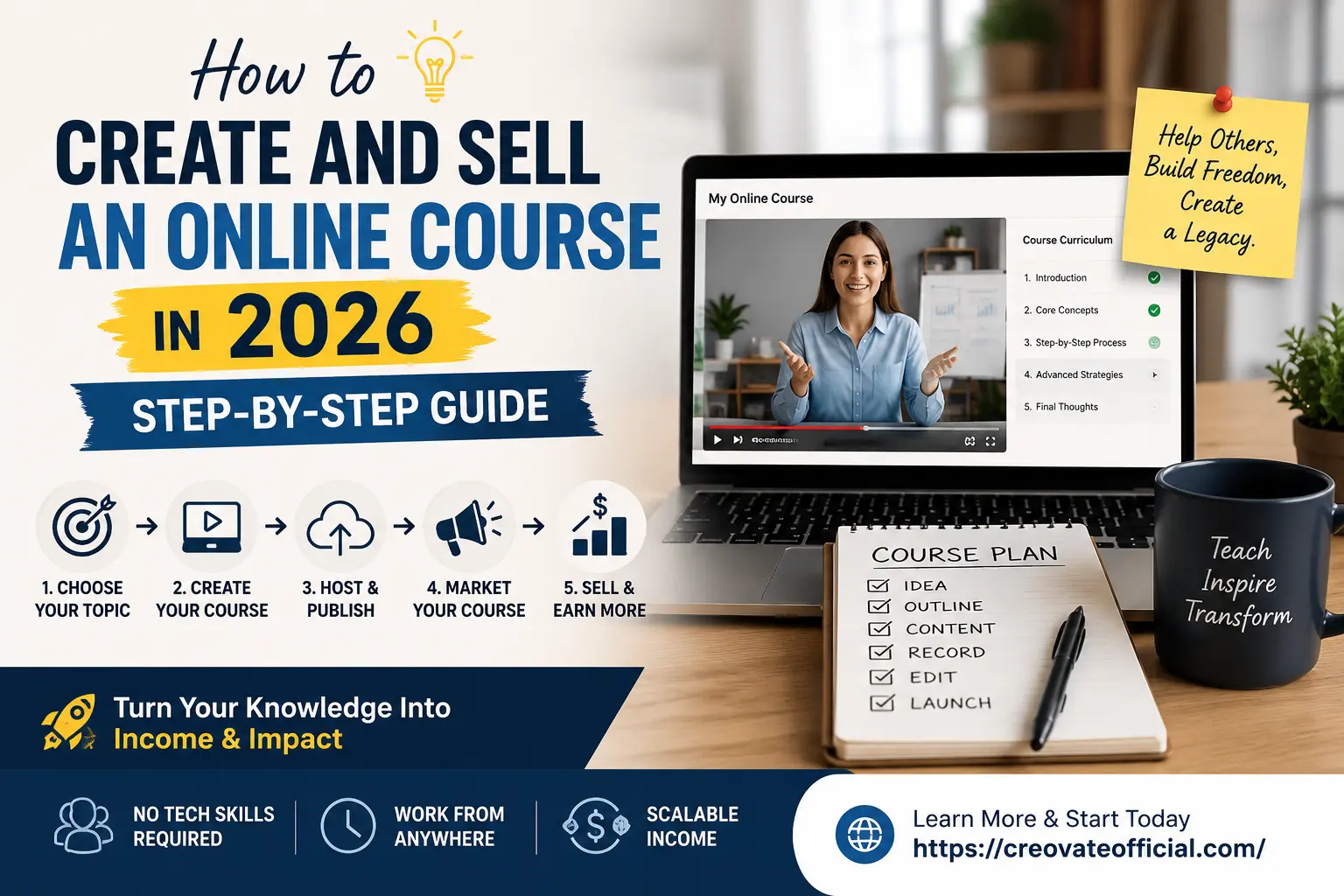
To create and sell an online course in 2026, pick a specific problem you can solve better than most people, outline it into 5–8 short modules, and produce the content with AI tools like Rytr for scripts and Synthesia for video — no camera required. Host the course and take payments through an all-in-one platform like Systeme.io, then build an email list with GetResponse and market with a short launch sequence rather than a single "buy now" post. With a focused approach, some creators can go from idea to launch in 3–4 weeks, although the time to first sale varies significantly by niche, audience, and marketing.
🎁 FREE Online Income Starter Kit (2026)
Grab the checklist, course-outline template, and pricing worksheet I use with every new course. Drop your email below and it's yours.
No spam. One helpful email a week, unsubscribe anytime.
Why Trust This Guide
This guide is built from actually running digital products and affiliate campaigns — not just reading other people's blog posts. Every tool mentioned below has been used hands-on to build, host, or market a real course or digital product.
- Written by a founder who has launched paid digital products
- Tools tested for setup time, pricing, and beginner-friendliness
- Updated for 2026 platform changes and AI course-creation tools
- Transparent affiliate disclosure — we only recommend tools we'd use ourselves
Disclosure: Some links in this article are affiliate links. If you buy through them, we may earn a small commission at no extra cost to you. This never affects which tools we recommend.
Step 1: Choose a Profitable Course Topic
If you're wondering how to create and sell an online course in 2026, the process is simpler than it looks: validate the topic, build a focused curriculum, create the lessons, choose a selling platform, and launch. Every step in this guide builds on that foundation, starting with the one most people rush through.
The biggest reason first courses fail isn't bad video quality or weak marketing — it's picking a topic that's too broad, too crowded, or that nobody is actively trying to solve. Before you outline a single lesson, get specific about the transformation you're selling.
A good course topic sits at the overlap of three things: something you can teach with real confidence, something people are already searching for or asking about, and something specific enough that you can promise a clear result.
Best Online Course Ideas for 2026
- AI tools for small business — teaching non-technical owners how to use tools like Rytr and CustomGPT to save time.
- Faceless content creation — using AI video and voice tools to build a YouTube or TikTok channel without appearing on camera.
- Freelance skill courses — copywriting, video editing, bookkeeping, or virtual assistant training for beginners.
- Niche software training — becoming the go-to expert on a tool your audience already uses.
- Personal finance and budgeting — practical, template-driven courses that pair well with a budgeting planner as a bonus.
- Email marketing and list building — a perennial topic because every creator eventually needs it.
Step 2: Plan Your Curriculum
Once you have a topic, resist the urge to cram everything you know into one course. The best-selling beginner courses are usually narrow and outcome-focused — they promise one clear result and deliver it without filler.
- Write the outcome first. Finish this sentence: "After this course, students will be able to ___." Everything you build should serve that sentence.
- Break it into 5–8 modules. Each module should represent one milestone toward the outcome, not just a topic you find interesting.
- Turn modules into lessons. Aim for 3–6 short lessons per module, each covering a single idea in 5–12 minutes.
- Add a quick win early. Your first module should help students achieve something small and real within the first session — it builds trust and reduces refund requests.
Step 3: Create Your Course Content
This is where most people get stuck — but 2026's AI tools have made content creation dramatically faster, even if you're not a natural writer or on-camera presenter.
Write Your Scripts and Course Copy Faster
Start with your lesson outline, then use an AI writing assistant to turn bullet points into clear, natural scripts. Rytr is a solid option here — it's built for exactly this kind of structured, repetitive writing (lesson scripts, sales page copy, email sequences) and keeps you from staring at a blank page for every single lesson.
Record or Generate Your Videos
You have two realistic paths in 2026:
- Camera-based lessons: Record yourself with your phone or webcam, then edit with CapCut, which is free to start and handles captions, trimming, and simple transitions without a steep learning curve.
- Faceless AI-presented lessons: Use Synthesia to turn your written script into a polished video with an AI presenter and multilingual voiceover — useful if you're camera-shy, want to move fast, or plan to localize your course for other markets later.
Speed Up Research and Support Content
For FAQs, course support docs, or a course-specific chatbot that answers student questions automatically, tools like CustomGPT let you build a custom AI assistant trained on your own course material — a nice touch for premium or cohort-style courses.
Step 4: Host and Publish Your Course
You don't need a custom-built website to sell a course. An all-in-one platform handles hosting, checkout, and student access in one place, which matters a lot when you're launching solo.
Systeme.io is a popular starting point because it bundles course hosting, a checkout page, email automation, and even affiliate management into one free-to-start plan — helpful if you'd rather not stitch together five separate tools in your first month.
If site speed matters to you (and it does — slow checkout pages quietly kill conversions), a tool like FastPixel can help optimize page load times on your website or sales pages, which is worth checking once your funnel is built.
Step 5: Price Your Course
Price based on the outcome, not the hour count. A 90-minute course that saves someone 10 hours of trial and error is worth more than a 10-hour course full of filler.
- Mini-course ($27–$97): A single focused outcome, low commitment, good for building your first buyer list.
- Core course ($97–$397): A complete transformation with templates, workbooks, and possibly community access.
- Premium/cohort ($397+): Live coaching, feedback, or a done-with-you component layered on top of the core content.
For your first launch, research 3–5 similar courses, price near the middle of that range, and treat early buyers as case studies — their feedback and testimonials will let you raise prices with confidence later.
Step 6: Market and Sell Your Course
Even a great course won't sell itself. The two things that move the needle most are an email list and a simple launch sequence.
Build Your List Before You Launch
Start collecting emails while you're still building the course — a free lesson, checklist, or template (like the lead magnet on this page) is enough to get people on your list. GetResponse is a solid choice for this because it combines email automation, landing pages, and webinar tools, which is handy if you plan to run a launch webinar.
Run a Short Launch Sequence
- Announce — tell your list the course exists and what problem it solves.
- Teach — send one genuinely useful email that gives a taste of your teaching style.
- Social proof — share early feedback, results, or a behind-the-scenes look.
- Close — a clear deadline or bonus that expires creates a real reason to act now instead of "later."
Best Course Creation Tools Compared
Here's how the core tools stack up across the course-creation workflow, from writing to hosting to marketing.
| Tool | Best For | Pricing | Pros | Cons |
|---|---|---|---|---|
| Systeme.io | All-in-one hosting & checkout | Free plan available; paid tiers scale with contacts | Course hosting, funnels, and email in one place | Design flexibility is more basic than dedicated builders |
| GetResponse | Email marketing & launches | Free trial; paid plans by list size | Automation, landing pages, webinar tools | Can feel like a lot of features if you only need basic email |
| Rytr | Scripts & sales copy | Free tier; affordable paid plans | Fast first drafts, many tone/use-case templates | Needs your edit and personal voice pass |
| Synthesia | Faceless AI video lessons | Paid plans based on video minutes | No camera or mic needed, multilingual voiceover | Can feel less personal than a real face on camera |
| CapCut | Editing camera-based lessons | Free to start; optional pro features | Beginner-friendly, built-in captions | Advanced color/audio tools are limited vs. desktop editors |
| CustomGPT | Course support & FAQ bots | Paid plans based on usage | Trains on your own course content | Overkill for a very small first course |
| FastPixel | Sales page speed optimization | Paid plans by site traffic | Improves load times that affect conversions | Most useful once you already have traffic |
Individual Tool Reviews
Systeme.io Best all-in-one for beginners
Systeme.io bundles course hosting, a checkout page, basic email automation, and an affiliate program manager into one dashboard, which removes a lot of the "which five tools do I need" decision fatigue for first-time creators.
Advantages
- One login for hosting, sales pages, and email
- Free plan is genuinely usable to launch a first course
- Built-in affiliate tracking if you want others to promote your course
Drawbacks
- Design customization is more limited than standalone page builders
- Advanced automations take some learning
Best for: Solo creators who want to launch without juggling multiple subscriptions.
GetResponse Best for launch marketing
GetResponse covers the marketing side of your course business: automated email sequences, landing pages, and webinar hosting if you want to run a live launch event.
Advantages
- Strong automation builder for launch sequences
- Built-in webinar functionality
- Landing page templates for lead magnets
Drawbacks
- More features than a brand-new creator may need at first
Best for: Creators planning a webinar-style launch or serious email marketing.
Rytr Best for scripts & sales copy
Rytr helps you go from a bullet-point outline to a full lesson script or sales page draft in minutes, which is especially useful when you're writing dozens of short lessons back to back.
Advantages
- Fast first drafts across many content types
- Free tier to test before committing
Drawbacks
- Drafts still need a personal-voice editing pass
Best for: Creators who find writing lesson scripts the biggest bottleneck.
Synthesia Best for faceless courses
Synthesia turns a written script into a video with an AI presenter and natural-sounding voiceover, so you can produce polished lessons without ever turning on a camera.
Advantages
- No filming, lighting, or mic setup required
- Multilingual voiceover for reaching wider audiences
Drawbacks
- Some students respond better to a real human presence
- Priced by video minutes, so plan your content length
Best for: Camera-shy creators or anyone wanting to produce lessons quickly at scale.
CapCut Best free video editor
If you're recording yourself, CapCut is one of the easiest free editors to get comfortable with — trimming, captions, and simple transitions are all beginner-friendly.
Advantages
- Free to start, works on desktop and mobile
- Auto-captions save serious editing time
Drawbacks
- Advanced color grading and audio tools are basic vs. professional editors
Best for: Creators recording camera-based lessons on a budget.
CustomGPT Best for course support
CustomGPT lets you build a chatbot trained specifically on your course material, so students can get instant answers to common questions instead of waiting on you.
Advantages
- Reduces repetitive support questions
- Feels like a premium touch for higher-priced courses
Drawbacks
- Probably unnecessary for a very first, small course
Best for: Creators scaling past their first cohort of students.
FastPixel Best for sales page speed
FastPixel focuses on optimizing your website's load speed, which matters more than most creators realize — a slow sales or checkout page quietly costs you sales you never see.
Advantages
- Can meaningfully improve page load times
- Useful once your funnel is getting real traffic
Drawbacks
- Less critical before you have consistent traffic
Best for: Creators with an existing site who want to improve conversion rates.
Pros & Cons of Selling Online Courses
Pros
- Low startup cost compared to most businesses
- Sell your existing knowledge without inventory
- Scales — one course can be sold to unlimited students
- Can run largely on autopilot once it's built
Cons
- Upfront time investment before your first sale
- Marketing takes ongoing effort, not a one-time push
- Crowded topics require real differentiation
- Refunds and support take some ongoing attention
How to Choose the Right Platform
Not every tool on this list is right for every creator. Here's how to decide.
- What to look for: Simple checkout flow, reasonable free or entry-level pricing, and no steep learning curve before your first launch.
- Budget considerations: Start with free or low-cost tiers. Upgrade only once a specific limit (contacts, videos, traffic) is actually holding you back.
- Who should use an all-in-one platform: First-time creators who want to launch fast without managing five separate tools.
- Who should avoid it: Established creators with very specific design or integration needs may outgrow all-in-one platforms and prefer specialized tools.
- Common mistake: Picking tools based on features you might need in a year rather than what actually helps you launch this month.
Frequently Asked Questions
How much does it cost to create and sell an online course in 2026?
Most people can start for under $100 a month using an all-in-one platform like Systeme.io on its free plan, a free video editor like CapCut, and a low-cost AI writing tool. Your biggest cost is usually time, not money.
Do I need to be an expert to sell a course?
No. You need to be a few steps ahead of your target student and able to explain a process clearly. Documented experience often outsells theoretical expertise because it feels more relatable and practical.
What is the best platform to sell an online course in 2026?
It depends on your budget and technical comfort. Systeme.io is a strong all-in-one pick for beginners because it bundles course hosting, checkout, and email marketing. Larger creators sometimes prefer dedicated course platforms with more advanced student management.
How long does it take to create an online course?
A focused, minimum-viable course can be outlined, recorded, and published in two to four weeks if you work on it a few hours a day. Larger, multi-module courses can take two to three months.
How much can you realistically make selling an online course?
There is no reliable income guarantee. Your results depend heavily on your niche, offer, audience, pricing, conversion rate, and marketing. Some creators generate their first sales quickly, while others need months to build an audience and validate their offer.
Do I need to show my face on camera to sell a course?
No. AI video tools like Synthesia let you create professional narrated lessons with an on-screen presenter without ever recording yourself, which is useful if you're camera-shy or want to produce content faster.
What's the best way to price my first online course?
Price based on the transformation you deliver, not the hours it took you to build the course. Research 3-5 competing courses, then price in the middle for your first launch and adjust after you gather student feedback and results.
Can I sell an online course without an email list?
You can, but it's much harder. An email list is the single biggest lever for course sales because most buyers need several touchpoints before they purchase. Start building your list before your course is even finished.
Final Verdict
Key takeaway: Creating and selling a course in 2026 comes down to five steps — pick a specific topic, plan a tight curriculum, produce the content with AI-assisted tools, host it on a simple all-in-one platform, and market it with an email list and a short launch sequence.
Our recommendation: If you're starting from zero, combine Systeme.io for hosting and checkout, Rytr for scripts, and CapCut or Synthesia for video. Add GetResponse once you're ready to grow your list and run a real launch.
Your next step is simple: outline five modules today, and grab the free starter kit above to keep yourself on track.
Get the Free Starter Kit →