Quick Answer
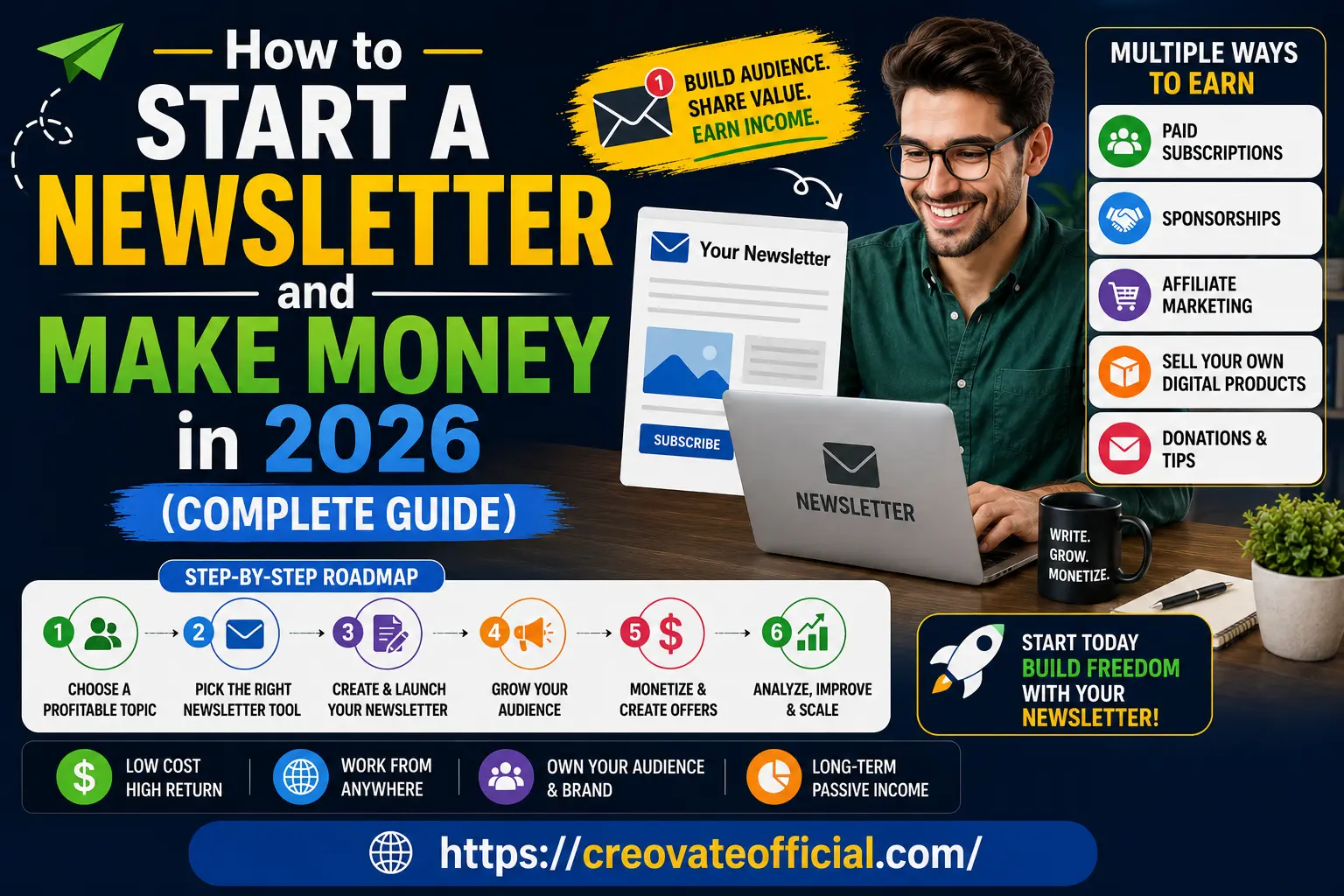
To start a newsletter and make money in 2026, pick a specific topic you can write about weekly, choose a beginner-friendly platform like GetResponse or Beehiiv, publish consistently for 8–12 weeks to build trust, then layer in income through affiliate links, sponsorships, and your own digital products once you cross roughly 500–1,000 engaged subscribers. For many beginners, meaningful revenue takes time and depends on your niche, audience engagement, offer quality, and consistency — there's no fixed timeline that applies to everyone.
🎁 Free: Online Income Starter Kit 2026
Grab our free planner covering newsletter niches, a 30-day content calendar, and a monetization checklist.
No spam. Unsubscribe anytime. By submitting, you agree to receive emails from Creovate Official.
Why Trust This Guide
This guide is built from structured research into newsletter platforms, monetization models, and current creator-economy best practices — cross-checked against multiple sources rather than written from a single opinion. Here's what backs it:
- Feature-by-feature comparison: Platform capabilities (pricing tiers, automation, landing pages) were compared directly against each provider's official documentation and current public pricing pages.
- Industry research: Recommendations are cross-checked against established creator-economy publishers and email marketing benchmark data.
- Transparency: We update this guide as platforms, pricing, and monetization options change — you're reading the 2026 version.
- Honest limitations: We tell you what doesn't work as well as what does, including when a newsletter might be the wrong channel for you.
Table of Contents
- What Is a Newsletter (and Why It Still Works in 2026)
- Step 1: Choose a Profitable Newsletter Topic
- Step 2: Pick the Right Newsletter Platform
- Step 3: Create and Launch Your First Issue
- Step 4: Grow Your Subscriber List
- Step 5: Monetize Your Newsletter
- Newsletter Platform Comparison
- Recommended Tools — Individual Reviews
- Pros & Cons of Starting a Newsletter
- Which Platform Should You Choose?
- Frequently Asked Questions
- Final Verdict
- Related Resources
What Is a Newsletter (and Why It Still Works in 2026)
A newsletter is a recurring email you send to people who've chosen to hear from you — no algorithm decides whether they see it. That's the entire appeal. While social platforms constantly change what gets shown, an email newsletter lands directly in someone's inbox, which is why email marketing consistently produces strong return on investment compared to other channels.
In 2026, newsletters have matured into full businesses. Writers, freelancers, and small business owners use them to build an audience they truly own, then turn that audience into income through sponsorships, affiliate marketing, and digital products — the same three pillars we'll walk through in this guide.
Step 1: Choose a Profitable Newsletter Topic
Your topic decides everything downstream — who subscribes, what you can sell, and how fast you grow. The best newsletter ideas sit at the intersection of three things: something you know or want to learn deeply, something people actively search for, and something with a natural monetization path.
Newsletter Ideas That Tend to Monetize Well
- Personal finance & budgeting — pairs naturally with digital products like budget planners.
- AI tools & productivity — high sponsor interest, fast-moving so there's always something new to cover.
- Freelancing & remote work — appeals to an audience with disposable income for tools and courses.
- Niche hobbies (photography, home cooking, fitness for beginners) — smaller audience, but very high affiliate conversion.
- Local business or community news — strong for local sponsorships.
Quick Validation Checklist
- Search the topic on Google — are there existing newsletters covering it? (Competition is a good sign, not a bad one.)
- Check if people are asking questions about it on forums or Reddit.
- Ask yourself: could I write about this weekly for a year without running out of ideas?
Step 2: Pick the Right Newsletter Platform
Your platform handles email delivery, subscriber management, and eventually monetization features like paid subscriptions. For most beginners starting an email newsletter for beginners, the decision comes down to ease of use versus built-in marketing tools.
If you want a platform that goes beyond just sending emails — with landing pages, automation, and audience segmentation built in — GetResponse is one option worth considering, especially if you plan to combine a newsletter with broader email marketing down the line. See the full comparison below to weigh it against Beehiiv, Substack, and Kit.
Best Newsletter Platforms to Consider
- Beehiiv — built specifically for newsletter creators, strong monetization tools out of the box.
- Substack — simplest option, built-in paid subscription model, less flexible design.
- GetResponse — full marketing suite (newsletters, automation, landing pages) in one place.
- ConvertKit (Kit) — popular with creators and bloggers, strong automation features.
Step 3: Create and Launch Your First Issue
Don't overthink your first issue — a clear, useful email beats a "perfect" one that never gets sent. Focus on one clear idea per issue, a scannable format, and a single call to action.
A Simple First-Issue Template
- Subject line: specific and curiosity-driven, under 50 characters.
- Opening line: one sentence that tells readers exactly what they'll get.
- Main content: one core idea, broken into short paragraphs or bullet points.
- One call to action: reply, click a link, or share — never more than one per issue.
Common Mistakes to Avoid
- Writing overly long issues that take more than 3–4 minutes to read.
- Skipping a welcome email — this is your highest-open-rate email, don't waste it.
- Not setting expectations upfront (how often you'll send, what topics you'll cover).
Step 4: Grow Your Subscriber List
Growth is where most beginners get stuck. The good news: you don't need viral content — you need a handful of repeatable channels.
Proven Ways to Grow a Newsletter in 2026
- A dedicated landing page that clearly states who the newsletter is for and what readers get.
- A lead magnet — a free checklist, template, or mini-guide in exchange for an email address (like the starter kit above).
- Cross-promotion with other newsletters in your niche (swap shoutouts).
- Short-form content on platforms like Pinterest, X, or LinkedIn that funnels into your list.
- SEO-optimized blog content on your own website, with newsletter sign-up forms embedded naturally.
Step 5: Monetize Your Newsletter
This is the part everyone's really here for — how to make money with a newsletter. There isn't one single method; the most sustainable newsletter businesses layer two or three income streams.
1. Affiliate Marketing
Recommend tools or products you genuinely use, and earn a commission when readers buy through your link. This works best when the recommendation fits naturally into your content — not bolted on. For example, a newsletter about content creation might recommend a video editing tool like CapCut when covering short-form video tips.
2. Sponsorships
Once you have a consistent, engaged audience (even a few hundred subscribers in a specific niche), brands may pay to be featured in your newsletter. Sponsorship rates are typically based on open rate and audience relevance, not just subscriber count.
3. Sell Digital Products
Your own products — templates, planners, or mini-courses — can give you much higher margins because you control the offer and keep the majority of the revenue after applicable platform and payment fees. For example, a finance-focused newsletter might promote a resource like a monthly budget planner to subscribers who've already shown interest in the topic.
4. Paid Subscriptions
Once your free content proves consistent value, some creators add a premium tier with deeper content, community access, or extra resources.
Newsletter Platform & Tool Comparison
| Platform | Best For | Pricing | Pros | Cons |
|---|---|---|---|---|
| GetResponse | All-in-one marketing system (newsletter + automation) | Free plan available; paid tiers scale with list size | Email, landing pages, and automation in one platform | More setup than a pure newsletter tool |
| Beehiiv | Fast newsletter-specific growth | Free tier available; paid tiers scale with list size | Built-in referral and growth tools, ad network access | Fewer general marketing automation features than GetResponse |
| Substack | Simplest paid-subscription newsletter | Free to publish; Substack takes a % of paid subscriptions | Fastest way to launch, built-in discovery network | Less design flexibility, limited automation |
| Kit (ConvertKit) | Creator-focused automation | Free tier available; paid tiers scale with subscriber count | Strong automation and audience tagging for creators | Steeper learning curve for total beginners |
Supporting Tools
| Tool | Best For | Pricing | Pros | Cons |
|---|---|---|---|---|
| Rytr | Drafting content faster | Free plan available; paid tiers for higher usage | Speeds up outlines and first drafts | Needs human editing for authentic voice |
| CapCut | Repurposing newsletter content into video | Free to download (desktop app) | Easy to turn issues into short-form video | Best suited to creators already doing video |
| FastPixel | Website/blog speed optimization | Free trial available; paid plans for ongoing use | Improves site speed, which helps SEO and sign-ups | Only useful if you also run a website |
Recommended Tools — Individual Reviews
📧 GetResponse — Essential Marketing Tools
Overview: GetResponse combines email newsletter sending with landing pages, automation, and audience segmentation — useful once you move past "just sending emails" and want to actively grow and monetize your list.
Advantages
- All-in-one platform (no need to stitch multiple tools together)
- Built-in landing pages for lead magnets
- Automation for welcome sequences and follow-ups
Drawbacks
- More features than a total beginner may initially need
- Pricing scales as your list grows — check current tiers before committing
Best for: Creators who want a newsletter tool that grows into a full marketing system.
Trust note: Features and pricing were verified against GetResponse's official site — pricing changes over time, so always confirm current plans before purchasing.
Check GetResponse Pricing →✍️ Rytr — AI Writing Assistant
Overview: Rytr helps generate outlines, subject lines, and first drafts, which is useful when you're staring at a blank page on a deadline.
Advantages
- Fast draft generation for outlines and subject lines
- Multiple tone and format options
Drawbacks
- Output needs editing to sound authentically like you
- Not a substitute for genuine subject-matter knowledge
Best for: Writers who need a starting point, not a final draft.
Try Rytr →🎬 CapCut — Free Video Editor
Overview: If you want to turn newsletter issues into short-form video to drive sign-ups from social platforms, CapCut is a free, beginner-friendly place to start.
Advantages
- Free to download
- Beginner-friendly interface with templates
Drawbacks
- This specific affiliate offer is currently available in the U.S. only (CapCut itself is available more broadly)
- Only relevant if video is part of your growth strategy
Best for: Newsletter creators who also want a short-form video presence.
Download CapCut Free →Pros & Cons of Starting a Newsletter
✅ Pros
- You own your audience — no algorithm risk
- Low startup cost, mostly free to begin
- Multiple monetization paths (ads, affiliate, products, subscriptions)
- Strong long-term, compounding asset
❌ Cons
- Slower growth than viral social content
- Requires consistent writing over months, not days
- Monetization usually takes time to kick in
- Deliverability and spam rules require ongoing attention
Which Platform Should You Choose? A Simple Decision Guide
What to Look For
- A free or low-cost starting tier
- Easy-to-use editor (no coding needed)
- Built-in or easily connected sign-up forms and landing pages
- Clear path to monetization features as you grow
Budget Considerations
Start on a free plan wherever possible. Most platforms only charge once your list grows past a certain size — by then, you should already have a monetization plan in place to cover the cost.
Who Should Start a Newsletter
Freelancers, bloggers, coaches, small business owners, and anyone with consistent knowledge to share. If you can commit to writing weekly or biweekly for at least three months, a newsletter is worth starting.
Who Should Hold Off
If you're not ready to commit to a consistent publishing schedule, focus on validating your topic through a blog or social posts first, then convert that momentum into a newsletter.
Frequently Asked Questions
How much money can you make from a newsletter?
It depends heavily on your niche, list size, and engagement rate. Small, highly engaged lists in profitable niches (like finance or B2B) can earn meaningful sponsorship and affiliate income even with just a few thousand subscribers, while broader lifestyle newsletters often need larger audiences to earn comparable amounts.
How many subscribers do I need before I can monetize?
You can start affiliate marketing and selling your own digital products from your very first subscriber. Sponsorships typically become realistic once you're in the range of a few hundred to a thousand engaged subscribers in a specific niche.
Is it too late to start a newsletter in 2026?
No. Email remains one of the highest-ROI marketing channels, and new, specific niches keep emerging. The opportunity has shifted from "general" newsletters toward focused, expert-driven ones.
What's the best free newsletter platform for beginners?
Most major platforms — including GetResponse — offer a free starting tier, so you can test the format before committing to a paid plan. Choose based on which built-in features (landing pages, automation) match your growth plans.
How often should I send my newsletter?
Weekly is the most common cadence for beginners — frequent enough to stay top of mind, sustainable enough to maintain long term. Consistency matters more than frequency.
Do I need a website to start a newsletter?
No, most newsletter platforms provide a hosted landing page and archive for you. A website helps with additional SEO-driven growth, but it isn't a requirement to launch.
What's the difference between a newsletter and email marketing?
A newsletter is typically a recurring, content-first publication readers subscribe to for value. Email marketing is a broader term that includes promotional sequences, cart abandonment emails, and other business-driven messaging. Many creators do both.
Final Verdict
Starting a newsletter in 2026 is still one of the most accessible ways to build an audience you actually own and turn it into real income. The formula is simple even if the execution takes patience: pick a focused topic, choose a platform that fits how you plan to grow, publish consistently, and layer in affiliate marketing, sponsorships, and your own products once trust is established.
There's no single "best" platform — it depends on your priorities:
- GetResponse — best if you want an all-in-one system that grows with you into full marketing automation.
- Beehiiv — best if fast newsletter-specific growth and built-in monetization tools are your top priority.
- Substack — best if you want the simplest possible path to a paid subscription newsletter.
- Kit — best if you're a creator who wants deep automation and audience tagging from day one.
For most beginners in this guide's audience — freelancers, bloggers, and small business owners who want one tool that can handle the newsletter now and marketing automation later — we recommend starting with GetResponse.
Start Your Newsletter with GetResponse →