How to Make Your First Sale Online in 2026
You don't need 10,000 followers, a big budget, or a "perfect" website to sell something online. You need one offer, one small audience, and one working checkout. This guide walks you through exactly that — in the order it actually happens.
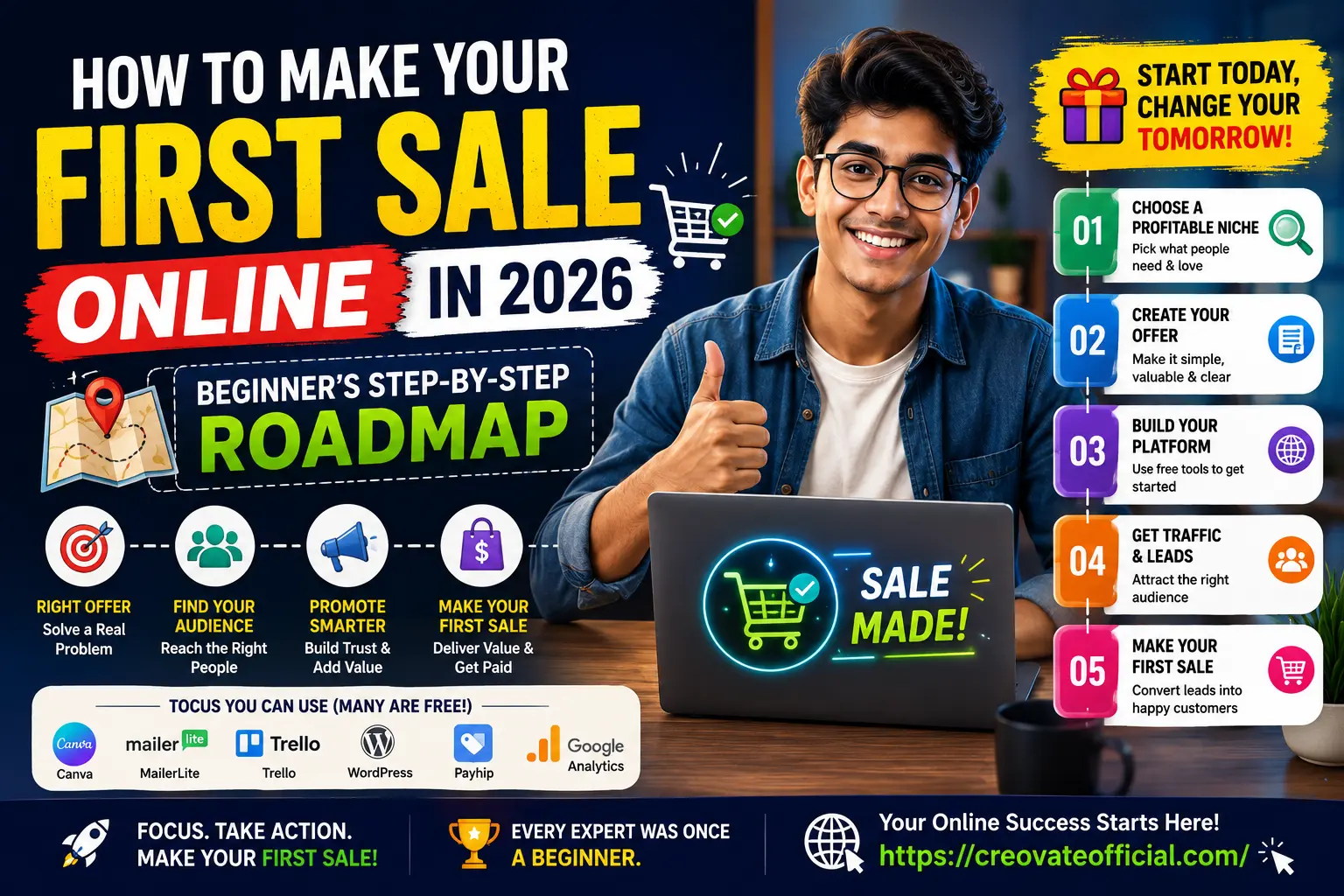
To make your first sale online, pick one specific offer that solves one specific problem, publish it on a simple one-page store or listing, and put it in front of people who are already searching for a solution — through SEO content, short video, or a small email list. Most beginners land their first sale within two to eight weeks once they stop switching ideas and commit to promoting a single offer consistently.
🎁 The Online Income Starter Kit (2026)
A short worksheet to help you pick your first offer, set your first price, and map your first 30 days — the exact framework used throughout this guide.
Why Trust This Guide
This roadmap isn't theory. It's the same sequence I use when I help first-time sellers set up their offer, funnel, and first promotion push — built from running Creovate Official's own digital products and testing the tools recommended below in real campaigns, not just reading their sales pages.
Affiliate disclosure: some links below are affiliate links. If you buy through them, Creovate Official may earn a commission at no extra cost to you. We only recommend tools we'd point a friend toward. Full disclosure in the footer.
The 5-Step Roadmap to Your First Online Sale
Every beginner online business, whether it's freelancing, a digital product, print-on-demand, or affiliate marketing, moves through the same five stages. Skipping one is usually why the first sale takes months instead of weeks.
Choose a Sellable Offer
Your first offer should solve one clear problem for one clear person — not "help people with productivity," but "help freelancers track irregular income month to month." Specific offers are easier to describe, easier to price, and easier to find buyers for through search.
You have four realistic starting lanes in 2026:
- Freelance services — writing, design, video editing, or admin support sold directly to a client.
- Digital products — templates, planners, presets, or short courses you build once and sell repeatedly. Creovate Official's own Monthly Budget Planner started this way, as a single $9 product tested on a small audience before any paid promotion.
- Print-on-demand or dropshipping — physical goods sold through a store, produced only after the order comes in.
- Affiliate marketing — recommending other people's products for a commission, useful when you don't want to build or fulfill anything yourself.
Write your offer as one sentence: "I help [specific person] do [specific outcome] with [specific product/service]." If you can't fill in all three blanks, the offer isn't specific enough yet.
Choosing an offer based on what's trending instead of what you can explain and deliver confidently. A narrow offer you understand deeply will outsell a broad one you're guessing at.
Build Your Platform (Without Overbuilding It)
You do not need a custom-coded website to make your first sale. You need one page that states the offer, the price, and the way to buy. A funnel builder like Systeme.io lets you launch that page, an email opt-in, and a simple checkout in an afternoon, with a free plan that covers most beginners' first few hundred sales.
If your offer already lives on a marketplace (Etsy, Fiverr, Gumroad, Amazon), you can skip a full website entirely at first and treat the marketplace listing as your platform.
Whatever platform you choose, keep page load speed in mind — a slow page quietly kills conversions before a visitor even reads your offer. Tools like FastPixel handle site speed and caching in the background so a heavier page still loads fast on mobile.
More buyers now discover offers inside AI chat and voice search results before they ever land on a website. Keep your page's headline and first paragraph written in plain, direct language — it's what these tools tend to surface first.
Get Traffic and Leads
Traffic without direction doesn't convert. Pick one primary channel where your specific buyer already spends time, and go deep before adding a second one.
- SEO content — one genuinely useful article or guide per week, targeting the exact phrases your buyer searches, compounds far better long-term than paid ads for a beginner budget.
- Short-form video — a 30–60 second video showing the offer in use, edited quickly with a mobile tool like CapCut, still performs well across Reels, TikTok, and Shorts in 2026.
- Talking-head or explainer video — if you don't want to appear on camera, an AI avatar tool like Synthesia can turn a script into a presentable video in minutes.
- Email — capture interested visitors early with a lead magnet (like the starter kit above) and nurture them with a platform like GetResponse before they're ready to buy.
Posting on five platforms at once with no consistency on any of them. One channel, posted consistently for 30 days, beats five channels posted twice.
Build Trust Before the Ask
People rarely buy from a stranger on the first visit. Trust signals close that gap: a clear "why trust this" section, real testimonials (even from three early users), a visible refund or satisfaction policy, and content that helps before it sells.
An AI writing assistant like Rytr can speed up first drafts of product descriptions, FAQs, and email sequences — useful for beginners who find the blank page the hardest part, as long as you edit for your own voice afterward.
If you're fielding the same pre-sale questions repeatedly, a simple AI chat assistant such as CustomGPT can answer them instantly on your page, which often moves a hesitant visitor to checkout the same day instead of leaving to "think about it."
Optimize Checkout and Close the Sale
This is where most first-time sellers lose sales they'd already earned. Keep the path from "I want this" to "paid" as short as possible:
- Show the price clearly — never make a visitor click through to find it.
- Offer at least one familiar payment method (card, PayPal, or a regional option your buyers already trust).
- Cut optional form fields. Every extra field lowers completion.
- Send an automatic follow-up email if checkout is abandoned — it can recover sales from visitors who weren't ready to complete checkout on their first visit.
After your very first sale, message the buyer personally to thank them and ask one question: "What almost stopped you from buying?" Their answer is the fastest CRO research you'll ever get.
Beginner Tool Comparison at a Glance
These are the tools referenced throughout this guide, compared on what actually matters for someone making their first sale: how fast you can start, and how much it costs before you've earned anything.
| Tool | Category | Free Plan | Best For | Watch-out |
|---|---|---|---|---|
| Systeme.io | Store / funnel builder | Yes, generous | Launching a page, checkout, and email list in one place | Design flexibility is more limited than a custom site |
| GetResponse | Email marketing | Limited trial | Automated follow-ups and abandoned-cart emails | Costs scale with list size, plan ahead |
| FastPixel | Site speed / hosting | Trial available | Keeping a WordPress or store page fast on mobile | Only useful if you're already self-hosting |
| CapCut | Video editing | Yes, free download | Fast short-form video for social promotion | Some premium effects sit behind a paid tier |
| Synthesia | AI video | Trial available | Explainer or demo video without appearing on camera | Best for scripted, not spontaneous, content |
| Rytr | AI writing | Yes, limited credits | First drafts of product copy, emails, and FAQs | Always edit for your own voice before publishing |
| CustomGPT | AI chat assistant | Trial available | Answering pre-sale questions automatically | Needs your content uploaded to answer accurately |
Individual Tool Reviews
Systeme.io Store & Funnel Builder
Overview: An all-in-one funnel builder that combines a landing page, checkout, and basic email automation, aimed squarely at beginners who don't want to stitch together five separate tools.
- One dashboard for page, checkout, and email
- Genuinely usable free tier
- No coding required to launch
- Templates look similar across users
- Fewer design options than a dedicated site builder
Best for: beginners who want to be live within a day, not a month.
GetResponse Email Marketing
Overview: A full email marketing platform with automation, landing pages, and abandoned-cart sequences — the piece that turns "someone visited" into "someone bought" days later.
- Strong automation for follow-up sequences
- Built-in landing pages if you need a second one
- Free trial is time-limited, not a permanent free tier
- Learning automation flows takes a short setup session
Best for: sellers ready to build a real email list, not just a one-off page.
FastPixel Site Speed
Overview: A performance layer for self-hosted sites (particularly WordPress) that trims load time — directly relevant to conversion, since slower pages lose mobile visitors before checkout.
- Noticeable mobile speed improvement
- Minimal manual configuration
- Only relevant if you're self-hosting rather than using a builder like Systeme.io
Best for: sellers running a WordPress store or blog who notice slow load times.
CapCut Video Editing
Overview: A free mobile and desktop video editor built for short-form content — captions, trending audio, and quick cuts without a learning curve.
- Free to download and use for core editing
- Fast mobile workflow for daily posting
- Some effects and templates sit behind a subscription
Best for: promoting a physical or digital product through short video.
Synthesia AI Video
Overview: Turns a written script into a presenter-style video using an AI avatar, useful for explainer or demo videos when you'd rather not film yourself.
- No camera or filming setup needed
- Fast turnaround from script to finished video
- Works best with a tightly written script, not off-the-cuff talking
Best for: sellers who want a polished demo video without appearing on camera.
Rytr AI Writing
Overview: An AI writing assistant for first drafts — product descriptions, ad copy, emails, and FAQs — meant to get past the blank page, not to be published unedited.
- Free tier with limited monthly credits
- Wide range of copywriting templates
- Output still needs editing for your own voice and accuracy
Best for: beginners who find writing product copy the slowest part of launching.
CustomGPT AI Chat Assistant
Overview: Lets you build a chat assistant trained on your own content to answer visitor questions instantly on your page, reducing the "let me think about it" drop-off.
- Answers pre-sale questions around the clock
- Trained on your own product content, not generic answers
- Needs decent source content uploaded to answer well
Best for: offers with recurring pre-sale questions that stall the buying decision.
Pros & Cons of Starting an Online Business in 2026
Pros
- Free and low-cost tools now cover nearly every stage, from page building to video editing
- AI assistants remove most of the "I don't know how to write this" friction
- Marketplaces let you test an offer before building a full website
- Short-form video gives even small accounts real reach without ad spend
Cons
- More sellers means generic offers get lost faster than in previous years
- Tool overload is easy — beginners often collect subscriptions before earning anything
- Automation still requires a real, tested offer behind it to work
- Trust-building takes longer for a brand-new seller than for an established one
Which Tools Fit Your Budget and Situation
Not every beginner needs every tool from the comparison table above. Match tools to where you actually are:
What to look for
A genuine free tier or trial, a short setup time, and a clear upgrade path once you're earning — not locked-in annual pricing before your first sale.
Budget considerations
Start with the free plans of a store builder, a writing assistant, and a video editor. That alone covers Steps 1 through 3. Add email automation only once you have visitors worth nurturing, and add an AI chat assistant only once pre-sale questions become repetitive.
Who should buy premium tools early
Sellers with some savings to invest and a validated offer (a service you've already sold once, or a product with initial interest) can reasonably skip the free-tier stage and move straight to paid plans to save setup time.
Who should hold off
If you're still testing which offer to sell, stay on free plans until one offer shows real traction — measured by actual inquiries or add-to-cart activity, not just page views.
Expert tip
Set a simple rule: no new paid tool until the last one you added is actually being used weekly. This alone prevents the most common early mistake — subscription costs outpacing revenue.
Frequently Asked Questions
How long does it usually take to make your first sale online?
Most beginners who post consistently and promote one specific offer to one specific audience see a first sale within two to eight weeks. It can happen faster if you already have some audience or network, and slower in more competitive niches.
Do I need a website to sell online in 2026?
No. A single landing page, a link-in-bio page, or a marketplace listing is enough to start. A full custom website becomes more useful once you've proven demand and want more control over branding.
What can I sell online with no money to start?
Freelance services, print-on-demand products, affiliate marketing, and simple digital downloads like templates or planners all have little to no upfront cost, since most of the tools involved offer usable free plans.
Is affiliate marketing still profitable for beginners in 2026?
Yes, though it rewards depth over volume now. Beginners who go narrow on one topic and write genuinely useful, tested comparisons tend to outperform those spreading thin across many broad niches.
How much should I budget for my first online business?
Many beginners start for under fifty dollars a month using free plans and trials, then reinvest early sales into paid tools once there's proof the offer actually works.
What's the fastest way to get my first customer?
Reach out directly to a small, warm audience first — past coworkers, a relevant online community, or your own social following — rather than waiting on organic search traffic to build up. It's slower to scale but far faster for a genuine first sale.
Should I use paid ads to get my first sale?
Generally no, not before your offer and checkout are already converting organic or direct traffic. Paid ads amplify what's already working; they rarely fix an offer or page that isn't converting yet.
Final Verdict: Your First-Sale Receipt
The tools in this guide can shorten each step, but none of them replace the sequence itself: a specific offer, a simple platform, consistent traffic, real trust, and an easy checkout. Start with whichever step you haven't done yet — most beginners are further along than they think.
Next step: grab the free starter kit above, fill in your offer sentence, and pick one traffic channel to commit to for the next 30 days.
Get the Free Starter Kit →