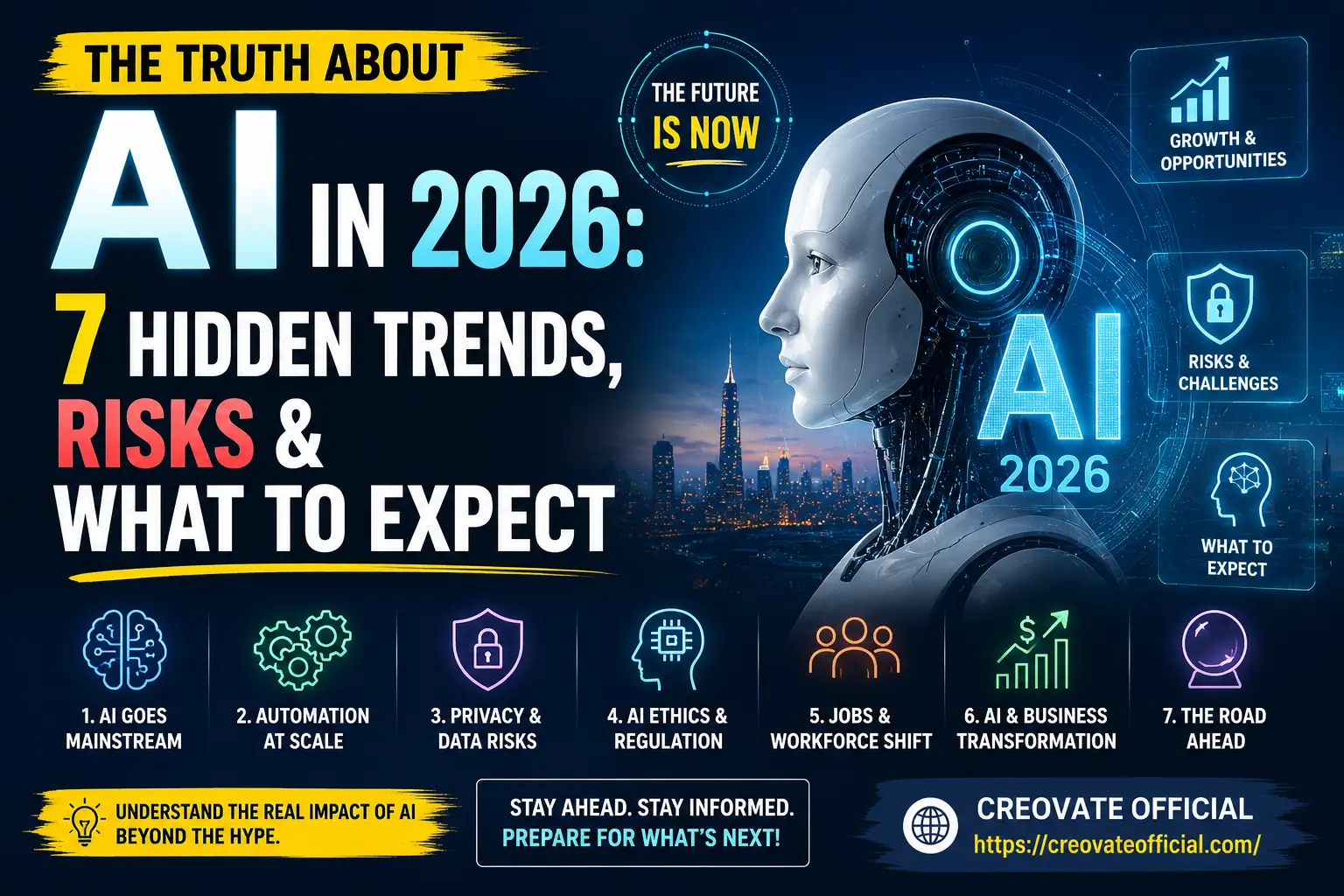
In 2026, AI has moved from "chatbot you visit" to an invisible layer inside almost every app you already use. The biggest wins are in automation, content creation, and personalized marketing — the biggest risks are data privacy, job displacement in specific roles, and an explosion of AI-generated misinformation. The winners this year are the people and small businesses who use AI as a force multiplier, not a replacement for judgment.
🎁 The Free Online Income Starter Kit (2026 Edition)
Grab our free starter kit with the exact AI tools, templates, and income ideas we reference in this guide — no spam, just the resource.
Enter your email to get instant access to the free kit. We'll never spam you.Why Trust This Guide
This guide was researched and written by me, Suresh Sannapareddy, using AI tools daily to run Creovate Official — not by copy-pasting press releases. Here's how I approached it:
- Hands-on testing: Every tool mentioned below has been used personally for real content, marketing, or automation tasks — not just reviewed from a spec sheet.
- Cross-checked research: Trends and risks are cross-referenced against industry reporting, vendor documentation, and firsthand usage, not a single source.
- Transparency: Some links in this article are affiliate links, meaning I may earn a small commission if you purchase through them, at no extra cost to you. This never affects my honesty — see the full disclosure below.
- Honest limitations: AI changes fast. I date my claims, avoid absolute predictions, and update this page as the landscape shifts.
Get The No-Portfolio Client Playbook and learn how to choose a service, create practice samples, find prospects, write outreach, and take your first steps with confidence.
👉 Get it here1. AI Goes Mainstream: It's Not a Tool Anymore, It's a Layer
In 2023, "using AI" meant opening a chatbot tab. In 2026, AI is baked into your email client, your spreadsheet, your camera roll, and your customer service chat — often without you consciously choosing to use it. That shift matters more than any single new model release.
For freelancers and small business owners, this is genuinely good news: you no longer need a separate subscription for every task. Writing, image generation, video editing, and email marketing tools now have AI features built directly into workflows you already use.
Practical example
Instead of writing a product description from scratch, drafting it in a translator tool, and formatting it in an email builder, one AI-assisted workflow (like Rytr connected to your email platform) can draft, tone-adjust, and format the copy in a single pass.
2. Automation at Scale
The second major 2026 trend is automation moving from "nice to have" to "how small teams compete with big ones." Solo creators and lean teams are now running entire content pipelines — writing, image generation, video creation, publishing, and email follow-up — with minimal manual work.
- Content speed: AI writing assistants cut first-draft time by 60–80% for blog posts, product descriptions, and social captions.
- Video without a studio: AI avatar and voice tools like Synthesia let one person produce training videos or explainer content that used to require a full crew.
- Faster editing: Tools like CapCut use AI to auto-caption, auto-cut, and auto-color video, shrinking editing time from hours to minutes.
Best practice
Automate the repetitive 80%, keep humans on the strategic 20% — the hook, the offer, the brand voice, and the final review. That's the difference between "AI-assisted" content that performs and "AI slop" that readers scroll past.
3. Privacy & Data Risks
This is the trend nobody wants to talk about. More AI tools means more places your data lives — and not every provider is equally careful with it.
As AI features get embedded into everyday apps, the amount of personal and business data flowing through third-party models keeps growing. In 2026, the realistic privacy risks include:
- Training on your inputs: Some free-tier AI tools use uploaded content to improve future models unless you explicitly opt out.
- Voice and camera context: AI assistants embedded in phones and browsers capture more ambient context than most users realize.
- Data broker convergence: AI-driven profiling combined with data broker networks makes it easier to build detailed profiles from scattered public information.
- Deepfake-enabled scams: Voice cloning and AI-generated video make impersonation scams more convincing than ever.
How to protect yourself
- Read the data-usage section of any AI tool's privacy policy before uploading client or financial information.
- Use business-tier plans (not free tiers) for anything involving confidential data — most explicitly exclude your data from training.
- Turn off "improve the product" data-sharing toggles where available.
- Verify unexpected voice or video requests through a second channel before acting on them.
4. AI Ethics & Regulation Catches Up
Governments and platforms spent 2024–2025 debating AI regulation; 2026 is the year enforcement actually starts to bite. Expect clearer disclosure requirements for AI-generated content, stricter rules around AI in hiring and lending decisions, and more platforms requiring labels on AI-generated images and video.
For content creators and marketers, the practical takeaway is simple: disclose when content is AI-assisted, avoid using AI to impersonate real people without consent, and keep a human accountable for anything published under your brand name.
5. Jobs & the Workforce Shift
This is the trend people fear most — and the reality is more nuanced than "AI is taking jobs." What's actually happening is task-level automation inside existing roles, not wholesale job elimination across the board.
| Task Type | 2026 Reality |
|---|---|
| Repetitive, template-based writing | Largely automated or AI-assisted |
| First-draft design & video editing | AI-accelerated, human-finished |
| Strategy, relationships, judgment calls | Still human-led, AI-supported |
| Customer support (tier 1) | Largely AI-handled with human escalation |
The freelancers and employees thriving in 2026 are the ones who treat AI fluency the way earlier generations treated spreadsheet fluency: a baseline expectation, not a specialty skill.
6. AI & Business Transformation
Small businesses are the biggest beneficiaries of the 2026 AI shift, because AI closes the resource gap between a solo founder and a funded competitor. A one-person business can now run email marketing, customer segmentation, and lead generation that used to require an entire team.
- Marketing automation: Platforms like GetResponse combine AI email writing with automated funnels, so a single founder can run campaigns that used to need a marketing department.
- All-in-one funnels: Tools like Systeme.io let you build sales pages, courses, and email sequences from one dashboard, cutting the "tech stack tax" that used to eat into margins.
- Faster websites: Site speed tools like FastPixel use AI-driven optimization to improve Core Web Vitals without manual developer work.
- On-demand skills: Marketplaces like Fiverr now surface AI-augmented freelancers who can execute in a fraction of the previous turnaround time.
7. The Road Ahead: What to Actually Expect Next
Looking past 2026, expect three things to keep accelerating: agentic AI that completes multi-step tasks with less supervision, tighter integration between AI tools and everyday software, and growing public demand for transparency about when AI is involved. The honest prediction isn't that AI replaces people — it's that people who use AI well keep pulling ahead of people who ignore it.
Best AI & Automation Tools Compared (2026)
Based on hands-on use, here's how the tools referenced in this guide stack up across the tasks freelancers and small businesses actually need.
| Tool | Best For | Pricing Model | Pros | Cons |
|---|---|---|---|---|
| Rytr | AI writing & content drafts | Free tier + paid plans | Fast, affordable, many tone/use-case templates | Needs human editing for long-form accuracy |
| FastPixel | Website speed & Core Web Vitals | Subscription | Automated image/code optimization, boosts SEO | Best value on WordPress-based sites |
| CapCut | AI video editing | Free (USA) | Auto-captions, templates, beginner-friendly | Some premium effects are paid |
| GetResponse | Email marketing & automation | Free tier + paid plans | AI email generator, built-in automation | Advanced features have a learning curve |
| Systeme.io | All-in-one funnels & courses | Free tier + paid plans | Replaces 4–5 tools, beginner-friendly | Design flexibility is more limited than niche tools |
| Synthesia | AI avatar & training videos | Paid plans | Studio-quality video with no camera or crew | No free tier; per-minute cost adds up |
| CustomGPT | Custom AI chatbots on your content | Paid plans | Trains on your own docs/site, good for support | Setup takes longer than plug-and-play tools |
| Fiverr | Outsourcing AI-augmented tasks | Pay per project | Fast turnaround, wide skill range | Quality varies by freelancer; vet reviews carefully |
Individual Tool Reviews
Rytr — AI Writing Assistant
Best for: Fast content draftsRytr is a lightweight AI writing tool built for speed. It's not trying to be an all-in-one content suite — it's trying to get you from blank page to usable first draft in seconds, across dozens of use cases like product descriptions, ad copy, and blog outlines.
Advantages
- Generous free tier for testing
- Simple interface, low learning curve
- Wide template library
Drawbacks
- Long-form content still needs restructuring
- Fewer advanced SEO features than dedicated tools
Trust note: Best used as a first-draft generator, not a publish-as-is tool. Try Rytr free →
FastPixel — AI Site Speed Optimization
Best for: SEO & Core Web VitalsFastPixel automates image compression, code minification, and caching decisions that used to require a developer. For content sites carrying a lot of images (like affiliate blogs), it's one of the highest-leverage speed fixes available.
Advantages
- Set-and-forget automation
- Noticeable Core Web Vitals improvement
Drawbacks
- Most beneficial on image-heavy sites
- Requires initial setup and testing
CapCut — AI Video Editor
Best for: Beginners editing on mobile or desktopCapCut brings AI auto-captioning, background removal, and smart cutting to a free, beginner-friendly interface — a genuine game-changer for creators who don't have editing experience.
Advantages
- Free core feature set (USA)
- Auto-captions save huge editing time
Drawbacks
- Some premium templates/effects are paid
GetResponse — AI Email Marketing
Best for: Automated email funnelsGetResponse pairs an AI email generator with solid automation workflows, making it a strong pick for creators who want to nurture an audience without manually writing every send.
Advantages
- Free tier available
- AI subject line and copy suggestions
Drawbacks
- Advanced automation has a learning curve
Systeme.io — All-in-One Funnel Builder
Best for: Beginners replacing multiple toolsSysteme.io bundles funnels, email, courses, and affiliate management into one dashboard — genuinely useful for beginners who don't want to juggle five separate subscriptions.
Advantages
- Free plan to start
- Replaces several paid tools at once
Drawbacks
- Design flexibility trails specialist builders
Synthesia — AI Avatar Video
Best for: Training & explainer videos without a cameraSynthesia turns a script into a professional-looking avatar video in minutes — ideal for course creators and businesses that need consistent video content without production overhead.
Advantages
- No camera, crew, or studio needed
- Wide language and avatar library
Drawbacks
- No free tier; cost scales with usage
CustomGPT — Train Your Own AI Chatbot
Best for: Customer support & site chatbotsCustomGPT lets you build a chatbot trained specifically on your own content — useful for answering customer questions accurately instead of relying on a generic model's guesses.
Advantages
- Accurate answers grounded in your own data
- Reduces support workload
Drawbacks
- Setup takes more time than plug-and-play tools
Fiverr — AI-Augmented Freelance Talent
Best for: Outsourcing tasks quicklyFiverr's marketplace now includes many freelancers who use AI tools to deliver faster turnarounds — useful when you need something done well without doing it yourself.
Advantages
- Wide range of skills and price points
- Fast turnaround on many gigs
Drawbacks
- Quality varies — vet reviews and portfolios first
Pros & Cons Summary: AI in 2026
The Upside
- Small teams can compete with much larger budgets
- Repetitive tasks take minutes instead of hours
- Lower barrier to entry for video, design, and marketing
- Faster iteration on content and campaigns
The Downside
- Data privacy requires active management, not defaults
- Some roles are genuinely shrinking, not just changing
- Misinformation and deepfakes are more convincing
- Over-reliance on AI output without review lowers quality
Buying Guide: How to Choose the Right AI Tool
What to look for
- Data policy clarity: Does the provider clearly state whether your inputs are used for training?
- Free tier or trial: Test before you commit, especially for content-quality-dependent tools.
- Integration: Does it connect to tools you already use, or add another disconnected step?
- Support & documentation: Good onboarding saves hours in the first month.
Common mistakes
- Buying an annual plan before testing the free tier
- Uploading confidential client data to a free-tier AI tool
- Publishing AI output with zero human review
Budget considerations
Start with free tiers to confirm fit, then upgrade the one or two tools that save you the most time. Most solo creators only need 3–4 AI tools total — writing, design/video, email, and one automation layer — rather than a dozen overlapping subscriptions.
Who should buy vs. who should wait
Buy now if: you're spending 5+ hours a week on repetitive content, editing, or email tasks. Wait if: your workflow is still undefined — clarify your process first, then automate it.
Frequently Asked Questions
What is the biggest AI trend in 2026?
AI agents that complete multi-step tasks on their own — researching, writing, and publishing with minimal prompting — are the defining trend, alongside AI becoming a default layer inside everyday software rather than a separate destination.
Is AI actually dangerous in 2026?
The realistic risks are less dramatic than science fiction: job displacement in specific roles, weaker privacy protections, more convincing scams, and over-reliance on AI output without human review. These are manageable if you stay informed and cautious.
Will AI take my job in 2026?
AI is more likely to change your job than eliminate it outright. Repetitive, template-based tasks are automated first, while roles requiring judgment and relationships are shifting toward AI-assisted work.
What are the biggest AI privacy risks right now?
The biggest risks come from tools training on user data by default, voice/camera assistants capturing more context than expected, and data-broker networks combining AI profiling with scraped personal information.
Do I need to learn AI tools to stay competitive?
You don't need to become an engineer, but basic fluency with AI writing, design, and automation tools is becoming as expected as spreadsheet literacy was a decade ago.
Are free AI tools safe to use for business?
Many are fine for low-stakes tasks, but always check the privacy policy before uploading client data or financial information — free tiers sometimes use inputs to train future models.
What's the single best AI tool to start with in 2026?
For most beginners, an AI writing assistant like Rytr is the lowest-friction starting point — it has an immediate, visible time-saving effect and a free tier to test before committing.
Final Verdict
AI in 2026 isn't the villain or the miracle it's sometimes made out to be — it's infrastructure. The businesses and individuals pulling ahead are treating it exactly that way: testing tools with real work, protecting their data deliberately, and keeping a human in charge of judgment calls.
Key takeaways:
- AI is now embedded in everyday tools, not a separate destination
- Privacy requires active management — check data policies before you upload
- Task-level automation is real; wholesale job elimination is the exception, not the rule
- The highest-leverage move for beginners is testing one AI writing, one video, and one automation tool this month
Sources & Further Reading
Claims about AI adoption, regulation, and workforce impact in this guide draw on ongoing tracking from these independent, non-affiliate sources. Since AI policy and adoption data update frequently, check the source directly for the latest figures.
- Stanford HAI — AI Index Report: annual data on AI adoption, investment, and capability trends.
- OECD.AI Policy Observatory: tracking of AI governance and regulation across countries.
- European Commission — AI Regulatory Framework: official status of the EU AI Act and enforcement timeline.
- Pew Research Center — Artificial Intelligence: survey data on public attitudes, jobs, and AI use.