Quick Answer
In 2026, AI tools for work are mostly used to handle the repetitive parts of a job — drafting content, summarizing meetings, editing video, automating email follow-ups, and analyzing data — so people can spend more time on strategy and decision-making. The tools that matter most for most workers and small businesses fall into a few categories: AI writing assistants, video and image creation tools, marketing automation platforms, and AI-powered chat or research assistants. The right stack depends on your role, not a single "best" tool.
📊 Free Download: Monthly Budget Planner
Before you start adding AI subscriptions to your toolkit, grab our free planner to track what each tool actually costs you — and whether it's paying for itself.
No spam. Unsubscribe anytime. By submitting, you agree to receive occasional emails from Creovate Official.Why Trust This Guide
This guide is built from hands-on use of free tiers and trials, current documentation from each tool's official site, and ongoing coverage of workplace AI trends throughout 2026. We update it as tools change their features and pricing, and we call out limitations honestly instead of only listing upsides.
- Research-based: Claims are cross-checked against each provider's official pricing and feature pages at the time of writing.
- Practical focus: Recommendations are built around real workplace tasks, not just feature lists.
- Transparency: Some links in this article are affiliate links. If you sign up through them, Creovate Official may earn a commission at no extra cost to you. This never affects which tools we recommend.
Affiliate Disclosure: This post contains affiliate links. We only recommend tools we believe offer genuine value based on our research. Pricing and features can change — always confirm current details on the official product page before purchasing.
Get The No-Portfolio Client Playbook and learn how to choose a service, create practice samples, find prospects, write outreach, and take your first steps with confidence.
👉 Get it hereHow AI Is Changing the Way We Work in 2026
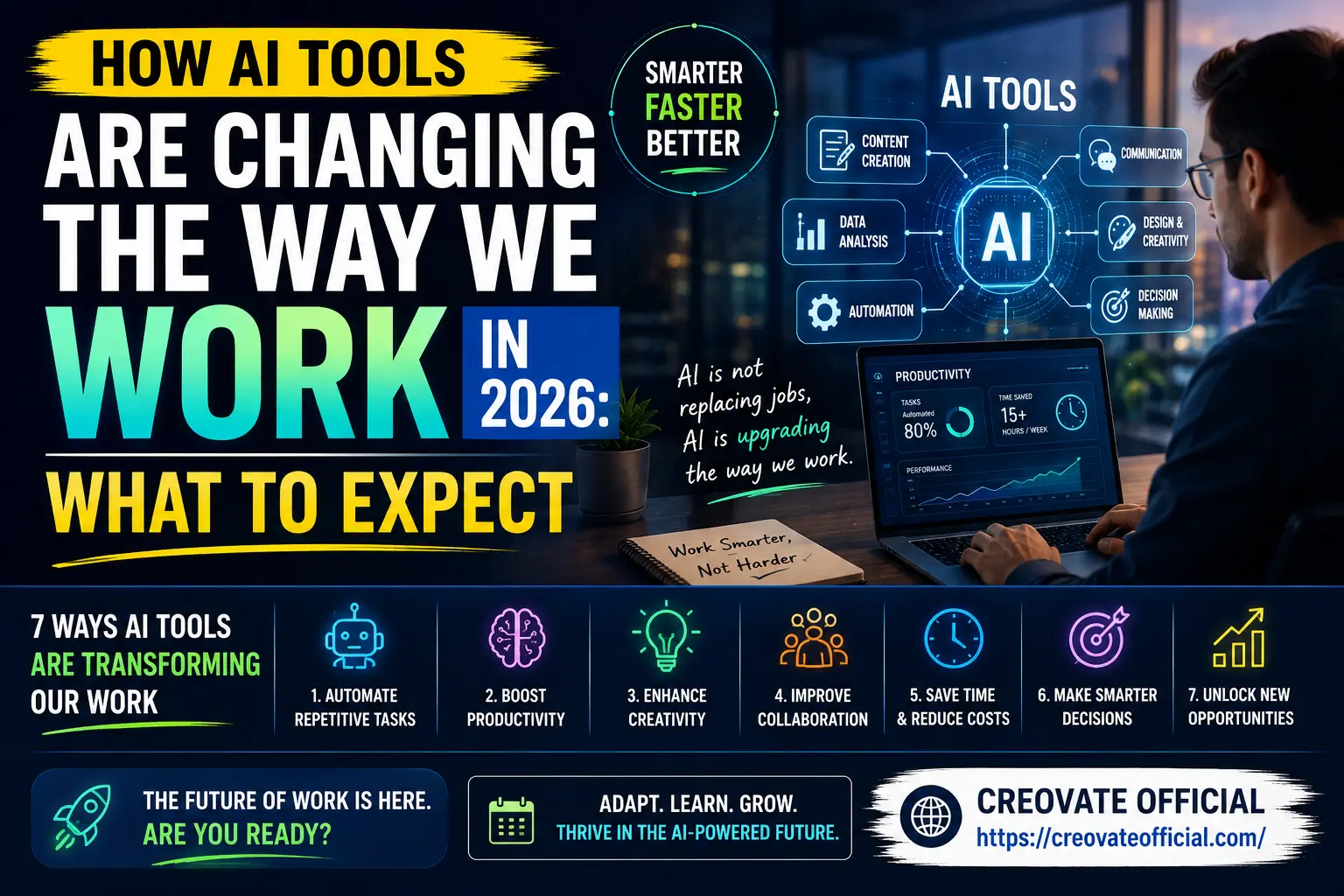
Five years ago, "AI tools for productivity" mostly meant autocomplete and spam filters. In 2026, AI sits inside the everyday workflow of writers, marketers, freelancers, and small business owners — drafting first versions of documents, generating on-brand video, scheduling email sequences, and flagging patterns in data that would take a person hours to spot manually.
The shift isn't about robots taking over entire jobs. It's more accurate to say AI is increasingly absorbing repetitive tasks that can consume a disproportionate amount of a worker's time. That leaves more room for the parts of work that actually require a human — judgment, relationships, strategy, and creative direction.
The Main Categories of AI Tools for Work
Rather than chasing every new AI app that launches, it helps to think in categories. Most workplace AI tools fall into one of these buckets, and covering even two or three of them well can meaningfully change your workday.
1. AI Writing and Content Tools
Used for blog drafts, product descriptions, ad copy, and emails. These tools are best treated as a first-draft generator — you still need to edit for accuracy, tone, and originality, but they can cut drafting time significantly.
2. AI Video and Avatar Tools
Marketing teams and solo creators increasingly use AI to turn a script into a talking-head video without a camera, actor, or studio — useful for training content, ads, and social videos at a fraction of traditional production cost.
3. AI-Assisted Video Editing
Auto-captioning, background removal, and smart trimming have turned video editing from a specialist skill into something a non-editor can do in an afternoon.
4. Marketing Automation and Email Tools
AI-assisted subject lines, send-time optimization, and behavior-based automation help small businesses run email marketing that used to require a dedicated marketing hire.
5. AI Website and Funnel Builders
All-in-one platforms now use AI to help generate page copy, structure sales funnels, and suggest layouts — lowering the barrier for non-technical business owners to launch online.
6. Custom AI Chat Assistants
Businesses are increasingly training AI chat assistants on their own documentation to handle customer support and internal FAQs, reducing repetitive support tickets.
7. Freelance and Task-Based AI Support
Freelance marketplaces have adapted for the AI era, connecting businesses with freelancers who specialize in AI-assisted design, video, and writing services for tasks that still benefit from a human touch.
AI's Impact on Jobs and Skills
Concern about AI's impact on jobs is fair, and it deserves an honest answer rather than a hype-driven one. Entry-level tasks that were purely repetitive — basic data entry, simple copyediting, first-pass image editing — are the most exposed to automation. At the same time, new tasks are emerging around directing, reviewing, and fact-checking AI output, and those skills are becoming valuable in their own right.
Practically, that means the safest long-term position isn't avoiding AI tools — it's becoming the person on the team who knows how to use them well.
Skills Worth Building in 2026
- Writing clear, specific prompts to get usable first drafts
- Editing and fact-checking AI-generated content
- Basic workflow automation (connecting tools together)
- Data literacy — reading dashboards and reports critically
- Knowing when not to use AI (sensitive decisions, final legal or financial sign-off)
Comparison Table: Top AI Tools for Work in 2026
| Tool | Category | Best For | Pros | Cons |
|---|---|---|---|---|
| Rytr | AI Writing | Blog posts, ads, emails on a budget | Affordable, fast, many templates | Needs human editing for nuance |
| FastPixel | Website speed / hosting | Site owners who need faster load times | Improves site performance and SEO | Technical setup for beginners |
| CapCut | Video editing | Social media and short-form video | Free tier, mobile + desktop, auto-captions | Advanced features behind paid tier |
| GetResponse | Email marketing automation | Small businesses building funnels | All-in-one automation, landing pages | Can feel feature-heavy for beginners |
| Systeme.io | All-in-one funnel builder | Course creators, solo entrepreneurs | Free plan available, simple interface | Fewer advanced design options |
| Synthesia | AI avatar video | Training and marketing videos without filming | Realistic AI avatars, multi-language | Premium pricing at scale |
| CustomGPT | Custom AI chat assistant | Businesses automating support/FAQs | Trains on your own content, no-code setup | Best results need clean source content |
| Fiverr | Freelance marketplace | Outsourcing AI-assisted design, writing, video | Huge talent pool, fixed-price gigs | Quality varies by freelancer |
Individual Tool Reviews
Rytr
Rytr is a lightweight AI writing assistant built for people who need quick drafts — blog intros, product descriptions, social captions — without a steep learning curve.
Advantages
- Low-cost entry point
- Large template library
- Simple, beginner-friendly interface
Drawbacks
- Long-form content still needs heavy editing
- Fewer advanced SEO features than premium writing tools
Pricing includes a free tier with paid plans that scale by word count — check the official site for current rates.
Try Rytr Free →FastPixel
FastPixel focuses on optimizing site speed, which matters more than ever now that both users and search engines penalize slow-loading pages.
Advantages
- Can meaningfully improve load times
- Supports Core Web Vitals performance
Drawbacks
- Setup benefits from some technical comfort
- Results vary by hosting environment
Check the official site for current plan pricing and supported platforms.
See FastPixel Plans →CapCut
CapCut has become a go-to free video editor for creators who need auto-captions, trimming, and effects without professional editing software.
Advantages
- Generous free tier
- Mobile and desktop versions
- Fast auto-captioning
Drawbacks
- Some effects and templates are paid-only
- Best features currently focused on the US market
Free to download; premium features available via subscription.
Download CapCut Free (USA) →GetResponse
GetResponse bundles email marketing, automation workflows, and landing pages into one platform, making it a solid pick for small businesses that don't want to stitch together multiple tools.
Advantages
- Strong automation builder
- Built-in landing pages and funnels
Drawbacks
- Interface has a learning curve for total beginners
Free trial available; paid plans scale with subscriber count.
Explore GetResponse →Systeme.io
Systeme.io is an all-in-one funnel and course platform designed for people who want to launch without hiring a developer.
Advantages
- Free plan to get started
- Funnels, email, and courses in one place
Drawbacks
- Design flexibility is more limited than dedicated page builders
Free plan available; paid tiers unlock higher limits and features.
Start Free with Systeme.io →Synthesia
Synthesia turns a written script into a video featuring an AI presenter, which is useful for training material, product explainers, and multilingual marketing content without booking a studio.
Advantages
- Realistic AI avatars
- Supports many languages
- No filming or actors required
Drawbacks
- Higher-tier plans needed for full customization
Free trial available; business pricing scales with video minutes and seats.
Try Synthesia →CustomGPT
CustomGPT lets businesses build a chat assistant trained on their own documents and website content — a practical way to automate FAQs and support without coding.
Advantages
- No-code setup
- Trained specifically on your content
Drawbacks
- Output quality depends on how clean your source content is
Paid plans based on usage and number of AI projects — see official pricing for details.
Build Your AI Assistant →Fiverr
When a task needs a human touch — voiceover, design polish, or complex video editing — Fiverr connects you with freelancers who already work with AI tools daily, often at fixed prices.
Advantages
- Huge range of specialized freelancers
- Fixed-price gigs make budgeting easy
Drawbacks
- Quality varies — check reviews and portfolios carefully
Gig pricing set individually by each freelancer.
Browse Fiverr Gigs →Pros & Cons Summary
✅ Pros of Adopting AI Tools for Work
- Saves hours on repetitive tasks
- Lowers the cost of content and video production
- Makes advanced marketing automation accessible to small businesses
- Levels the playing field for solo entrepreneurs and freelancers
⚠️ Cons and Limitations
- Output still needs human review for accuracy and tone
- Subscription costs can add up if tools overlap
- Learning curve for automation and prompt writing
- Not a substitute for judgment on sensitive decisions
Buying Guide: How to Choose the Right AI Tools for Business
What to Look For
- A free trial or free tier you can actually test
- Integration with tools you already use
- Clear, transparent pricing with no hidden usage limits
- Active support and documentation
Budget Considerations
Start with one tool per category and track the actual time it saves you over a month before adding another subscription. This is also where a simple budget tracker helps — it's easy to lose track of five small monthly charges.
Who Should Buy AI Tools Now
Freelancers, content creators, and small business owners doing repetitive work by hand will likely see the fastest return.
Who Should Wait
If your workflow is highly specialized or regulated (legal, medical, financial reporting), test AI tools in a limited, supervised way before relying on them for client-facing work.
Frequently Asked Questions
What are the best AI tools for work in 2026?
There's no single "best" tool — it depends on the task. Writing teams tend to reach for AI writing assistants and video generators, marketers lean on AI-powered email and funnel platforms, and freelancers mix automation and design tools to save time on repetitive work.
Will AI tools replace my job?
Most current AI tools are built to handle repetitive, time-consuming tasks rather than entire jobs. Roles are shifting toward oversight, strategy, and creative judgment — workers who learn to direct AI tools tend to become more valuable, not less.
Are AI tools for work expensive?
Pricing varies widely. Many tools offer a free or trial tier that's enough for light personal use, with paid plans scaling based on usage, seats, or advanced features. Test the free tier before committing.
Do I need technical skills to use AI tools at work?
No. Most modern workplace AI tools use simple, prompt-based or point-and-click interfaces specifically so non-technical employees and business owners can use them without coding knowledge.
How is AI changing the future of work in 2026?
AI is shifting work from manual execution toward oversight and strategy — automating scheduling, first drafts, and data entry, while increasing demand for skills like prompt writing, editing, and workflow design.
What skills should I learn to stay relevant with AI tools?
Prompt writing, basic workflow automation, data literacy, and the judgment to edit and fact-check AI output are becoming as important as the technical skills of a specific job.
Final Verdict
AI tools for work in 2026 aren't about replacing people — they're about removing the repetitive tasks that used to eat entire afternoons. Start small: pick one tool that solves your biggest time-drain, whether that's writing, video, or email marketing, and actually master it before adding another. Consistency with one or two tools beats collecting a shelf of subscriptions you barely open.
Next step: If content and video are your biggest time sinks, start with an AI writing tool and CapCut for video — both have accessible free tiers to test before you commit.
Grab the Free Budget Planner ↓