Updated for 2026  •  14 writing & SEO tools + 1 repurposing tool

Best AI Writing Tools for Bloggers in 2026: Top 15 Compared

If you've spent more time wrestling with a blank cursor than actually writing, you're not lacking discipline — you're using the wrong stack. We put 14 AI writing and SEO tools through real blogging workflows, plus one adjacent tool bloggers use to repurpose that content into video, so you can pick one in the next ten minutes instead of the next ten weekends.

Our top picks: Rytr for value, Jasper for brand voice
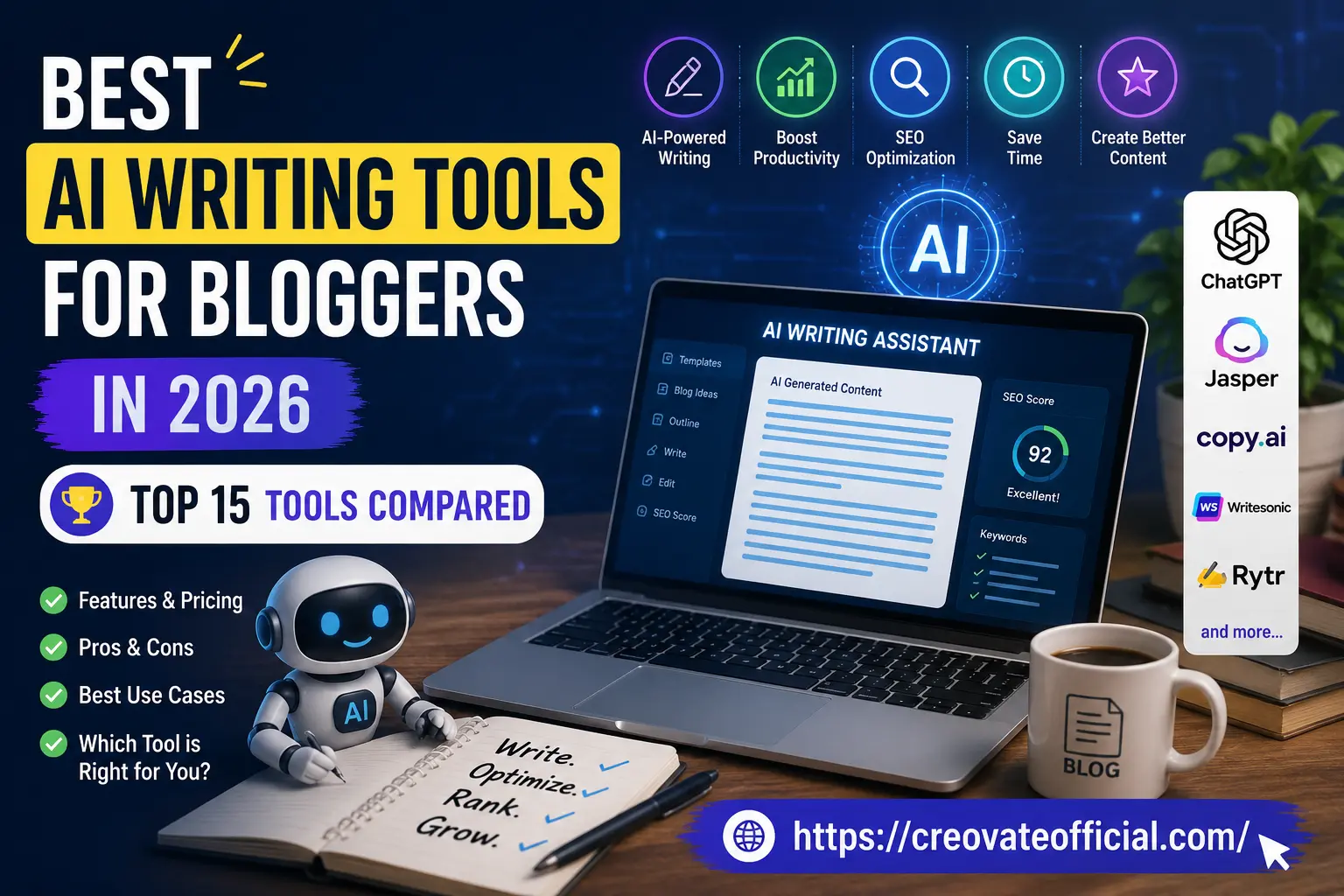
Best AI writing tools for bloggers in 2026 — top 15 tools compared, featuring an AI writing assistant dashboard with a 92 SEO score and popular tools like ChatGPT, Jasper, Copy.ai, Writesonic, and Rytr.
14 AI writing & SEO tools plus 1 content-repurposing tool for bloggers in 2026 — compared on features, pricing, and SEO scoring.

01.Quick Answer

For most bloggers, Rytr offers the best balance of price and output quality for everyday posts, while Jasper AI is worth the upgrade if you're writing for a brand or a client and need consistent tone across dozens of articles. If SEO rankings are your main goal, pair either one with Surfer SEO or Frase so your drafts are optimized before you hit publish, not after.

🎁 Free: Online Income Starter Kit 2026

Grab our free guide to pairing AI tools with a real content income strategy — no spam, unsubscribe anytime.

02.Why Trust This Guide

We're not paid by any of these companies to rank them favorably — we're paid, in some cases, when you click through and subscribe, which is exactly why we tell you upfront which links are affiliate links and why we still recommend tools we don't earn a commission on.

Hands-on testingCore writing and editing tools were run through real drafting and editing tasks; a few narrower, adjacent tools were evaluated through documentation and limited trials (noted in our methodology below).
Independent researchPricing, features, and limitations were cross-checked against each company's current documentation.
Practitioner-writtenWritten by a full-time content and affiliate marketing practitioner, not a generic content farm — full bio below.
Updated regularlyAI tools change fast. This guide is reviewed and refreshed as features and pricing shift.
Affiliate disclosure: Some links in this article are affiliate links. If you sign up through one, we may earn a small commission at no extra cost to you. We only recommend tools we'd genuinely suggest to a friend starting a blog. This doesn't affect our rankings — see our full policy for details.

03.Table of Contents

04.What AI Writing Tools Actually Do (and Don't Do)

An AI writing tool doesn't write your blog for you — it removes the friction between "I have an idea" and "I have a draft." That's the honest way to think about this category in 2026. The tools below are genuinely good at first drafts, outlines, headline variations, rewriting clunky sentences, and matching a target keyword's search intent. They're still weak at original research, verifying facts, and sounding like you without some editing on your part.

That distinction matters because Google's helpful content systems don't penalize AI-assisted writing — they penalize unedited, low-value writing, AI or human. Every tool on this list works best as a first-draft engine, not a publish button.

The three categories bloggers actually need

Most serious bloggers eventually run one tool from each category rather than expecting a single app to do everything well.

Common mistake: Publishing the first AI draft without adding a personal example, a screenshot, or an opinion. That's the single biggest reason AI-assisted posts underperform in search — not the AI itself.

05.How We Tested These Tools

The 10 core writing and editing tools (Rytr, Jasper, Copy.ai, Writesonic, Surfer SEO, Frase, Content at Scale, NeuronWriter, Grammarly, Wordtune) were hands-on tested on the same three tasks: drafting a 1,500-word how-to post from a keyword, rewriting a rough paragraph for clarity, and generating five headline variations. ChatGPT and Claude were evaluated through the same drafting and rewriting tasks in general chat use rather than a blog-specific template. CustomGPT.ai, Ink For All, and Synthesia were evaluated through provider documentation, published feature sets, and limited hands-on trials rather than the full three-task workflow, since they serve narrower use cases (custom knowledge bases, combined scoring, video) that don't map cleanly onto the same test.

Each score out of 10 is weighted: output quality (30%), SEO capabilities (20%), ease of use (20%), feature depth (15%), and value for price (15%). Scores are our editorial judgment based on this testing, not a certified or third-party benchmark.

06.Comparison Table: 15 AI Writing Tools at a Glance

Pricing shifts often, so treat the column below as a relative guide (Free / Budget / Mid / Premium) rather than exact figures — always confirm current pricing on the provider's site before buying.

ToolBest ForFree PlanSEO FeaturesPrice Tier
RytrBudget-friendly all-rounderYesBasicBudget
Jasper AIBrand voice at scaleTrial onlyModeratePremium
Copy.aiMarketing & workflow automationYesBasicMid
WritesonicBulk SEO blog generationTrial onlyStrongMid
Surfer SEOOn-page SEO scoringNoBest-in-classPremium
FraseResearch + outline + optimizeTrial onlyStrongMid
Content at ScaleLong-form, human-sounding draftsNoStrongPremium
NeuronWriterBudget SEO optimizationTrial onlyStrongBudget
GrammarlyEditing, tone & clarityYesMinimalBudget–Mid
WordtuneSentence-level rewritingYesNoneBudget
ChatGPTGeneral ideation & draftingYesNone built-inFree–Mid
ClaudeLong-form nuance & research synthesisYesNone built-inFree–Mid
CustomGPT.aiCustom-trained brand content assistantTrial onlyModeratePremium
Ink For AllReadability + SEO combo scoringTrial onlyStrongMid
SynthesiaTurning posts into video contentNoN/A (video)Premium

07.Individual Tool Reviews

The first 14 tools below are dedicated AI writing, editing, or SEO-optimization tools. We also included one adjacent tool — Synthesia — because bloggers increasingly use AI to turn written content into video, not because it drafts text. It's flagged clearly below so you're not comparing it apples-to-apples with a drafting tool.

1. Rytr

Best budget all-rounder
9.1
Best for: New bloggers and freelancers who need solid drafts without a premium price tag.

Rytr is the tool we point beginner bloggers to first, mainly because it doesn't punish you for experimenting. It covers over 40 use-case templates (blog outlines, intros, meta descriptions, listicles) and lets you set a brand tone once and reuse it across posts. The output needs light editing like every tool on this list, but it's rarely generic in the way cheaper tools tend to be.

ADVANTAGES
  • Genuinely affordable, including a usable free tier
  • Simple interface — no learning curve
  • Good tone/voice customization for the price
DRAWBACKS
  • SEO features are basic compared to Surfer or Frase
  • Struggles with very technical or niche topics

Trust note: Rytr is an affiliate partner of this site. Our scoring reflects hands-on use, not the partnership.

2. Jasper AI

Best for brand voice at scale
9.0
Best for: Agencies, teams, and bloggers managing multiple brand voices at once.

Jasper built its reputation on consistency — once you train its Brand Voice feature on your existing content, it stays remarkably on-tone across dozens of articles. It's overkill if you're a solo blogger writing one niche site, but it earns its price if you're producing content for clients or multiple properties.

ADVANTAGES
  • Strong brand-voice consistency across teams
  • Deep integrations (Surfer, Google Docs, Chrome extension)
  • Reliable for long-form structure
DRAWBACKS
  • No meaningful free plan
  • Steeper learning curve for new users
  • Pricier than most alternatives on this list

3. Copy.ai

Best for marketing workflows
8.5
Best for: Bloggers who also handle email, social, and landing page copy.

Copy.ai has shifted from a simple template tool into a workflow builder — useful if your blog is one piece of a bigger content operation that includes newsletters and social captions. For pure long-form blog drafting, it's solid but not best-in-class.

ADVANTAGES
  • Multi-channel content, not just blog posts
  • Workflow automation for repetitive tasks
  • Usable free tier
DRAWBACKS
  • Long-form output needs more editing than Jasper or Rytr
  • SEO scoring is limited

4. Writesonic

Best for bulk SEO blog production
8.7
Best for: Bloggers publishing high volume and optimizing for search from the first draft.

Writesonic's article generator pulls in live SERP data before drafting, which means the first version of your post is already loosely structured around what's ranking. It's a strong pick if speed and volume matter more than a highly polished, distinctive voice.

ADVANTAGES
  • SERP-aware drafting out of the box
  • Good for producing content at scale
  • Built-in SEO checker
DRAWBACKS
  • Voice can feel formulaic without editing
  • Credits system can get expensive at high volume

5. Surfer SEO

Best on-page SEO scoring
9.3
Best for: Bloggers who already know how to write and want data-backed optimization.

Surfer isn't primarily a drafting tool — it's the tool you run your draft through. It compares your content against top-ranking pages for a keyword and gives you a content score, word count target, and terms to include. Pairing Surfer with Rytr or Jasper is one of the more effective combinations for bloggers serious about rankings.

ADVANTAGES
  • Best-in-class content scoring against real SERPs
  • Clear, actionable optimization checklist
  • Works well alongside any drafting tool above
DRAWBACKS
  • No free plan
  • Can encourage keyword-chasing over readability if used blindly

6. Frase

Best research-to-outline workflow
8.6
Best for: Bloggers who want research, outlining, and optimization in one workspace.

Frase's strength is the research phase — it pulls in top-ranking content and People Also Ask questions, then helps you build an outline before you write a word. It's less of a full drafting engine than Rytr or Jasper, but it's excellent at making sure you don't miss a subtopic competitors already cover.

ADVANTAGES
  • Strong topic and question research
  • Good SEO briefs for outsourced writers
  • Content analytics dashboard
DRAWBACKS
  • Drafting quality is average compared to dedicated writing tools
  • Interface takes a session or two to learn

7. Content at Scale

Best for long-form, human-sounding drafts
8.8
Best for: Bloggers who want long-form drafts with natural, varied sentence structure.

Content at Scale focuses on producing longer, more varied drafts with a natural reading flow — the kind of writing that's simply easier for readers to get through, which is also what Google's helpful-content systems reward. Claude and Jasper are also strong options here when you provide clear context and brand-voice guidance. Drafts come out longer and closer to publish-ready than most tools on this list, at a noticeably higher price point.

ADVANTAGES
  • Naturally varied sentence structure
  • Strong for long-form (2,000+ word) posts
  • Built-in fact-check prompts
DRAWBACKS
  • No free plan and priced for higher-volume users
  • Overkill for occasional bloggers

8. NeuronWriter

Best budget SEO optimizer
8.4
Best for: Bloggers who want Surfer-like scoring without the Surfer-like price.

NeuronWriter covers most of what Surfer does — content scoring, competitor gap analysis, term suggestions — at a noticeably lower price. The interface is less polished, but the core SEO functionality holds up for solo bloggers on a budget.

ADVANTAGES
  • Strong value for SEO scoring features
  • Includes keyword research and SERP tracking
DRAWBACKS
  • Interface feels dated next to competitors
  • Smaller community and fewer integrations

9. Grammarly

Best AI editor for clarity & tone
8.9
Best for: Every blogger, regardless of which drafting tool they use.

Grammarly isn't competing for your first draft — it's the pass that catches what your drafting tool and your own eyes missed. Its generative features can rewrite for tone or brevity, but its real value is still the browser-wide grammar, clarity, and readability checks.

ADVANTAGES
  • Works everywhere you type, not just one editor
  • Genuinely useful free tier
  • Strong tone and readability suggestions
DRAWBACKS
  • Not a drafting tool on its own
  • Premium tier needed for deeper rewrites

10. Wordtune

Best for sentence-level rewriting
8.2
Best for: Bloggers who write their own drafts but want faster line edits.

Wordtune is narrower than most tools here by design — you highlight a sentence, it offers rewrites at different lengths and tones. It won't outline or draft a post for you, but it's one of the fastest ways to fix an awkward paragraph.

ADVANTAGES
  • Fast, focused sentence rewriting
  • Good free tier for occasional use
DRAWBACKS
  • Not built for full-article drafting
  • No SEO features

11. ChatGPT

Best general-purpose ideation tool
8.7
Best for: Bloggers who want one flexible tool for brainstorming, outlining, and drafting.

ChatGPT remains the default starting point for a lot of bloggers because it's flexible, familiar, and doesn't lock you into blog-specific templates. It won't score your content against a SERP the way Surfer or Frase will, so it works best as the drafting half of a two-tool stack.

ADVANTAGES
  • Extremely flexible for any writing task
  • Usable free tier
  • Fast for brainstorming and outlining
DRAWBACKS
  • No built-in SEO scoring
  • Needs careful prompting to avoid generic output

12. Claude

Best for nuanced, longer drafts
8.8
Best for: Bloggers writing research-heavy or explanatory long-form content.

Claude tends to hold context well across long documents and handles nuanced instructions — like "keep this skeptical but not dismissive" — better than most general chat tools. It's a strong second opinion or drafting partner alongside a dedicated SEO tool.

ADVANTAGES
  • Strong at following detailed style instructions
  • Handles long documents and research synthesis well
DRAWBACKS
  • No built-in SEO scoring
  • Not blog-template focused out of the box

13. CustomGPT.ai

Best for a brand-trained content assistant
8.3
Best for: Bloggers with a large content library who want an assistant trained only on their own material.

CustomGPT.ai lets you upload your existing posts, PDFs, or site content and build a private assistant that answers (and drafts) using only that knowledge base. It's a niche pick — most solo bloggers won't need it — but it's genuinely useful once you have enough content to make retraining worthwhile.

ADVANTAGES
  • Trained on your own content, reducing generic output
  • Can double as an on-site chatbot for readers
DRAWBACKS
  • Requires an existing content library to be worthwhile
  • Priced above most tools on this list

Trust note: CustomGPT.ai is an affiliate partner of this site.

14. Ink For All

Best readability + SEO combo
8.1
Best for: Bloggers who want one dashboard for both readability and SEO scoring.

Ink For All scores your draft on SEO and readability side by side, which is handy if you tend to over-optimize and lose the human voice in the process. It's a smaller player than Surfer or Frase, but it's approachable for beginners.

ADVANTAGES
  • Beginner-friendly combined scoring
  • Good for balancing SEO with readability
DRAWBACKS
  • Smaller feature set than category leaders
  • Less accurate on competitive keywords

15. Synthesia

Best for repurposing posts into video
8.5
Best for: Bloggers repurposing written content into video for YouTube or social.

Synthesia isn't a writing tool in the traditional sense — it turns a script (including one your AI writing tool just drafted) into an AI-presenter video. Worth including here because turning a blog post into a short video is one of the highest-leverage moves a blogger can make in 2026's search and social landscape.

ADVANTAGES
  • Fast way to repurpose existing blog content
  • Multiple AI avatars and languages
DRAWBACKS
  • No free plan for commercial use
  • AI avatars still read as clearly synthetic to most viewers

Trust note: Synthesia is an affiliate partner of this site.

08.Beyond Writing: Rounding Out Your Blogging Stack

None of these are AI writing tools, and we won't pretend they are — but they solve the problems bloggers run into right after the writing is done: getting the site to load fast, capturing readers as subscribers, and turning one post into content for other channels.

  • GetResponse — once your AI-assisted posts start bringing in traffic, GetResponse handles the email capture and nurture sequences that turn readers into a real audience.
  • Systeme.io — an all-in-one option if you want your blog, email list, and a simple funnel or digital product on one platform instead of stitching four tools together.
  • CapCut — the fastest way to cut a written post into short-form video clips for Reels, Shorts, or TikTok without learning a full editing suite.
  • FastPixel — page speed is still an SEO and conversion factor Google cares about; FastPixel focuses specifically on optimizing site speed for WordPress blogs.
📊
Freelancing off your blog income?
Our Monthly Budget Planner helps creators track irregular income from ad revenue, affiliate payouts, and sponsorships in one place.
View the planner

09.Pros & Cons Summary

WHERE AI WRITING TOOLS WIN
  • Cut first-draft time from hours to minutes
  • Reduce blank-page procrastination
  • Surface SEO gaps you'd otherwise miss
  • Make consistent publishing schedules realistic solo
WHERE THEY FALL SHORT
  • Can't verify facts or cite sources reliably
  • Struggle with truly original opinions or experience
  • Risk sounding generic without editing
  • Add a real monthly cost as your stack grows

10.Buying Guide: How to Choose the Right Tool

What to look for

  • SEO integration — does it score content against real ranking pages, or just generate text?
  • Tone/voice control — can you train it on your own writing samples?
  • Editing workflow — does it live in a doc-style editor you'll actually use, or a clunky template form?
  • Export options — direct WordPress/CMS publishing saves real time at scale.

Budget considerations

Start with one drafting tool and one editing pass (Grammarly's free tier is enough at first). Add a dedicated SEO scoring tool only once you're publishing consistently and want to push existing traffic higher — it's wasted spend on a blog with fewer than a handful of posts.

Who should buy premium tools

Bloggers publishing weekly or managing client content who can directly tie a subscription to time saved or traffic gained. If a $30–$100/month tool saves you three hours a week, it's already paid for itself.

Who should avoid them for now

If you're still deciding on a niche or publishing less than monthly, a free-tier tool (Rytr, ChatGPT, or Grammarly) is enough. Premium SEO suites are wasted on a site without enough content to compare against competitors yet.

Common mistakes to avoid

  • Buying an SEO tool before you have anything to optimize.
  • Publishing AI output with zero personal editing or examples.
  • Stacking three drafting tools that all do the same job.
  • Ignoring the AI tool's own settings for tone and reading level.
Expert tip: Run every AI draft through one human pass focused only on adding something the AI couldn't know — a personal result, a screenshot, an opinion, a mistake you made. That single step does more for rankings and trust than any tool upgrade.

11.Frequently Asked Questions

Is it okay to use AI writing tools for SEO blog content?

Yes. Google has repeatedly clarified that it evaluates content quality and helpfulness, not whether AI assisted in writing it. The risk is publishing unedited, low-value content — not the tool itself.

What's the best free AI writing tool for bloggers?

Rytr, ChatGPT, and Grammarly all offer genuinely usable free tiers. Rytr is the strongest pick if you want blog-specific templates without paying, while Grammarly's free tier covers editing rather than drafting.

Do AI writing tools hurt my Google rankings?

Not inherently. Thin, repetitive, or unedited AI content can hurt rankings, but the same is true of thin human-written content. Pairing a drafting tool with an SEO scoring tool and a human editing pass avoids the actual risk factors.

Can one tool handle both writing and SEO optimization?

A few (Writesonic, Frase, Ink For All) combine both to some degree, but dedicated tools like Surfer SEO still score content more accurately than all-in-one platforms. Most serious bloggers use two tools rather than one.

How much should a blogger budget for AI writing tools?

A solo blogger publishing weekly can run a capable stack for a modest monthly budget by combining one drafting tool with a free editing tool, adding a paid SEO scorer once traffic justifies it.

Will AI writing tools replace human bloggers?

Unlikely in the near term. These tools remove drafting friction, but original experience, opinion, and fact-checking still require a human — which is also what search engines and readers increasingly reward.

Which AI writing tool produces the most natural-sounding content?

Content at Scale, Claude, and Jasper can produce natural-sounding drafts, especially when you provide clear context, examples, and brand-voice instructions. Regardless of the tool, human editing and fact-checking are important before publishing.
12.Final Verdict

Key takeaway: There's no single "best" AI writing tool for every blogger — there's a best combination based on your budget, publishing frequency, and how much you care about SEO scoring versus raw drafting speed.

Ready to write your next post twice as fast?

Start with Rytr's free plan, draft your next post today, and see the difference for yourself — no credit card required.

Start Writing with Rytr →
SS

About Suresh Sannapareddy

Accounts Manager & Founder, Creovate Official

Suresh is a financial strategist and digital entrepreneur with an MBA in Marketing. As the founder of Creovate Official, he combines his accounting expertise with digital marketing strategies to help individuals build automated online businesses, create digital products, and generate passive income.

  • MBA in Marketing
  • Affiliate Marketing Educator
  • AI Productivity Researcher
  • Published 101+ digital marketing articles

Visit CreovateOfficial.com →