By Suresh Sannapareddy · Accounts Manager & Founder, Creovate Official · Reviewed for accuracy, 2026
Quick Answer
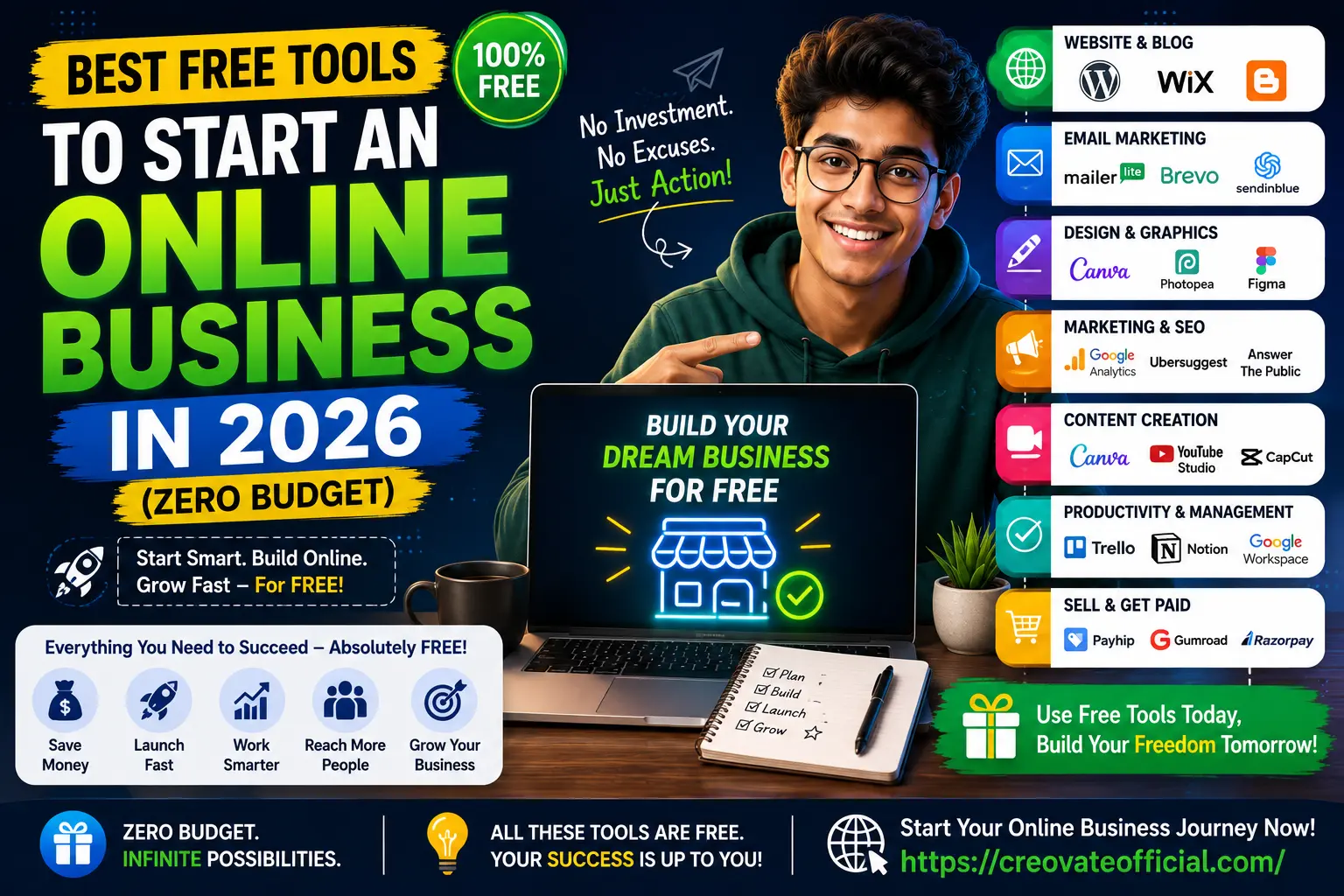
You can start an online business today on close to zero budget by combining a free website builder (WordPress.com or Wix), a free email marketing plan (MailerLite or GetResponse's free tier), Canva for design, CapCut for video, and a free-tier AI writing tool like Rytr to speed up content. Add a funnel builder like Systeme.io's free plan to sell your first product or service, and a free-to-join payment processor (Razorpay, PayPal, or Gumroad) to collect money — these only take a transaction fee once you actually sell something. A handful of tools further down this list, like Synthesia, FastPixel, and CustomGPT, are free to trial rather than free forever, and we've flagged those clearly so you know what you're signing up for.
🎁 Free Online Income Starter Kit 2026
A checklist and swipe file of every free tool in this guide, plus a 7-day launch plan. Drop your email and we'll send it straight over.
No spam. Unsubscribe anytime. Prefer to grab it directly? Click here.
Why Trust This Guide
We built this list the way we'd want it built for us: by researching each tool's current free-plan details directly on the provider's own pricing page, rather than recycling an old "top 10" roundup. Suresh has run Creovate Official since its early days as a one-person operation relying heavily on free tools for small business use, so the category picks reflect real founder priorities — not just a features checklist copied from a vendor site.
- Research: Every tool below was checked against its current 2026 pricing page before publishing.
- Accuracy: Free-tier limits (storage, contacts, exports, watermarks) are based on each provider's published plan details, and we've noted where a tool is a trial rather than a permanently free plan.
- Transparency: Some links in this guide are affiliate links. If you sign up through them, we may earn a small commission at no extra cost to you. This never affects which tools we recommend — free tools stay on this list because they're genuinely good, not because they pay us.
1. Free Website & Blog Builders
Your website is the one asset you actually own — unlike a social profile, no algorithm can take it away. You don't need a developer or a budget to get one live this week.
WordPress.com (Free Plan)
WordPress powers a huge share of the web, and its free plan gives you a working blog on a wordpress.com subdomain with basic themes and storage. It's the natural starting point if you eventually want full control, since migrating to self-hosted WordPress later is straightforward.
Common mistake: staying on the free subdomain (yoursite.wordpress.com) too long. It undercuts trust once you're asking people to buy something — plan to move to a custom domain as soon as you have your first few sales.
Wix (Free Plan)
Wix's drag-and-drop editor is the fastest way to get a decent-looking one-page site live without touching code. The free plan is best for portfolios and service pages rather than content-heavy blogs, since SEO flexibility is more limited than WordPress.
Google Sites
Genuinely free forever, tied to your Google account, and good enough for a simple "coming soon" landing page or an internal resource hub. Not built for SEO-driven blogging, but useful as a zero-friction MVP.
2. Free AI Writing & Content Tools
Content is still how most zero-budget businesses get their first visitors. AI writing tools won't replace your judgment, but they cut first-draft time dramatically.
Rytr
Rytr's free plan gives you a monthly character allowance across dozens of use-case templates — product descriptions, blog outlines, social captions, and email copy. It's lighter than a full AI writing suite, which is exactly why it's fast: pick a template, add context, and you have a usable first draft in under a minute.
- Best for: quick product descriptions, ad copy, and outline generation
- Common mistake: publishing the raw output without fact-checking or adding your own voice
Pair any AI writing tool with a free grammar checker and, ideally, a real editing pass from you. Google's helpful-content systems reward writing that reflects direct experience — so use AI for structure and speed, not to replace your own examples and opinions.
3. Free Design & Graphics Tools
Good design signals trust before a reader reads a single word. You don't need Photoshop skills to get there.
Canva (Free Plan)
Canva remains the default for a reason: thousands of free templates for social posts, blog graphics, presentation decks, and even simple logos, all inside one drag-and-drop editor. The free plan covers most of what a new business needs; the paid tier mostly adds premium stock assets and brand kit automation.
Photopea
A free, browser-based image editor with a Photoshop-style interface — genuinely useful when you need to edit a PSD file, remove a background, or do precise photo retouching without installing anything.
Figma (Free Plan)
If you're designing a web app, landing page mockup, or a more custom UI than Canva templates allow, Figma's free tier supports unlimited files for personal use with collaboration built in.
4. Free Video & AI Video Tools
Short-form video is one of the highest-leverage free marketing channels available in 2026 — but it demands decent editing, and increasingly, AI-generated presenter video.
CapCut
CapCut is a free, genuinely capable video editor originally built for short-form content, now expanded into a full desktop app. Auto-captions, templates, and a huge effects library make it the fastest route from raw footage to a publish-ready Reel, Short, or TikTok.
- Best for: short-form social video, auto-captioning, quick edits
- Note: USA download link — check regional availability for your app store
Synthesia
Synthesia turns a script into a talking-avatar video without a camera, microphone, or on-camera confidence — useful for product explainers, onboarding videos, or course content. The free trial is enough to test whether AI avatar video fits your brand before committing to a paid plan.
- Best for: explainer videos, multilingual content, course intros
- Common mistake: using a generic avatar voice for content that needs a personal, trust-building tone
5. Free Email Marketing Tools
Your email list is the one channel you fully control. Start collecting addresses before you think you're ready.
GetResponse
GetResponse's free plan bundles email marketing, a basic landing page builder, and automation for a limited contact list — a rare combination at the free tier. It's a strong pick if you want marketing automation (welcome sequences, abandoned-cart-style flows) without paying for a separate tool.
- Best for: beginners who want automation, not just a newsletter sender
- Best practice: set up a simple 3-email welcome sequence before you start driving traffic
Other solid free-tier options worth comparing: MailerLite (clean editor, generous free contact limit) and Brevo, formerly Sendinblue (unlimited contacts, capped daily sends).
6. Free Funnel & Sales Page Builders
Systeme.io
Systeme.io's free plan is one of the more generous in the funnel-builder category: sales funnels, email marketing, a basic course platform, and affiliate program management, all under one login. For a solo founder who doesn't want to stitch together five separate tools, this is the closest thing to an all-in-one free stack.
- Best for: selling a first digital product, course, or coaching offer without a developer
- Drawback: fewer design customization options than a dedicated page builder
7. Free Website Speed & Performance Tools
FastPixel
Page speed is a ranking factor and a conversion factor — slow pages lose both search visibility and sales. FastPixel focuses specifically on speeding up WordPress and WooCommerce sites through caching and image optimization, which matters once your free-tier site starts getting real traffic.
- Best for: WordPress or WooCommerce sites that have started to feel sluggish
- Best practice: run a baseline speed test before and after so you can see the actual improvement
Free, no-signup alternatives worth bookmarking: Google PageSpeed Insights and GTmetrix, both useful for a quick diagnostic before you decide whether a paid speed tool is worth it.
8. Free AI Chatbot & Support Tools
CustomGPT
CustomGPT lets you build a chatbot trained specifically on your own content — your website, PDFs, or knowledge base — so it answers customer questions using your actual information instead of generic AI responses. Useful once you have enough content (FAQs, docs, product pages) that a support bot would save real time.
- Best for: businesses with an existing knowledge base who want 24/7 first-line support
- Common mistake: launching a chatbot before you have enough source content for it to answer accurately
9. Free Ways to Get Paid Online
None of the tools above matter if you can't actually collect money. The good news: payment processors don't charge a monthly fee — they take a small percentage only when you make a sale, which makes them genuinely free to set up on zero budget.
- Razorpay — free to set up for businesses in India; charges a per-transaction fee only
- PayPal — free account, widely trusted internationally; transaction fees apply per sale
- Gumroad — free to list digital products; takes a percentage per sale, no upfront cost
- Payhip — similar to Gumroad, free to start selling digital downloads or courses
Common mistake: assuming "free" payment processors mean truly free — budget for the per-transaction fee in your pricing, since it comes out of every sale.
10. Free Productivity & Management Tools
None of the above matters if you can't stay organized as a one-person team. Three free tools cover almost everything:
- Trello — visual task boards for content calendars and project pipelines
- Notion — free personal plan for documentation, SOPs, and a lightweight CRM
- Google Workspace (free tools) — Docs, Sheets, and Calendar cover writing, budgeting, and scheduling without a subscription
For a simple way to keep personal or business finances in check while you're pre-revenue, our own Monthly Budget Planner is built specifically for early-stage founders tracking every rupee or dollar.
11. Comparison Table: Free Tools at a Glance
| Tool | Category | Free Type | Free Plan Limit | Best For |
|---|---|---|---|---|
| WordPress.com | Website | Free Tier | Subdomain, 1GB storage | Content-first blogs |
| Rytr | AI Writing | Free Tier | Monthly character cap | Fast first drafts |
| Canva | Design | Free Tier | Limited premium assets | Social & blog graphics |
| CapCut | Video | Free Forever | Optional pro effects | Short-form video editing |
| Synthesia | AI Video | Free Trial | Limited trial minutes | Talking-avatar explainers |
| GetResponse | Email Marketing | Free Tier | Capped contacts | Automation on a budget |
| Systeme.io | Funnels | Free Tier | Capped funnels/contacts | Selling a first offer |
| FastPixel | Site Speed | Free Trial | Trial period only | WordPress/WooCommerce speed |
| CustomGPT | AI Chatbot | Free Trial | Trial period only | Support automation |
| Razorpay / PayPal | Payments | Free Forever | Per-transaction fee only | Collecting payments |
12. Individual Tool Reviews
Deeper detail on the tools most first-time founders ask about by name.
Rytr — Full Review
Overview: An AI writing assistant built around ready-made templates for marketing copy rather than long-form essays.
Advantages: Fast, simple interface, generous free character allowance for testing.
Drawbacks: Less capable than premium AI writers for long, research-heavy articles.
Best for: Product descriptions, ad copy, and outline generation.
Pricing: Free plan available; paid plans scale with monthly character usage — check current pricing on their site, as it's updated periodically.
Trust note: We link to Rytr as an affiliate partner; it earned its spot here because it's genuinely one of the faster free AI writing tools available, not because of the partnership.
CapCut — Full Review
Overview: A free video editor with desktop and mobile apps, auto-captions, and a large effects/template library.
Advantages: Beginner-friendly, fast exports, strong short-form video templates.
Drawbacks: Some premium effects and stock assets sit behind a paid tier.
Best for: Anyone building a short-form video presence (Reels, Shorts, TikTok) without hiring an editor.
Pricing: Free to download and use; optional pro upgrade for premium assets.
GetResponse — Full Review
Overview: An email marketing platform with automation, landing pages, and (on paid tiers) webinar hosting.
Advantages: Free plan includes automation, which many competitors reserve for paid tiers.
Drawbacks: Free contact limit is modest — you'll outgrow it as your list grows.
Best for: Founders who want to automate a welcome sequence from day one.
Pricing: Free plan available; paid plans scale by contact count — verify current tiers before committing.
Systeme.io — Full Review
Overview: An all-in-one funnel, email, and course platform aimed at solo creators.
Advantages: Genuinely usable free plan; consolidates several tools into one dashboard.
Drawbacks: Design flexibility trails dedicated page builders.
Best for: Selling a first digital product or coaching offer without hiring a developer.
Pricing: Free plan available; paid tiers unlock higher funnel and contact limits.
FastPixel — Full Review
Overview: A speed-optimization service focused on WordPress and WooCommerce.
Advantages: Purpose-built for the platform most free-tool founders end up using.
Drawbacks: Not useful if your site isn't on WordPress.
Best for: Sites that have grown past the point where free caching plugins are enough.
Pricing: Trial available; check current plans before subscribing.
Synthesia — Full Review
Overview: AI avatar video generation from a text script — no camera required.
Advantages: Fast way to produce explainer or onboarding video content.
Drawbacks: Avatar delivery can feel less personal than real founder-facing video.
Best for: Course intros, product explainers, multilingual content.
Pricing: Free trial available; paid plans scale with monthly video minutes.
CustomGPT — Full Review
Overview: A no-code way to build a chatbot trained on your own business content.
Advantages: Answers reflect your actual documentation, not generic AI knowledge.
Drawbacks: Only as good as the content you feed it — needs an existing knowledge base.
Best for: Businesses fielding repetitive support questions.
Pricing: Free trial available; paid plans scale with usage.
13. Pros & Cons Summary
Why Go the Free-Tools Route
- Validate an idea before spending anything
- Learn the tools yourself instead of outsourcing blind
- Reinvest early revenue instead of upfront savings
Trade-offs to Expect
- Usage caps mean you'll outgrow some tools quickly
- Branding (watermarks, subdomains) can look less polished
- More manual setup since fewer tools are bundled together
14. Buying Guide: How to Choose (and When to Upgrade)
Not every "best free business tools 2026" list agrees on what matters most — here's what we'd actually look for when picking free marketing tools, free AI tools for business, or any other free tools for entrepreneurs working with a genuinely zero-budget online business.
What to look for
- A free plan generous enough to actually launch on, not just a 14-day trial
- A clear upgrade path so you're not forced to migrate platforms once you outgrow it
- Export options, so your content and contacts aren't locked in if you switch tools
Common mistakes
- Collecting emails on a spreadsheet instead of a real email tool from day one
- Spending weeks designing a logo before publishing a single piece of content
- Choosing five different free tools that don't talk to each other over one all-in-one platform
Budget considerations
Free tools cost you time instead of money — expect more manual setup than a paid, done-for-you stack. Budget your first upgrade for whichever tool touches revenue directly: usually email marketing or your funnel builder, once your list or customer count outgrows the free tier.
Who should stick with free tools
Anyone pre-revenue, testing a new niche, or building a side project alongside a full-time job.
Who should consider upgrading sooner
Anyone with existing capital, an established audience elsewhere (like a social following), or a business model — such as paid courses — where a polished funnel directly affects conversion rate.
15. Frequently Asked Questions
Can I really start an online business with $0?
Yes. You can build a website, write and design content, run email marketing, and accept payments using only free-tier tools. You'll eventually want to reinvest profits into premium plans, but nothing stops you from launching for free today.
What is the best free website builder for a new business?
WordPress.com and Wix both offer capable free plans for testing an idea. If you already own a domain, a self-hosted WordPress site on a low-cost host is usually the better long-term choice, since free subdomains look less professional.
Which free tool should I start with first?
Start with a simple landing page and an email capture form — building an audience matters more on day one than picking the perfect logo or writing the perfect blog post.
Are free AI writing tools good enough for a business blog?
Free AI writing tools are good for outlines, first drafts, and product descriptions, but they still need a human editing pass for accuracy, brand voice, and originality before you publish.
Do free tools have hidden costs?
Most free plans cap usage — contacts, storage, exports, or watermarks — rather than charging you directly. Read the plan limits before you build a workflow around a feature that's only available on a paid tier.
How long can I stay on free plans before upgrading?
Many creators stay on free plans for three to six months while validating an idea, then upgrade one tool at a time as revenue justifies the cost, usually starting with email marketing or hosting.
What free tools do I need to sell products online?
A simple funnel builder, a payment processor, and an email tool cover the basics. Systeme.io's free plan bundles a funnel builder, email automation, and course hosting in one dashboard, which is useful when you don't want to stitch five tools together.
Final Verdict
You don't need a budget to start — you need a stack that doesn't get in your own way. Build your site on WordPress.com or Wix, capture emails from the first day with GetResponse, use Canva and CapCut for anything visual, and lean on Systeme.io once you're ready to actually sell something. Upgrade only the tool that's blocking revenue, not the whole stack at once.
Get the Monthly Budget Planner →