Home › Make Money Online › How to Make Money with Canva in 2026
Quick Answer
You can make money with Canva in 2026 by selling templates on marketplaces like Etsy, creating and selling digital products (printables, planners, social media kits), offering freelance design services on Fiverr or Upwork, joining the official Canva Creators program, or promoting Canva itself through affiliate marketing. Most beginners start with one method — usually template sales or freelancing — and layer on more income streams once they've found what works.
🎁 FREE Online Income Starter Kit 2026
Get our free checklist of 30 beginner-friendly digital products and side hustles you can start this week — no experience required.
No spam. Unsubscribe anytime.
Why Trust This Guide
This guide was researched and written by the Creovate Official team, which focuses on affiliate marketing, digital products, and online income strategies. We use Canva regularly in our own content workflow, and every method and tool mentioned below was chosen based on real marketplace listings, public creator programs, and documented tool features rather than assumptions — not guaranteed personal case studies. Where we reference income figures, we've flagged them as estimates rather than verified results, because individual earnings vary widely.
Get The No-Portfolio Client Playbook and learn how to choose a service, create practice samples, find prospects, write outreach, and take your first steps with confidence.
👉 Get it hereTable of Contents
- Is Canva Actually a Viable Income Source?
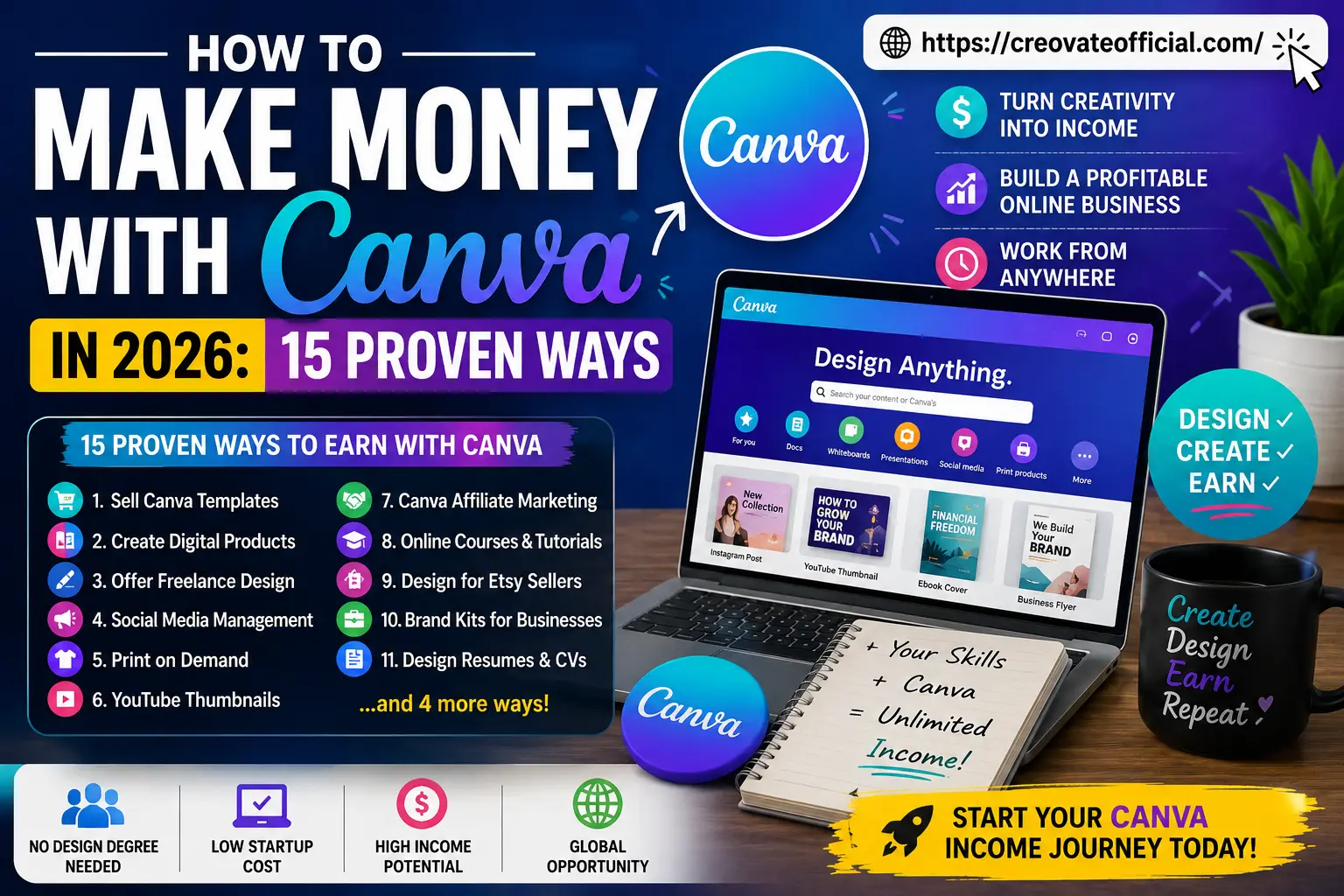
- 15 Proven Ways to Make Money with Canva
- Tools That Pair Well with a Canva Business (Comparison)
- Individual Tool Reviews
- Pros & Cons of a Canva-Based Business
- How to Choose the Right Canva Money Method for You
- Frequently Asked Questions
- Final Verdict
- Related Resources
Is Canva Actually a Viable Income Source in 2026?
Short answer: yes, but it's a business, not a lottery ticket. Canva has grown from a simple design app into a full creative ecosystem with over 200 million monthly active users, and that scale has created real demand for templates, printables, and Canva-savvy freelancers. Marketplaces like Etsy see thousands of searches every month for "Canva template," and small businesses without in-house designers regularly hire freelancers who can turn a brand brief into a polished Canva kit.
That said, nobody makes $5,000 in their first week. The people who succeed treat it like a real side business: they pick a niche, publish consistently, and improve based on what sells. If you're expecting instant passive income with zero effort, this isn't that. If you're willing to put in a few focused hours a week, it's genuinely one of the more accessible online income paths available right now.
15 Proven Ways to Make Money with Canva
Here's the full breakdown. You don't need to do all fifteen — pick one or two that fit your skills and time, and go deep before spreading yourself thin.
1. Sell Canva Templates on Etsy or Creative Market
This is the most popular Canva side hustle for a reason. You design a template once — a resume, wedding invitation, Instagram carousel, or planner page — and sell it repeatedly. Buyers get a Canva link they can customize themselves.
- Getting started: Pick a specific niche (e.g., "boho wedding invitations" beats generic "invitations").
- Common mistake: Publishing one template and expecting sales. Successful shops usually have 30–100+ listings.
- Best practice: Use Etsy's search data and Canva trend reports to spot underserved niches before designing.
2. Create and Sell Digital Products
Beyond templates, Canva is great for building full digital products: budget planners, meal planners, social media content calendars, and workbooks. These can be sold on your own website (keeping 100% of the revenue) or on marketplaces.
If you want a real-world example, we built our own Monthly Budget Planner entirely in Canva — it's a good reference for the kind of polish buyers expect in 2026.
3. Offer Freelance Design Services
Not everyone wants to design in Canva themselves — many small business owners will happily pay you to do it for them. Common gigs include Instagram templates, pitch decks, YouTube thumbnails, and brand kits.
4. Social Media Management for Small Businesses
Many local businesses need a month of Instagram and Facebook posts but don't have time to design them. Canva's brand kit and content planner features make it realistic to manage 3–5 clients' social media as a solo freelancer.
5. Print-on-Demand Design
Design t-shirts, mugs, and posters in Canva, then upload them to print-on-demand platforms. You never touch inventory — the platform handles printing and shipping, and you earn a margin on each sale.
6. YouTube Thumbnails
Thumbnail design is a specific, in-demand skill. Creators know a strong thumbnail can meaningfully affect click-through rate, so many are willing to pay for someone who can consistently deliver eye-catching designs. Rates vary a lot by creator size and platform — check current gig pricing on Fiverr or Upwork rather than relying on a fixed number.
7. Canva Affiliate Marketing
You don't have to design anything to earn from Canva — you can promote Canva Pro itself through its affiliate program and earn a commission when readers upgrade through your link. This works well if you already have an audience interested in design or productivity tools. We break this down further in our Canva Affiliate Program review.
8. Online Courses and Tutorials
If you've gotten genuinely good at Canva, package that knowledge. Short paid courses or tutorial bundles on platforms like Gumroad or your own site can generate recurring income long after you've created them once.
9. Design for Etsy Sellers
Beyond selling your own templates, you can design mockups, listing images, and packaging inserts for other Etsy sellers who don't use Canva themselves. This is a great "picks and shovels" niche with steady repeat demand.
10. Build Brand Kits for Small Businesses
A brand kit — logo variations, color palette, fonts, and a set of templates — is a high-value package many small businesses will pay a premium for, since it saves them from hiring a full design agency.
11. Design Resumes and CVs
Job seekers regularly pay for a professionally designed, ATS-friendly resume, with pricing that varies by market and turnaround time. Canva's resume templates are a strong starting point you can customize and resell as a done-for-you service — check current freelance marketplace listings for realistic going rates in your niche.
12. Canva Creator Program (Official Royalties)
Canva runs its own creator program where accepted designers earn usage-based royalties when their templates or elements are used inside the Canva platform itself. It's competitive to get accepted, but it's genuinely passive income once you're in.
13. Printables for Etsy and Pinterest
Planners, wall art, checklists, and worksheets designed in Canva and sold as instant digital downloads remain one of the most beginner-friendly digital products, especially when paired with Pinterest for traffic.
14. Ebook and Lead Magnet Design
Bloggers and course creators constantly need polished ebooks and opt-in freebies designed. This is a natural fit if you're already comfortable laying out multi-page documents in Canva.
15. Presentation and Pitch Deck Design
Startups and consultants often need investor-ready pitch decks fast. This is one of the higher-paying freelance niches within the Canva ecosystem, since a strong deck can directly affect whether a founder raises funding.
Tools That Support Your Canva Income Method
Canva handles the design work, but turning that into income usually means a few supporting tools — for writing listing copy, promoting your templates, or getting paid. This isn't a general software roundup; each tool below maps to a specific step in making money with Canva.
| Tool | Which Canva Money Method It Supports | Pricing Model |
|---|---|---|
| Rytr | Writing faster listing copy for template & printable sales (#1, #13) | Free tier + paid plans |
| FastPixel | Speeding up your own storefront if selling digital products directly (#2) | Free + paid tiers |
| CapCut | Promoting templates and print-on-demand items on TikTok/Reels (#5, #1) | Free download |
| GetResponse | Turning one-time buyers into repeat customers via email (#2, #13) | Free trial + paid plans |
| Systeme.io | Selling digital products directly without marketplace fees (#2) | Free plan + paid tiers |
| Synthesia | Creating tutorial videos for a paid Canva course (#8) | Paid plans |
| CustomGPT | Adding a higher-ticket service on top of brand kit design work (#10) | Paid plans |
| Fiverr | Landing freelance design clients (#3, #4, #6, #9, #11, #15) | Free to join, commission-based |
Individual Tool Reviews
Rytr — AI Writing Assistant
Overview: If you're publishing many Canva template or printable listings, Rytr speeds up the copywriting side — descriptions, captions, and titles — so design time doesn't get eaten by writing time.
Advantages: Fast, beginner-friendly, generous free tier to test before committing.
Drawbacks: Output still needs a human edit pass to sound authentic and match your brand voice.
Pricing: Free tier available; paid plans scale with usage — check current pricing on their site, as it changes periodically.
Try Rytr Free →FastPixel — Image Optimization
Overview: Compresses your Canva mockups and product images without visibly hurting quality — relevant if you're selling digital products from your own site rather than a marketplace, where page speed can affect conversions.
Advantages: Simple drag-and-drop workflow; noticeable site speed improvement.
Drawbacks: Mostly useful if you're selling from your own site rather than exclusively on marketplaces.
Explore FastPixel →CapCut — Video Editing
Overview: Turns Canva product mockups into short promo clips for TikTok or Reels — a low-cost way to drive traffic to template or printable listings.
Advantages: Free to download, huge template library, easy learning curve.
Drawbacks: Some premium effects require a paid subscription.
Download CapCut Free →GetResponse — Email Marketing
Overview: Once you're selling Canva templates or digital products, an email list lets you sell to past buyers again instead of relying entirely on new marketplace traffic — this handles the capture and automation side.
Advantages: Strong automation tools, landing page builder included.
Drawbacks: Can feel like overkill if you're only just starting out with a handful of subscribers.
Try GetResponse →Systeme.io — All-in-One Sales Platform
Overview: Lets you sell Canva-made digital products — like planners or template bundles — directly from your own storefront, keeping the revenue a marketplace would otherwise take as commission.
Advantages: Free plan available; avoids Etsy-style marketplace commissions.
Drawbacks: Smaller built-in audience than an established marketplace, so you'll need to drive your own traffic.
Start Free with Systeme.io →Synthesia — AI Video Generation
Overview: Useful if you package your Canva knowledge into a paid course (method #8) — turns a script into a presenter-style video without needing to film yourself.
Advantages: No camera or studio needed; supports multiple languages.
Drawbacks: Paid-only, so it's more of a "next step" tool once you have some revenue coming in.
See Synthesia →CustomGPT — Custom AI Chatbots
Overview: If you're already building brand kits for small businesses (method #10), this lets you offer a branded AI chatbot as a higher-ticket add-on to the same client.
Advantages: Opens up a higher-ticket add-on service for freelancers.
Drawbacks: Has a learning curve and is best suited to freelancers who already have a client base.
Check Out CustomGPT →Fiverr — Freelance Marketplace
Overview: Covers most of the freelance methods in this guide — thumbnails, resumes, social media management, brand kits, and pitch decks — since buyers are already searching for Canva-based design help here.
Advantages: Free to join, built-in buyer traffic, flexible gig pricing.
Drawbacks: Takes a commission on earnings; standing out requires a strong gig listing and portfolio.
Browse Fiverr Gigs →Pros & Cons of a Canva-Based Business
✅ Pros
- Low startup cost — free plan is enough to begin
- No design degree required
- Multiple income methods to choose from
- Work from anywhere, flexible hours
- Skills transfer across niches and platforms
❌ Cons
- Income is slow at first — rarely instant
- Popular niches (like wedding invites) are competitive
- Marketplace fees eat into template sale profits
- Requires consistent publishing to build momentum
- Freelance work trades time for money unless systemized
How to Choose the Right Canva Money Method for You
With fifteen options on the table, the real question isn't "which is best" — it's "which fits my time, skills, and risk tolerance right now."
What to consider
- Time available: Freelancing pays faster but takes ongoing hours. Templates and digital products take longer to build but can earn while you sleep.
- Upfront investment: You can start entirely free, but Canva Pro, marketplace listing fees, or an email tool will improve your results.
- Comfort with sales/marketing: Passive product sales still require you to market them — through SEO, Pinterest, or paid ads.
Common mistakes to avoid
- Trying all fifteen methods at once instead of going deep on one or two.
- Copying competitors' templates too closely instead of adding your own angle.
- Ignoring keyword research when naming and describing listings.
- Underpricing freelance work to the point it's not sustainable.
Frequently Asked Questions
Can you really make money with Canva in 2026?
Yes. Canva itself pays creators through the Canva Creators program, and thousands of people use Canva as a design tool to sell templates, printables, and freelance services on marketplaces like Etsy, Creative Market, and Fiverr. Income isn't automatic — it depends on consistent output, good SEO on your listings, and picking a niche with real demand.
Do I need a Canva Pro subscription to make money?
You can start with the free plan, but Canva Pro unlocks premium elements, brand kits, and the resizing tools that make template creation faster and your designs more competitive. Most sellers upgrade once they land their first few sales.
How much can beginners realistically earn selling Canva templates?
There's no reliable, verified average — earnings vary a lot by niche, catalog size, and effort. Some beginner sellers report modest monthly income in their first six months on marketplaces like Etsy, and it tends to grow as they publish more listings and build reviews. Sellers with large, well-optimized catalogs sometimes report meaningfully higher income, but that generally takes sustained work over a year or more. Treat any specific number you see online, including here, as an estimate rather than a promise.
What is the Canva Creators program?
Canva Creators is Canva's official program that pays designers when their templates, elements, or content are used by other Canva users, based on usage-based royalties. Applications are reviewed, and Canva looks for original, high-quality design work.
Is selling Canva templates saturated in 2026?
Popular niches like wedding invitations are competitive, but underserved niches — such as niche small-business branding kits, therapist worksheets, or B2B pitch deck templates — still have room for new sellers who focus on quality and clear positioning.
Can I sell Canva templates if I'm not a professional designer?
Yes. Canva's drag-and-drop editor and pre-built layouts mean you don't need formal design training. What matters more is understanding what buyers want, following current design trends, and presenting your listings well.
What's the fastest way to start earning with Canva?
Freelance design gigs on platforms like Fiverr tend to generate income fastest since you're paid per project rather than waiting for template sales to accumulate. Digital products and passive template sales take longer to build momentum but scale better long term.
Final Verdict
Canva has become a legitimate launchpad for online income in 2026 — not because it's magic, but because it removes the biggest barrier most people face: needing years of design training before they can create something sellable. Whether you start with freelance gigs on Fiverr, a handful of Etsy templates, or your own digital product like our Monthly Budget Planner, the path forward is the same: pick one method, publish consistently, and improve based on real buyer feedback.
Our recommendation: If you want income this month, start with freelance design on Fiverr. If you're building for the long term, start publishing templates or a digital product and pair it with an email list through GetResponse or Systeme.io so you're not starting from zero every time you launch something new.
Find Your First Client on Fiverr →