2026 AI Trends · Updated Guide

How Artificial Intelligence Is Changing Our Lives in 2026

You don't need to be a tech expert to feel it: your inbox sorts itself, your doctor's app flags things early, your kid's homework help talks back. This guide breaks down exactly how AI is changing our lives right now — and which tools are actually worth your time.

Overwhelmed by "AI will change everything" headlines but still not sure what it means for your job, home, or wallet? You're not alone — and this guide is built to fix that.
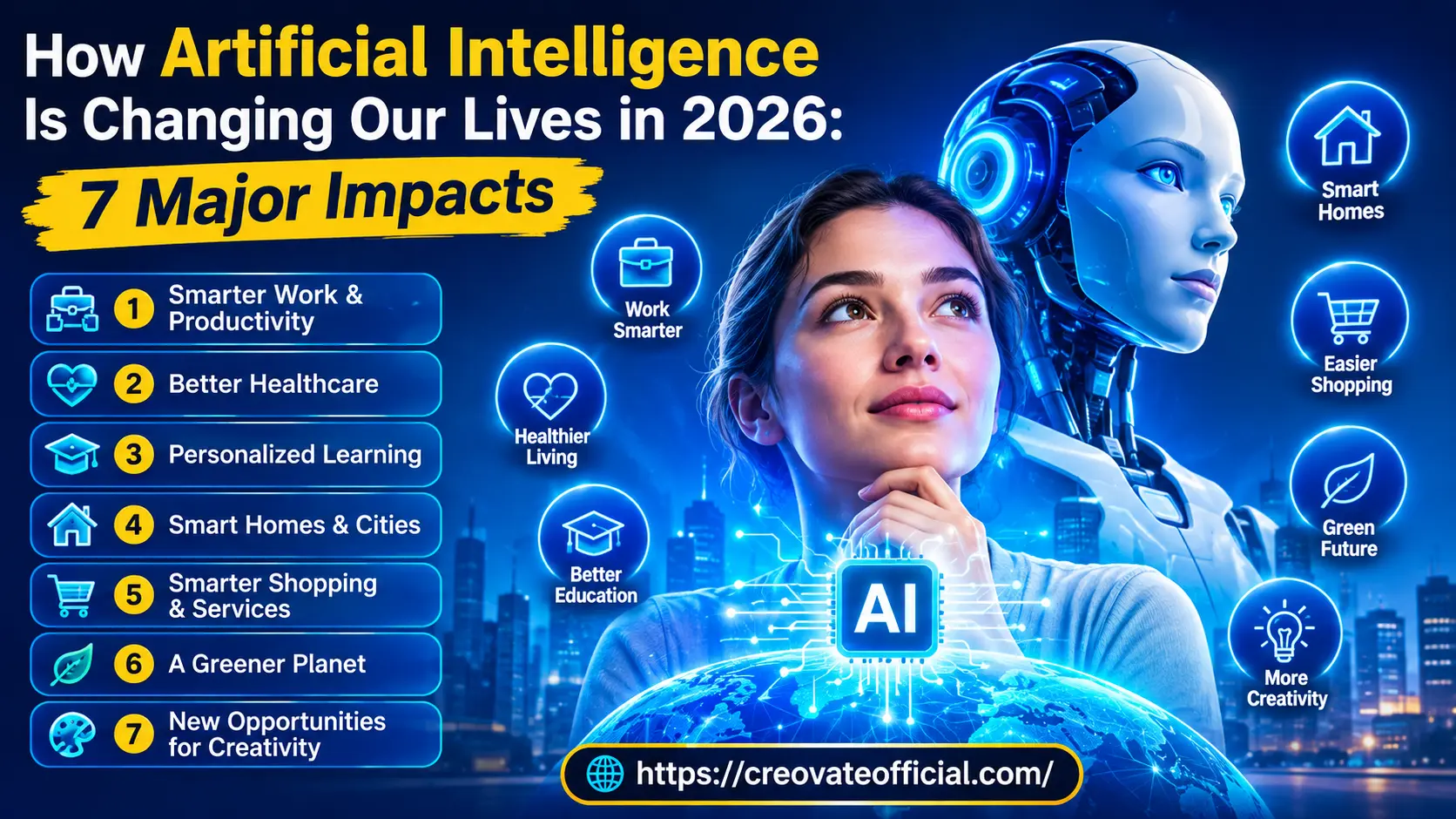
Illustration showing how artificial intelligence is changing daily life in 2026 across work, healthcare, smart homes, and shopping

Quick Answer

In 2026, AI is changing our lives by quietly automating everyday tasks — writing, scheduling, shopping, tutoring, and health tracking — while giving individuals tools that used to require a whole team. The biggest shifts are in work productivity, healthcare, education, smart homes, shopping, sustainability, and creative work. You don't have to overhaul your life to benefit; picking one or two AI tools that match your daily routine is usually enough to feel the difference within a week.

Free Download

Get the 2026 AI Toolkit Checklist

A one-page checklist of the exact AI tools covered in this guide, sorted by use case — work, content, email, and video — so you can start using AI today without the guesswork.

No spam. Unsubscribe anytime. By subscribing you agree to our affiliate disclosure below.

Why Trust This Guide

Real research, honest opinions, no hype

This guide was written and fact-checked by the Creovate Official team, who use AI tools daily to run an online publishing and digital-products business. Every tool mentioned below has been either personally tested in our own workflow or thoroughly researched against its official documentation and independent reviews before we recommended it — we don't just read the marketing page. Where a tool has been hands-on tested by us, we say so directly in that tool's review below.

8
AI tools reviewed & researched
101+
Published digital marketing articles
2026
Content updated for this year
100%
Independently written, no AI-only drafts
Affiliate disclosure: Some links in this article are affiliate links. If you buy through them, we may earn a commission at no extra cost to you. We only recommend tools we have personally used or thoroughly researched. This never changes our opinion — see our honest pros and cons for each tool below.

The Main Guide

7 Ways Artificial Intelligence Is Changing Our Lives in 2026

1Smarter Work & Productivity

How AI is changing life at work — first drafts, research, and busywork

This is where most people first notice how artificial intelligence is changing our lives: at the desk. AI writing tools now draft emails, blog posts, and product descriptions in seconds, letting freelancers and small teams produce content that used to take a full agency. Meeting notes summarize themselves, spreadsheets clean up messy data automatically, and customer support tickets get sorted before a human even opens the inbox.

Practical example

A freelance content writer can outline a blog post with an AI writing assistant like Rytr, edit it for voice and accuracy, and cut first-draft time by roughly half — while still doing the fact-checking and final polish a human reader trusts.

Actionable tip: Use AI for the first draft and structure, but always do a final human edit pass for facts, tone, and anything customer-facing. This keeps quality high and avoids the "obviously AI" feel readers are learning to spot.
Common mistake: Publishing AI output without editing it. Search engines and readers in 2026 are both better at spotting generic, unedited AI text — and it hurts trust more than it helps productivity.

2026 update

AI writing tools now support brand voice memory, so the more you use them, the closer the output gets to how you actually write. If content creation is part of your work, this is worth testing on a free plan before committing.

See our full Rytr review →

2Better Healthcare

AI's impact on daily life through earlier detection and easier access

Healthcare is one of the clearest examples of AI's real-world impact on society. Wearable devices now flag irregular heart rhythms before a person feels symptoms — the FDA has cleared several AI-based ECG features in consumer wearables for this purpose (see the FDA's list of AI-enabled medical devices). AI-assisted imaging tools are also being used to help radiologists flag potential abnormalities for closer review; the World Health Organization's overview of AI in health covers both this potential and the current limitations. Telehealth triage bots help patients figure out whether a symptom needs urgent care or can wait for a regular appointment.

Practical example

Many pharmacy and health-system apps now include automated drug-interaction checks that flag risky combinations when a new prescription is added — a longstanding category of clinical decision-support software that is increasingly AI-assisted, though these checks are meant to support a pharmacist's review, not replace it.

Best practice: Treat AI health tools as an early-warning system, not a diagnosis. Bring anything flagged by an app to a real doctor for confirmation.

2026 update

More health systems are experimenting with AI inside patient portals for appointment triage and medication reminders. This is a fast-moving area, so treat specific adoption numbers with caution and check a health system's own announcements for what's actually live near you rather than relying on general trend reporting.

3Personalized Learning

How AI is changing education — one student at a time

Traditional classrooms move at one pace for thirty different students. AI tutoring tools flip that: they adjust difficulty in real time, explain a concept five different ways until it clicks, and give teachers a dashboard of exactly where each student is struggling. This is one of the most requested topics under "AI applications in everyday life" for parents and educators searching in 2026.

Practical example

A student stuck on algebra can ask an AI tutor to re-explain a step using a real-world example — sports stats, cooking measurements, whatever clicks for them — instead of waiting for the next class.

Common mistake: Letting AI do the assignment instead of teaching the concept. The tools that actually improve learning are the ones that explain and quiz, not the ones that just hand over answers.

Best practice

Look for tools with a built-in "explain your reasoning" or step-by-step mode rather than instant-answer generators — this is what separates a real learning aid from a shortcut.

4Smart Homes & Cities

Artificial intelligence in everyday life, from thermostats to traffic lights

Smart thermostats now learn your schedule and cut energy use without you touching a dial. Smart speakers manage entire routines — lights, locks, reminders — with one voice command. At the city level, several transportation agencies have piloted AI-optimized traffic signal systems aimed at reducing congestion and idle time — the U.S. Department of Transportation's automation and data initiatives track some of this work — and predictive maintenance is helping utilities catch infrastructure failures before they cause outages. Results vary by city and program, so treat specific figures with caution.

Practical example

A household using an AI-connected thermostat and smart plugs may reduce energy use over time by automatically adjusting heating or cooling when rooms are empty, rather than running on a fixed schedule regardless of occupancy. The U.S. Department of Energy has noted potential savings from smart thermostats, though actual results vary by climate, home insulation, and usage habits.

Actionable tip: Start with one smart device (a thermostat or a single smart speaker) rather than a full smart-home overhaul. It's easier to judge the real value before investing further.

5Smarter Shopping & Services

How AI is changing life as a consumer — from recommendations to customer service

Online shopping now feels less like searching and more like being handed exactly what you're looking for. AI-driven recommendation engines, virtual try-ons, and chat-based customer support are replacing long FAQ pages and hold-music phone calls. For small business owners, this same technology is now affordable enough to run without an enterprise budget.

Practical example

A small e-commerce store can use an AI-powered chatbot to answer sizing and shipping questions instantly, freeing the owner to focus on product and marketing instead of answering the same five questions all day.

Best practice: If you run a store or service business, start with a chatbot trained only on your own FAQ and policies — tools like CustomGPT let you build one from your existing content in a single afternoon.

6A Greener Planet

AI's impact on sustainability and everyday energy use

AI is playing a growing role in sustainability — from optimizing shipping routes to cut fuel use, to predicting equipment failures before they cause waste, to helping farms use closer to the actual amount of water and fertilizer a field needs instead of a blanket amount. The International Energy Agency's reporting on energy and AI is a useful starting point for the fuller picture — including the fact that AI itself has a growing energy footprint, so its net environmental impact depends heavily on how and where it's applied. On a personal level, AI-based energy monitors can help households spot the appliances quietly driving up their bills.

Why this matters: Small, AI-guided efficiency gains at scale (shipping, farming, power grids) add up to a bigger environmental impact than most single consumer choices — which is why this is one of the more underrated benefits of artificial intelligence.

7New Opportunities for Creativity

How artificial intelligence is changing content creation and entrepreneurship

Perhaps the most exciting shift for creators and small business owners: AI has removed several of the technical barriers that used to gatekeep video, design, and marketing. You no longer need a studio to make a talking-head video, an editing degree to cut social clips, or a full marketing team to run email campaigns.

Practical example

A solo creator can film raw footage, cut it into short clips with CapCut, generate a professional explainer video using an AI avatar in Synthesia, and promote it all through an automated GetResponse email sequence — all without hiring a single freelancer. (Availability of specific download offers can vary by region — check the provider's page for your country.)

Actionable tip: If budget is tight, don't buy every tool at once. Start with the one bottleneck slowing you down most (writing, video, or email) and add the others as you grow.
Compare the creative AI tools we tested →
Comparison Table

AI Tools for Everyday Life & Business: At a Glance

Here's how the tools mentioned in this guide compare across price, features, and who they're actually best for. Pricing changes frequently, so always confirm current pricing on the provider's page before buying.

ToolCategoryBest ForProsConsGet Started
Rytr AI Writing Bloggers, freelancers, ecommerce copy Fast drafts, many tone/use-case templates, budget-friendly Needs human editing for long-form accuracy Try Rytr →
Synthesia AI Video Explainer videos, training content, course creators Realistic AI avatars, no camera or studio needed Higher price point at scale Try Synthesia →
CapCut Video Editing Social media clips, Reels, Shorts, TikTok Free to start, AI auto-captions and templates Some premium effects behind paywall Try CapCut →
GetResponse Email Marketing Newsletters, automation, small business marketing AI email generator, built-in automation and landing pages Learning curve for full automation features Try GetResponse →
Systeme.io All-in-One Marketing Solo entrepreneurs, funnel building, course sales Free plan available, funnels + email + courses in one place Design flexibility is more basic than dedicated tools Try Systeme.io →
CustomGPT AI Chatbot Builder Small businesses, customer support, FAQ automation Trains on your own content, quick setup Best value at higher usage tiers Try CustomGPT →
FastPixel Site Speed / CDN Bloggers and stores wanting faster page load Improves Core Web Vitals, easy setup Best suited to WordPress/WooCommerce sites Try FastPixel →
Fiverr Freelance Marketplace Outsourcing tasks AI can't fully finish alone Human expert backup for design, editing, strategy Quality varies by freelancer — vet reviews first Browse Fiverr →

In-Depth Reviews

Individual Tool Reviews

Rytr — AI Writing Assistant

Best for Content Speed

Rytr is a lightweight AI writing tool built for people who need drafts fast — blog outlines, product descriptions, social captions, and emails. It's one of the more beginner-friendly AI writers we tested, with tone and use-case templates that cut down the "blank page" problem.

Advantages

  • Fast first drafts across 40+ use cases
  • Multiple tone settings for brand voice
  • Budget-friendly compared to enterprise tools

Drawbacks

  • Long-form content still needs a human edit pass
  • Fewer advanced SEO features than dedicated platforms

Best for: Freelancers, bloggers, and small business owners writing high volumes of short-to-medium content.

Pricing: Offers a free plan with limited monthly credits; paid plans unlock unlimited generation. Check current pricing on their site, as it can change.

Try Rytr Free →

Trust note: We used Rytr for first-draft outlines during testing and always ran a human edit pass before publishing — which we recommend to every reader too.

Synthesia — AI Video Generator

Best for AI Avatars

Synthesia turns a text script into a professional-looking video with a realistic AI presenter — no camera, microphone, or studio required. It's become a go-to for training videos, product explainers, and course content.

Advantages

  • Realistic AI avatars in 100+ languages
  • No filming equipment needed
  • Fast turnaround for explainer-style content

Drawbacks

  • Costs more than basic editing tools
  • Avatars still read as slightly synthetic on close inspection

Best for: Course creators, HR/training teams, and marketers needing polished video without production costs.

Try Synthesia →

CapCut — Video Editor

Best Free Option

CapCut remains one of the most accessible AI-assisted video editors, especially for short-form content like Reels, Shorts, and TikTok clips. Its auto-caption and auto-cut features save real editing time.

Advantages

  • Free to download and use for core features
  • AI auto-captions and background removal
  • Beginner-friendly interface

Drawbacks

  • Some templates and effects require a premium subscription

Best for: Social media creators and small businesses editing on a budget.

Try CapCut Free →

GetResponse — Email Marketing

Best for Automation

GetResponse combines email marketing, automation workflows, and landing pages with AI features that help draft subject lines and full campaigns. It's a strong pick for anyone building an audience through email.

Advantages

  • AI email generator built in
  • Marketing automation and landing pages included
  • Scales from solo creator to small team

Drawbacks

  • Full automation setup has a learning curve for beginners

Best for: Bloggers, course creators, and small businesses building an email list.

Try GetResponse →

Systeme.io — All-in-One Marketing Platform

Best Free Plan

Systeme.io bundles funnels, email marketing, and online course hosting into one dashboard — a genuinely useful option for solo entrepreneurs who don't want to juggle five separate subscriptions.

Advantages

  • Generous free plan to start
  • Funnels, email, and courses in one tool
  • Simple setup for non-technical users

Drawbacks

  • Design customization is more limited than dedicated funnel builders

Best for: New entrepreneurs launching their first digital product or funnel.

Start Free on Systeme.io →

CustomGPT — AI Chatbot Builder

Best for Customer Support

CustomGPT lets you build a chatbot trained specifically on your own content — website pages, PDFs, FAQs — so it answers questions the way your business actually would, not with generic responses.

Advantages

  • Trains directly on your existing content
  • Fast setup, no coding required
  • Reduces repetitive customer support questions

Drawbacks

  • Best value shows at higher usage volumes

Best for: Small business owners who want to automate FAQ and support without losing accuracy.

Try CustomGPT →

FastPixel — Site Speed Optimization

Best for Core Web Vitals

FastPixel focuses on one job: making your website load faster, which matters more than ever now that page speed directly affects both SEO rankings and reader trust.

Advantages

  • Improves load times and Core Web Vitals
  • Straightforward setup for WordPress/WooCommerce

Drawbacks

  • Less useful outside WordPress ecosystems

Best for: Bloggers and store owners whose site speed is hurting rankings or conversions.

Try FastPixel →

Fiverr — Freelance Marketplace

Best Human Backup

Even the best AI tools have limits. Fiverr is where we send readers when a task needs real human judgment — a logo that needs a designer's eye, a video that needs a skilled editor's polish, or strategy work AI can't fully own.

Advantages

  • Access to specialized freelancers across every niche
  • Fixed-price gigs make budgeting predictable

Drawbacks

  • Quality varies — always check reviews and portfolios first

Best for: Filling the gaps AI tools can't fully cover yet.

Browse Fiverr →

Balanced View

Pros & Cons of AI in Daily Life

Pros

  • Saves hours on repetitive tasks like writing, editing, and scheduling
  • Gives individuals and small teams access to tools once limited to big companies
  • Helps catch health and safety issues earlier through monitoring and analysis
  • Personalizes learning and shopping experiences to the individual
  • Supports sustainability through smarter resource use

Cons

  • Can produce confident-sounding but incorrect information — always verify facts
  • Raises real questions about data privacy and how personal information is used
  • Some jobs and tasks are shifting or disappearing, requiring new skills
  • Overreliance on AI output without editing can hurt quality and trust
  • Subscription costs for multiple tools can add up if not managed carefully

Decision Guide

How to Choose the Right AI Tools for Your Life

What to look for

Match the tool to a specific, recurring task — not a general "I should use more AI" feeling. The best results come from solving one clear bottleneck (writing, video, email, or customer questions) rather than adopting five tools at once.

Common mistakes

Buying an annual plan before testing the free trial, choosing a tool because it's popular rather than because it fits your workflow, and skipping the human review step on anything customer-facing.

Budget considerations

Start with free plans or trials for every tool in this guide. Most let you fully test the core features before paying, so you can confirm real value before committing a monthly budget.

Who should buy in now

Freelancers, small business owners, content creators, and students juggling heavy workloads will see the fastest return on AI tools.

Who should wait

If your current workflow is already efficient and low-volume, it may not be worth adding a new subscription yet — revisit when your workload grows.

Expert tip

Track your time for one week before and after adopting a new AI tool. If it doesn't save you at least an hour a week, it's probably not the right fit for your workflow.

FAQ

Frequently Asked Questions

How is AI changing our everyday lives in 2026?

AI now helps run daily tasks in the background — sorting your inbox, planning routes, recommending products, tutoring students, monitoring health data, and drafting content — so most people interact with AI several times a day without opening a dedicated "AI app."

What are the biggest benefits of artificial intelligence today?

The biggest benefits are time savings, personalization, and access. AI helps people do skilled work faster (writing, design, video), gives students personalized tutoring, helps doctors catch issues earlier, and gives small businesses tools that used to require a full team.

Is AI actually safe to use for daily tasks?

For most everyday tasks — writing, scheduling, research, learning — AI tools are safe when you avoid sharing sensitive personal data and double-check important facts before acting on them. For medical, legal, or financial decisions, treat AI output as a starting point, not a final answer.

Will AI replace jobs in 2026?

AI is changing jobs more than it is eliminating them outright. It is automating repetitive tasks inside roles (data entry, first-draft writing, basic design) while creating demand for people who can direct, edit, and apply AI tools well.

What AI tools should a beginner start with?

Beginners usually get the fastest wins from an AI writing assistant for content, an AI video tool for social media, and an email marketing platform with built-in automation — all of which now include AI features as standard.

Does using AI tools cost a lot of money?

Most consumer AI tools offer a free plan or trial, with paid tiers starting anywhere from around $10 to $30 a month. You can build a useful AI-powered workflow without a large budget by starting on free plans and upgrading only the tools you actually use weekly.

While You're Organizing Your Tools

Keep Your AI Tool Budget on Track

Adding a few AI subscriptions is easy — tracking what they cost you monthly is the part people skip. Our Monthly Budget Planner gives you a simple, ready-to-use sheet to track subscriptions, income, and spending in one place.

Monthly Budget Planner

Digital download · instant access

Get the Planner →

Final Verdict

Artificial intelligence isn't a future trend anymore — it's already reshaping how we work, learn, shop, and take care of our health in 2026. The people benefiting most aren't the ones using the most AI tools; they're the ones using the right one or two for their actual daily bottlenecks.

Our recommendation: start with an AI writing tool like Rytr if content is your bottleneck, or an email platform like GetResponse if growing an audience is your priority — then expand from there.

Get the Free AI Toolkit Checklist
SS

Suresh Sannapareddy

Accounts Manager & Founder, Creovate Official

Suresh is a financial strategist and digital entrepreneur with an MBA in Marketing. As the founder of Creovate Official, he combines his accounting expertise with digital marketing strategies to help individuals build automated online businesses, create digital products, and generate passive income.

MBA in Marketing Affiliate Marketing Educator AI Productivity Researcher 101+ Published Articles

Visit CreovateOfficial.com →