01Why Trust This Guide
Creovate Official publishes practical guides on digital marketing, AI tools, and online income. This article was built from hands-on campaign management experience, current Meta Ads Manager documentation, and side-by-side testing of the creative and marketing tools mentioned below — not recycled advice from years ago.
🧪 Hands-on testing
Every tool recommended here has been used in real campaigns, not just researched from a spec sheet.
📚 Current documentation
Steps reflect Meta Ads Manager's 2026 interface, including Advantage+ audience and placement defaults.
⚖️ Balanced opinions
We call out drawbacks and "who should skip this" for every product, not just the upside.
🔍 Full transparency
We disclose exactly which links are affiliate links and never let commissions dictate a recommendation.
Affiliate Disclosure: Some links in this article are affiliate links. If you buy through them, we may earn a small commission at no extra cost to you. This never affects our recommendations — we only link to tools we'd genuinely suggest to a friend starting out.
02The Complete Meta Ads Setup Guide
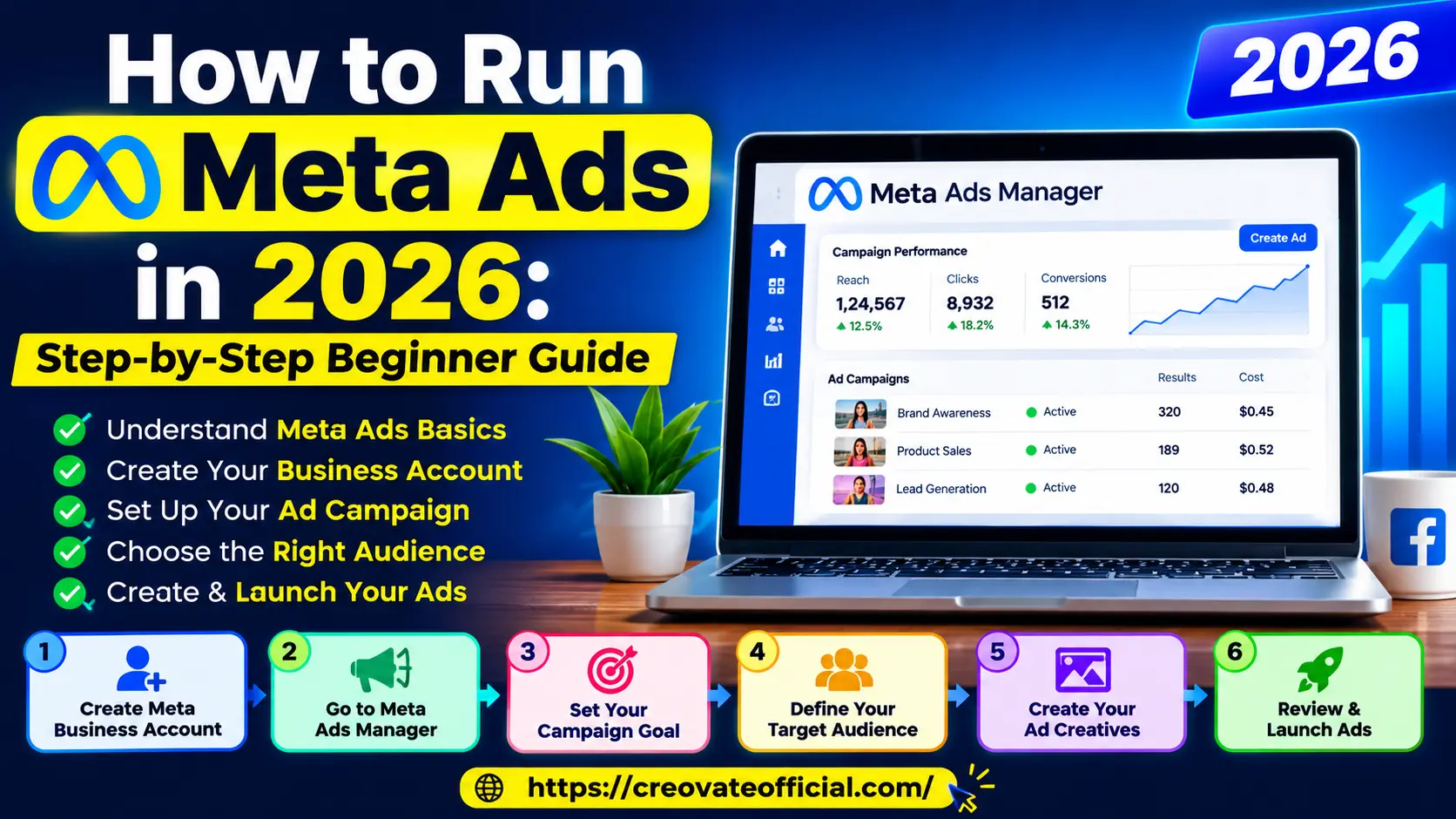
Here's the exact sequence we follow every time we launch a new Meta Ads campaign — whether it's for a client's online store or a freelancer's personal brand.
STEP 1
Create Your Meta Business Account
Everything starts inside Meta Business Suite. If you're advertising for a brand, page, or client, don't skip this and run ads from a personal profile — it limits access controls and makes handing off work to a freelancer or agency painful later.
- Go to business.facebook.com and click Create Account.
- Add your business name, your name, and an email address you regularly monitor. A dedicated business email is preferable for professional account management.
- Connect the Facebook Page and Instagram account you'll use for your ads, when required by your chosen setup.
- Connect your Instagram account if you plan to run Instagram Ads for beginners alongside Facebook.
- Add a payment method under Business Settings → Payments.
Common mistakeMixing a personal profile with business ad accounts. If Meta ever restricts the personal profile, the whole ad account can lose access.
2026 updateMeta now nudges new advertisers toward "Business Portfolios" instead of standalone Business Manager accounts — the setup flow looks slightly different but the underlying steps are the same.
STEP 2
Open Meta Ads Manager
Ads Manager is the control room for every Meta advertising strategy in 2026. You'll find it inside Business Suite or directly at adsmanager.facebook.com.
- Campaigns tab: objective-level view — your overall goal.
- Ad Sets tab: where audience, budget, and placement live.
- Ads tab: the actual creative — images, video, copy.
Take ten minutes to click through the interface before spending a single dollar. Understanding this three-layer structure (Campaign → Ad Set → Ad) is the single biggest unlock for Meta Ads beginners.
STEP 3
Choose Your Campaign Objective
This is where most beginners quietly sabotage their own results. Meta's algorithm optimizes hard for whatever objective you pick, so choose the one that matches money-in-the-bank, not vanity metrics.
| Objective | Best For | Avoid If |
|---|
| Awareness | New brands needing visibility | You need direct sales fast |
| Traffic | Blog growth, content sites | You're optimizing for purchases |
| Engagement | Community building, launches | Budget is tight and ROI-focused |
| Leads | Coaches, freelancers, services | You have no follow-up process |
| Sales | E-commerce, digital products | Store/checkout isn't tracking yet |
Best practiceInstall the Meta Pixel and Conversions API before you pick "Sales" — otherwise the algorithm has nothing to optimize toward.
STEP 4
Define Your Meta Ads Targeting
In 2026, Meta leans heavily on Advantage+ audience, which lets the algorithm expand beyond your manual inputs once it finds signal. Still, give it a strong starting point:
- Add 2–4 broad interests related to your product (not 15 — narrow targeting starves the algorithm of data).
- Set age and location only as tightly as your business genuinely requires.
- Upload a Custom Audience from your email list or website visitors, if you have one.
- Build a Lookalike Audience once you have at least 100 purchase or lead events.
Common mistakeStacking too many exclusions and interest layers "to be safe." This shrinks your audience so much that Meta can't spend your budget efficiently.
STEP 5
Set Your Meta Ads Budget
You don't need a specific "minimum" Meta Ads budget to start — you need a budget you can afford to sustain long enough to generate meaningful data. The right amount depends on your objective, audience, location, and typical conversion cost.
- Testing phase: many beginners test with a small daily budget (for example, $5–$20/day as a starting point) across 3–5 creative variations, then adjust based on what their budget and results allow.
- Scaling phase: increase budget gradually when performance is stable. Large changes to budget or other major settings can disrupt delivery and may cause the ad set to re-enter a learning process.
- Campaign Budget Optimization (CBO): let Meta distribute spend across ad sets automatically once you have performance data.
2026 updateMeta's delivery system may need several days and a sufficient number of optimization events to stabilize performance. If conversion volume is low, this process can take longer or remain limited — plan your test budget and timeline with that in mind.
STEP 6
Create Your Ad Creative
Creative is the single biggest lever in Meta advertising for beginners — often bigger than targeting. Short vertical video and authentic, UGC-style creative are often strong formats to test with cold audiences.
- Write a hook for the first 2 seconds of video, or the first line of image ad copy.
- Lead with the problem your audience already feels, not your product's features.
- Include a clear, single call-to-action — one goal per ad.
- Build at least 3 creative variations per ad set to give Meta's system room to find a winner.
Common mistakeUploading one static image and calling it a campaign. Ad fatigue sets in fast without creative variety.
STEP 7
Review, Launch & Optimize
Before hitting publish, double-check placements, tracking, and budget caps. After launch:
- Let the campaign run untouched for at least 3 days before judging performance.
- Watch cost per result and frequency, not just reach.
- Turn off underperforming ads only after they've spent enough to exit the learning phase.
- Duplicate and scale winning ad sets rather than editing them heavily mid-flight.
03Best Tools to Build Better Meta Ads
Great targeting can't save a weak ad. These are the tools we personally use to write copy, generate creative, capture leads, and turn traffic into customers once the ad has done its job.
| Tool | Best For | Free Option | Why It Helps |
|---|
| Rytr | AI ad copy & headlines | Yes | Fast copy variations |
| CapCut | Editing short vertical video ads | Yes | UGC-style creative |
| Synthesia | AI avatar video ads | Trial | No-camera video ads |
| GetResponse | Landing pages & email follow-up | Trial | Lead nurturing after the click |
| Systeme.io | Funnels for lead/sales campaigns | Yes | All-in-one funnel builder |
| FastPixel | Site speed for landing pages | Trial | Reducing ad-to-page drop-off |
| CustomGPT | AI chatbot for lead qualification | Trial | Automating ad follow-up |
| Fiverr | Hiring editors/designers | N/A | Outsourcing creative production |
Some links below are affiliate links (see disclosure above).
Rytr — AI Writing Assistant
Best for Ad Copy
Rytr helps you generate multiple headline and ad-copy variations in seconds, which is exactly what Step 6 above calls for — testing several creative angles instead of one.
Advantages
- Fast headline/hook generation
- Built-in tone presets
- Affordable for beginners
Drawbacks
- Still needs human editing for brand voice
- Free tier has character limits
Best for: Beginners who freeze up writing ad copy from scratch.
Try Rytr Free →
CapCut — Video Editing
Best for Video Ads
Most winning Meta ad creative in 2026 is short, vertical, and slightly imperfect. CapCut makes it easy to cut UGC-style clips, add captions, and export in the right aspect ratio for Reels and Stories placements.
Advantages
- Free desktop and mobile app
- Auto-captions save editing time
- Templates built for social formats
Drawbacks
- Some premium effects are paywalled
- Learning curve for advanced edits
Best for: Anyone building video ad creative without a video editing background.
Download CapCut Free →
Synthesia — AI Avatar Video
Best for No-Camera Ads
If you don't want to appear on camera, Synthesia turns a script into a spoken video with an AI presenter — useful for testing talking-head style ads without hiring an actor.
Advantages
- No filming equipment needed
- Multiple languages and avatars
- Good for explainer-style ads
Drawbacks
- Can feel less "authentic" than real UGC
- Higher price point than editing tools
Best for: Solo founders and freelancers uncomfortable on camera.
Explore Synthesia →
GetResponse — Email & Landing Pages
Best for Lead Follow-Up
Traffic from a lead-objective campaign is only valuable if you follow up. GetResponse combines landing pages with email automation so a Meta lead doesn't go cold.
Advantages
- Built-in landing page builder
- Marketing automation workflows
- Works well with Meta Lead Ads
Drawbacks
- More features than a true beginner needs at first
Best for: Businesses running Lead objective campaigns that need nurturing sequences.
Try GetResponse →
Systeme.io — All-in-One Funnels
Best Free Funnel Builder
For Sales-objective campaigns, Systeme.io lets you build the entire funnel — landing page, checkout, and email — without stitching together five different tools.
Advantages
- Genuinely usable free plan
- Funnels, courses, and email in one place
Drawbacks
- Design flexibility is more limited than dedicated page builders
Best for: Beginners who want one tool instead of five.
Start Free on Systeme.io →
FastPixel — Site Speed Optimization
Best for Landing Page Speed
A slow landing page quietly destroys Meta Ads ROI — every extra second of load time costs conversions. FastPixel focuses specifically on speeding up the page your ad sends traffic to.
Advantages
- Targets Core Web Vitals directly
- Can meaningfully cut bounce rate from ad traffic
Drawbacks
- Best value if your site already has real traffic to optimize
Best for: Anyone sending paid Meta traffic to their own website or store.
Check FastPixel →
CustomGPT — AI Chatbot
Best for Automated Follow-Up
Pair CustomGPT with a Lead Ads campaign to instantly answer common questions from ad traffic while you're offline, instead of losing warm leads overnight.
Advantages
- Trains on your own content/FAQs
- Reduces response-time drop-off
Drawbacks
- Requires some setup time to train well
Best for: Service businesses generating leads via Meta Ads at volume.
Try CustomGPT →
Fiverr — Freelance Creative Help
Best for Outsourcing
If Step 6 (ad creative) is your bottleneck, Fiverr connects you with freelance video editors, designers, and UGC creators who specialize in Meta ad formats.
Advantages
- Wide price range for every budget
- Fast turnaround for simple creative
Drawbacks
- Quality varies — vet reviews and portfolios carefully
Best for: Business owners who'd rather delegate creative production entirely.
Browse Fiverr →
Monthly Budget Planner (Our Digital Product)
Creovate Original
Before you set a single Meta Ads budget, know exactly what you can afford to test and scale. Our Monthly Budget Planner is built specifically for creators and small businesses running paid ads alongside regular expenses.
Get the Budget Planner →
05How to Choose the Right Tools & Budget
What to look for
- A copy or design tool that fits your actual skill gap — don't buy five overlapping tools.
- A landing page tool if your ads point off-platform; skip it if you're only running Lead Ads.
- Analytics you'll actually check weekly, not a dashboard you'll ignore.
Budget considerations
Split your monthly budget roughly into: 70% ad spend, 20% creative/tools, 10% buffer for testing new formats. Increase the tools slice only once ad spend is consistently profitable.
Who should run Meta Ads right now
Businesses with a clear offer, a way to track conversions, and at least $150–$300/month to test with will get the most out of Meta Ads for beginners.
Who should hold off
If you don't yet have a validated offer or any way to follow up with leads, spend a few weeks fixing that first — ad traffic won't fix a broken funnel.
Expert tipDocument every test in a simple spreadsheet: objective, audience, budget, and result. Pattern recognition across campaigns is what actually improves your Meta Ads optimization over time.
06Frequently Asked Questions
How much does it cost to run Meta Ads in 2026?
There's no fixed minimum. Most beginners start testing with $5–$20 per day per ad set and scale up once they find a profitable combination of audience and creative.
Do I need a business website to run Meta Ads?
No. You can run ads that send traffic to a Facebook Page, Instagram profile, WhatsApp number, or a native Lead Ad form without ever having an external website.
What's the difference between Facebook Ads and Meta Ads?
They're the same system. "Meta Ads" is the current name for the platform that serves ads across Facebook, Instagram, Messenger, and the Audience Network — "Facebook Ads" is simply the older name people still use.
How long does it take to see results from Meta Ads?
Meta's delivery system may need several days and a sufficient number of optimization events to stabilize performance before you can judge an ad set fairly. If conversion volume is low, this can take longer or remain limited — patience matters more than a fixed timeline.
Can beginners really run Meta Ads without an agency?
Yes. Ads Manager is designed for self-service advertisers, and the core skills — audience building, creative testing, and budget management — are learnable within a few weeks of hands-on practice.
What's the best campaign objective for beginners?
For most small businesses, Leads or Sales objectives (depending on your business model) give the clearest, most measurable results compared to Awareness or Engagement.
Should I boost a post or create a real campaign in Ads Manager?
Creating a real campaign in Ads Manager generally gives more control over objectives, audiences, and optimization than boosting a post, and is usually the better choice once you move past a first quick test.