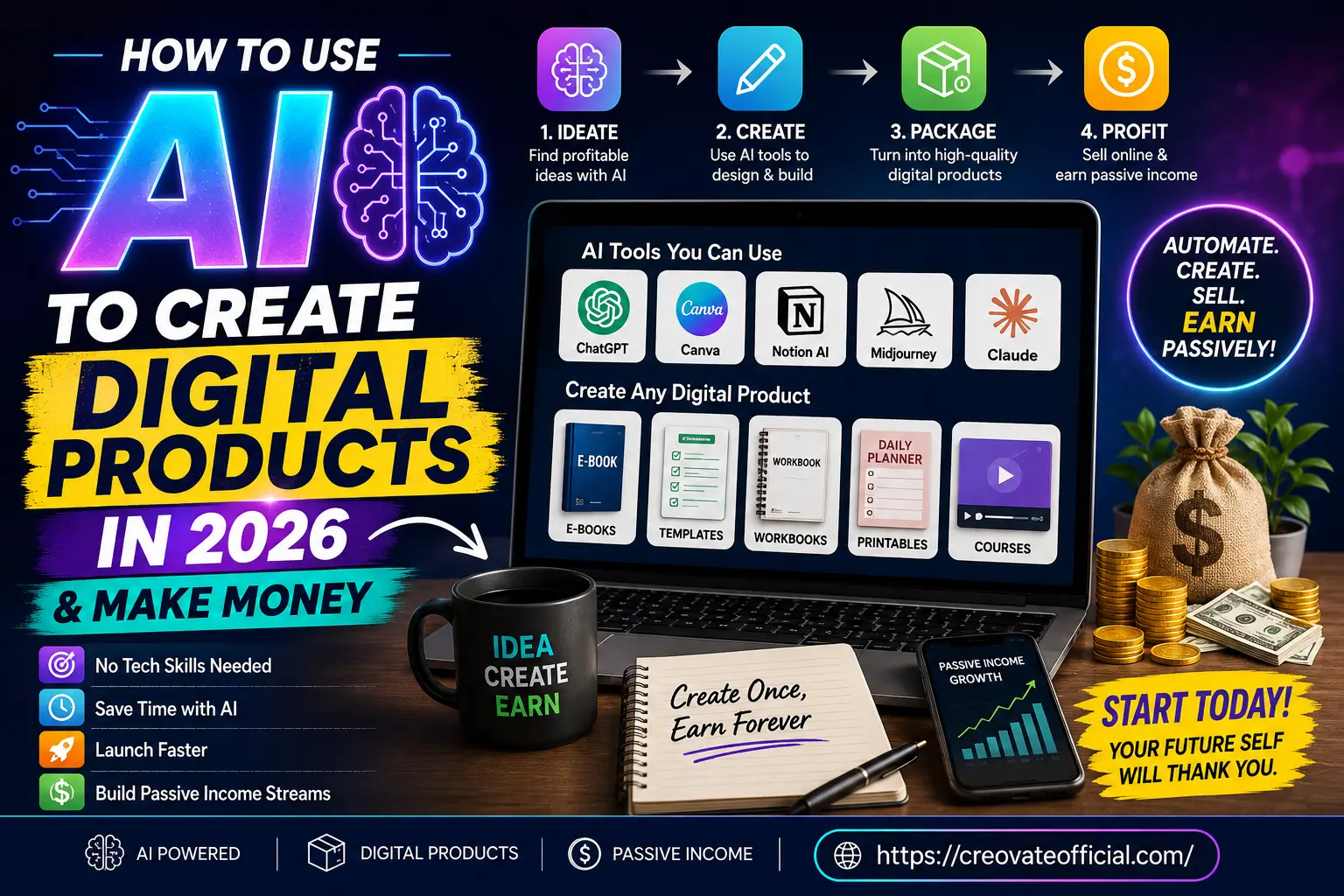
Why 2026 Is the Right Time to Build AI Digital Products
Digital products have been a legitimate income stream for over a decade, but two things changed recently. First, AI writing and design tools reached a quality level where a solo creator can produce something that looks professionally made, not obviously templated. Second, buyers have gotten more comfortable purchasing AI-assisted content, as long as it's genuinely useful — nobody cares how a budget planner was made if it actually helps them save money.
That combination means the barrier to entry is lower than ever, but so is the tolerance for low-effort output. A generic AI-generated ebook with no editing won't sell. A well-researched, clearly designed product that solves one specific problem still will.
Best Digital Products to Create With AI in 2026
Not every digital product idea is worth pursuing. These five categories consistently perform well because they solve a specific, recurring problem and are genuinely easier to build with AI assistance.
1. Ebooks and guides
Short, focused ebooks (5,000–15,000 words) on a narrow topic outperform sprawling 300-page books. Use AI to draft chapters from your outline, then rewrite the parts that need your personal experience or examples.
2. Templates and workbooks
Notion templates, spreadsheet trackers, and planning workbooks are some of the easiest AI-assisted products to build because the value is in the structure, not the prose. A monthly budget planner, a content calendar, or a client onboarding workbook can all be built in a weekend.
3. Printables
Meal planners, habit trackers, and goal-setting sheets remain reliable sellers, especially bundled together. AI design tools speed up layout work that used to require a graphic designer.
4. Online courses and video lessons
AI video tools now let a single person produce a polished, presenter-led course without appearing on camera. This is useful for creators who have expertise but not the time (or confidence) to film themselves.
5. AI-generated art and design assets
Stock graphics, social media templates, and print-on-demand designs are a fast-growing category, though this space is more saturated — differentiation matters more here than anywhere else on this list.
Step-by-Step: From Idea to Income
Here's the process broken into four stages. Each stage below expands on what actually happens at that step.
Ideate
Find a profitable, validated idea using AI research
Create
Use AI tools to draft, design, and build the product
Package
Turn the draft into a polished, deliverable file
Profit
List it, market it, and generate ongoing sales
Step 1: Ideate — find a problem worth solving
Start with a specific audience, not a broad topic. "Budgeting" is too broad; "a monthly budget planner for freelancers with irregular income" is a product. Use ChatGPT, Claude, or Rytr to brainstorm angles, then check real demand with a quick Google search, Etsy search, and Pinterest search for the exact phrase people would use.
Step 2: Create — draft with AI, refine with judgment
Draft your outline first, by hand. Then feed that outline into an AI writing tool to generate a first pass. Edit heavily: cut generic filler, add specific examples, and make sure the voice sounds like a person, not a search-optimized robot.
Step 3: Package — make it look worth paying for
Design matters more than most beginners expect. A well-formatted PDF with consistent fonts, a clean cover, and clear headers converts far better than a plain Word document, even if the content is identical. This is where design and video tools on our list earn their keep.
Step 4: Profit — sell, deliver, and repeat
Set up a simple sales page, connect a payment processor, and automate delivery so the product ships itself after purchase. Then focus on traffic: SEO content, email marketing, and social posts that link back to your product page.
See This Process in Action
We used this exact four-step process to build our own Monthly Budget Planner — a real, AI-assisted digital product you can check out to see what a finished, sellable product looks like.
Best Tools for Creating and Selling Digital Products
Most of the tools below use AI directly for writing, video, or design. A few — like FastPixel, GetResponse, and Fiverr — round out the stack for speed, email marketing, and outsourcing, since no single AI tool covers the full path from idea to sale. You don't need dozens of subscriptions. Most creators get by with one writing tool, one design or video tool, and one platform to host and sell. Below is a comparison of the tools we tested, followed by individual reviews.
Comparison Table
| Tool | Category | Best For | Pricing Model | Learning Curve |
|---|---|---|---|---|
| Rytr | AI writing | Ebooks, product descriptions, sales copy | Free tier + paid plans | Low |
| FastPixel | Site speed / hosting | Faster, more reliable sales pages | Subscription | Low–Medium |
| CapCut | Video editing | Course lessons, promo videos | Free + paid tier | Low |
| GetResponse | Email marketing | List building, automated launches | Subscription | Medium |
| Systeme.io | All-in-one platform | Selling and delivering digital products | Free tier + subscription | Low–Medium |
| Synthesia | AI video/avatars | Faceless courses and tutorials | Subscription | Medium |
| CustomGPT | Custom AI chatbot | Interactive product add-ons, support bots | Subscription | Medium |
| Fiverr | Freelance marketplace | Outsourcing design, editing, or voiceovers | Pay per project | Low |
Individual Tool Reviews
Rytr Best for Fast First Drafts
Rytr is an AI writing assistant built for short-form and mid-length content — product descriptions, outlines, email copy, and ebook chapters. It's a good starting point for anyone new to AI writing because the interface is simple and doesn't overwhelm you with settings.
Advantages
- Fast to learn, minimal setup
- Affordable entry point with a free tier
- Handles many content formats and tones
Drawbacks
- Long-form output still needs heavy editing
- Less nuanced than premium general-purpose models for complex topics
Best for: Beginners writing their first ebook, product descriptions, or marketing copy on a budget.
Try Rytr →FastPixel Best for Page Speed
FastPixel focuses on making your sales pages and website load faster. Speed directly affects conversion rate — a slow-loading product page loses sales before a visitor ever sees your offer.
Advantages
- Improves load times without a full rebuild
- Useful for WordPress-based product sites
Drawbacks
- Not a content or design tool — it's infrastructure, not creation
- Most valuable once you already have real traffic
Best for: Creators who already have a website and want to improve conversion through speed.
Check FastPixel →CapCut Best Free Video Editor
CapCut is a free, beginner-friendly video editor with AI-assisted captions, background removal, and templates. It's a strong choice for short course lessons, TikTok/Reels promotion, and simple screen-recorded tutorials.
Advantages
- Free to start, generous feature set
- Auto-captions and templates save editing time
Drawbacks
- Mobile-first design can feel limited for long-form desktop editing
- Watermarks or upgrades required for some advanced features
Best for: Creating course clips, promo videos, and social content without buying premium editing software.
Download CapCut Free →GetResponse Best for Email & Launches
GetResponse combines email marketing, landing pages, and basic automation. For digital product sellers, your email list is often more valuable than your traffic — it's where repeat sales and launches actually happen.
Advantages
- Built-in automation for welcome sequences and launches
- Landing page builder included
Drawbacks
- More features than a total beginner may need at first
- Costs scale with list size
Best for: Creators ready to build an email list and run structured product launches.
Explore GetResponse →Systeme.io Best All-in-One Platform
Systeme.io lets you host, sell, and deliver digital products, plus run email campaigns and simple sales funnels, all from one dashboard. For someone who doesn't want to stitch together five separate tools, this is the simplest path to actually selling something.
Advantages
- Free plan available to launch your first product
- Combines selling, delivery, and email in one place
Drawbacks
- Design flexibility is more limited than dedicated page builders
- Advanced automations require a paid plan
Best for: Beginners who want one platform to sell their first digital product without technical setup.
Start Free on Systeme.io →Synthesia Best for Faceless Video Courses
Synthesia turns a script into a video with an AI presenter, letting you produce course content without filming yourself. This is especially useful for creators who have expertise but are camera-shy, or who want to produce lessons in multiple languages quickly.
Advantages
- No camera, microphone, or filming setup required
- Fast turnaround for multi-lesson courses
Drawbacks
- AI avatars can still feel less personal than a real presenter
- Higher price point than basic video tools
Best for: Course creators who want professional video lessons without appearing on camera.
Try Synthesia →CustomGPT Best for Interactive Add-Ons
CustomGPT lets you build a custom AI chatbot trained on your own content — useful as a bonus add-on for a course or ebook, letting buyers "ask" your product questions directly instead of searching through pages.
Advantages
- Adds a genuinely useful interactive feature to a static product
- Trains on your own material, not generic web data
Drawbacks
- Overkill for a simple, single printable or short ebook
- Requires some setup time to train and test properly
Best for: Course creators wanting to add a premium, interactive support feature.
Explore CustomGPT →Fiverr Best for Outsourcing Gaps
No AI tool covers everything. Fiverr is where you fill the gaps — a custom cover design, a professional voiceover, or a quick edit pass from a human freelancer when AI output needs a final polish.
Advantages
- Wide range of affordable freelance services
- Useful for tasks AI still handles poorly, like nuanced editing
Drawbacks
- Quality varies significantly between freelancers
- Adds cost compared to a fully DIY approach
Best for: Filling specific skill gaps — design, voiceover, or editing — that AI tools don't fully solve.
Browse Fiverr →Pros & Cons Summary
✅ Why this approach works
- Dramatically lowers the time and skill needed to launch
- Low upfront cost compared to hiring a full team
- Products can be updated and improved with AI quickly
- Works across many niches — finance, wellness, business, hobbies
⚠ What to watch out for
- Generic, unedited AI content sells poorly
- Market saturation in oversaturated niches (generic "AI prompts" packs, for example)
- Some tools require a subscription before you've made a sale
- Marketing and traffic still take real, ongoing effort
Which Tools Should You Actually Buy?
Don't buy every tool on this list on day one. Match the tool to the product you're building.
What to look for
- A free tier or trial, so you can test the workflow before paying
- Export formats that match what you need (PDF, video file, etc.)
- A platform that also handles delivery, not just creation
Budget considerations
A realistic starter stack — one free-tier writing tool plus Systeme.io's free plan — can get your first product live at close to zero cost. Add paid tools only once you've made your first few sales.
Who should buy in now
Anyone with existing knowledge in a niche (budgeting, fitness, parenting, freelancing) and a few hours a week. You don't need an audience to start — you need a specific, validated problem to solve.
Who should wait
If you don't yet have a specific product idea, spend a week validating demand before spending money on tools. Buying software won't fix an unclear idea.
How to Sell Your AI-Built Digital Product
Creating the product is half the job. Here's how to actually get it in front of buyers.
- Set up a simple sales page on a platform like Systeme.io, with one clear headline, three benefits, and one buy button.
- Automate delivery so the file or course access is sent immediately after payment.
- Build an email list before and after launch using GetResponse or Systeme.io, and nurture it with useful, non-salesy content.
- Publish SEO content — blog posts like this one — that naturally leads readers to your product.
- Use short-form video on TikTok, Instagram Reels, or YouTube Shorts to demonstrate the product in action.
- Ask early buyers for feedback and use it to improve the next version.
"Create Once, Earn Forever" only works if you actually launch.