Quick Answer
To write a product review that converts, lead with the reader's problem instead of the product, build trust before you build a case for buying, and structure the review around real decision points — comparison, pros and cons, and "who it's actually for." Reviews convert when they help someone decide, not when they simply describe a product.
Want the exact review template we use?
Grab the free swipe file: a fill-in-the-blank outline for every section in this guide, plus our internal linking checklist.
🎁 Also included: the free Online Income Starter Kit 2026 →Why Trust This Guide
This framework isn't theoretical. It's built from writing and editing affiliate content for niche sites in software, marketing tools, and digital products, then watching which reviews actually earned clicks and which ones sat unread. It's also cross-checked against how top affiliate publishers structure their highest-converting pages.
Affiliate Disclosure: Some links in this article are affiliate links. If you buy through them, Creovate Official may earn a commission at no extra cost to you. We only recommend tools we believe genuinely help our readers, and our opinions are our own.
The Main Guide
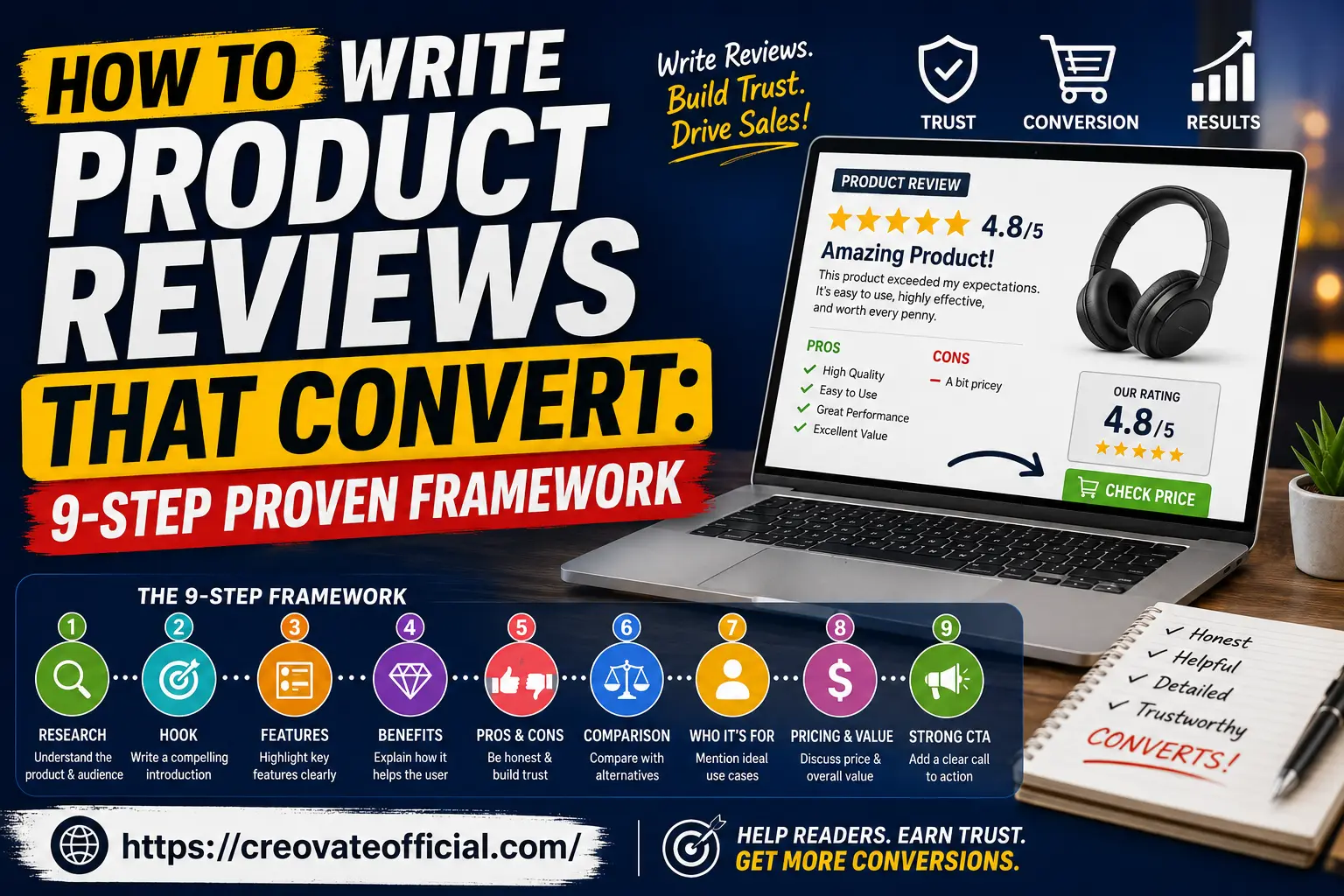
The 9-Step Framework for Product Reviews That Convert
This is the backbone of every high-converting review: nine steps, in order, that take a reader from "just researching" to "ready to buy." Skip a step and you'll usually feel it in your bounce rate or your affiliate dashboard, not in the writing itself — the review will read fine but quietly stop working.
1Research the Product and the Reader
Before writing a single sentence, separate what you know about the product from what you know about the person reading about it. Most reviews only do the first. Look at the tool's actual feature set, its pricing tiers, its support quality, and its public reviews on sites like G2 or Trustpilot. Then look at what the reader is likely frustrated by right now — that's the hook you'll need in step two.
2Write a Hook That Names the Reader's Problem
Your opening two or three sentences decide whether someone keeps reading. Skip the throat-clearing ("In today's fast-paced digital world...") and open with the exact situation your reader is in. If you're reviewing an AI writing tool, don't open with "AI has changed content creation." Open with "You've got twelve product descriptions to write by Friday and a blank page."
3Explain Features in Terms of Outcomes
A feature list tells a reader what a product has. A good review tells them what that feature changes about their day. "Bulk export to CSV" is a feature. "You can hand a finished content calendar to a client without reformatting anything" is the outcome. Every meaningful feature should get translated this way at least once.
4Show Real Benefits, Not Just Advantages
Benefits go one layer deeper than outcomes: they connect the product to a goal the reader already cares about — saving time, looking more professional, growing revenue, reducing stress. Where possible, use a specific, believable scenario instead of a vague claim like "saves you time."
5Be Honest With Pros and Cons
This is the step that builds — or destroys — trust fastest. A review with zero drawbacks reads as an ad, and readers have gotten very good at spotting that. Every real product has trade-offs: a learning curve, a missing integration, a price jump at higher tiers. Naming them, calmly and specifically, is what makes the recommendation that follows believable.
6Compare Against Real Alternatives
Almost nobody buys the first product they read about. Reviews that convert acknowledge this and actively compare the featured product against one or two realistic alternatives, rather than pretending competitors don't exist. This is also what tends to earn the featured snippet for comparison-style search queries.
7Say Exactly Who It's For — and Who Should Skip It
"This tool is great for everyone" is the fastest way to sound untrustworthy. Be specific: "This is a strong fit for solo creators publishing daily, but a freelance agency managing ten clients will likely outgrow it within a few months." Telling someone a product isn't for them, when true, is one of the strongest trust signals in the entire review.
8Cover Pricing and Value Without Hardcoding Numbers
SaaS pricing changes often, so describe pricing structure — free tier, entry plan, pro plan, enterprise — rather than quoting exact figures that will go stale. Focus on value: what tier actually unlocks the feature your reader needs, not just which is cheapest.
9End With a Strong, Honest Call to Action
By the time a reader reaches your conclusion, they've earned a direct recommendation — so give them one. Summarize the single best use case, restate the strongest caveat, and point clearly to the next action: try the free plan, compare two finalists, or check current pricing on the product page.
Tool Comparison Table
Disclosure: Some links below are affiliate links. We may earn a commission at no extra cost to you.
To put the framework into practice, here's a working example: a comparison table for a handful of tools content creators commonly review together. Note the structure — this is the shape any comparison table in your own review should follow.
| Tool | Best For | Standout Feature | Pricing Model | Our Take |
|---|---|---|---|---|
| Rytr | Budget-conscious writers | Fast AI drafts across many formats | Free tier + paid plans | Great low-cost starting point for first drafts |
| GetResponse | Email + funnel building | All-in-one marketing automation | Tiered monthly plans | Strong if you want email and landing pages in one place |
| Systeme.io | Beginners building a full funnel | Funnels, courses, and email in one dashboard | Free plan available | Excellent value for solo founders on a budget |
| Synthesia | AI video without filming | Realistic AI avatars for video content | Subscription tiers | Ideal for tutorials, ads, and training videos |
| CapCut | Short-form video editing | Fast mobile + desktop editing | Free with paid upgrades | Hard to beat for Reels and TikTok-style content |
| CustomGPT.ai | Custom AI chatbots | Train a bot on your own content | Usage-based plans | Useful for support automation on niche sites |
| FastPixel | Website speed optimization | Automated Core Web Vitals fixes | Site-based plans | Worth it if page speed is hurting your rankings |
| Fiverr | Outsourcing one-off tasks | Massive freelancer marketplace | Pay per gig | Fast way to fill skill gaps without hiring |
Product Spotlights
Here's what a fuller "individual review" section looks like for three of the tools above — the level of depth each product in your own review deserves.
Rytr
Rytr is an AI writing assistant built for speed — useful when you need a first draft of a product description, ad copy, or blog outline in minutes rather than hours.
Pros
- Low cost to get started
- Wide range of content templates
- Simple, no-clutter interface
Cons
- Long-form output often needs editing
- Fewer advanced SEO features than premium tools
Best for: Freelancers and small teams who need fast first drafts, not final copy. Try Rytr's free plan →
GetResponse
GetResponse bundles email marketing, automation workflows, and simple landing pages, making it a solid pick for creators who want fewer tools to manage rather than more.
Pros
- Automation workflows are genuinely flexible
- Built-in landing pages and webinars
- Good deliverability reputation
Cons
- Interface has a learning curve at first
- Advanced features sit behind higher tiers
Best for: Creators ready to move beyond a basic newsletter into full automation. Explore GetResponse's essential tools →
Synthesia
Synthesia turns a script into a talking-avatar video without a camera, microphone, or editing timeline — a genuine time-saver for tutorial and training content.
Pros
- No filming or on-camera talent needed
- Multi-language voice support
- Fast turnaround for explainer videos
Cons
- Avatars can still feel slightly synthetic
- Better suited to instructional content than storytelling
Best for: Teams producing regular tutorial or onboarding videos. See Synthesia in action →
Pros & Cons Summary: Using This Framework
Pros
- Builds reader trust before asking for a click
- Naturally covers featured-snippet and comparison queries
- Reusable across almost any product category
- Reduces bounce rate by front-loading a quick answer
Cons
- Takes longer to write than a simple listicle
- Requires genuine research, not just paraphrasing spec sheets
- Needs periodic updates as pricing and features change
Buying Guide: How to Choose What to Review
What to look for: Pick products you can genuinely evaluate — through a free trial, demo, or well-documented public data — rather than ones you only know from the vendor's own sales page.
Common mistakes: Reviewing too many products at once, treating every tool as "the best," and skipping the drawbacks section to avoid seeming negative.
Budget considerations: If a product has a free tier, always mention it — many readers filter their decision through "can I try this without paying first."
Who should buy: Readers who've already read your quick answer and comparison table and are now deciding between two or three finalists.
Who should avoid: Readers looking for a highly technical, feature-by-feature spec comparison — that audience wants documentation, not a review.
Expert tip: Update your top-performing reviews twice a year. Stale pricing and outdated screenshots are two of the fastest ways to lose reader trust.
Frequently Asked Questions
How long should a product review be to rank on Google?
Most reviews that rank well fall between 1,500 and 3,000 words, but length should follow depth, not a target. A review is long enough when it answers every question a buyer would ask before purchasing.
Do I need to buy or test a product before reviewing it?
You don't always need to purchase every product, but use a free trial, demo, or well-documented research whenever possible, and be upfront about your actual level of hands-on experience.
How do I disclose affiliate links without hurting conversions?
Place a short, plain-language disclosure near the top of the review and again before your first affiliate link. Trust drives conversions, and clear disclosure builds trust rather than damaging it.
What's the ideal structure for an affiliate product review?
A strong structure includes a quick answer, trust signals, a comparison table, individual breakdowns with pros and cons, a buying guide, FAQs, and a clear final recommendation.
How many affiliate links should one review include?
There's no fixed number. Each link should appear where it genuinely helps the reader decide, rather than being repeated for its own sake.
Can AI help me write product reviews that still rank in 2026?
Yes, for structure and speed — but Google's helpful content systems reward first-hand experience and original judgment, so add your own testing notes and specifics on top of any AI draft.
Final Verdict
A product review converts when it does one job well: help a real person make a confident decision. That means researching both the product and the reader, being honest about trade-offs, comparing real alternatives, and closing with a clear, specific recommendation — not a generic "10/10, buy now."
Start with one review, run it through all nine steps, and measure how it performs before scaling the framework across your whole site.
Get the Free Product Review Template →