Keyword Research for Beginners: Find Keywords That Actually Rank
You don't need Ahrefs, a marketing degree, or six months of experience to find keywords your site can rank for. You need a simple, repeatable process — and this guide hands you exactly that, free tools included.
Get the Free Keyword Starter Kit ↓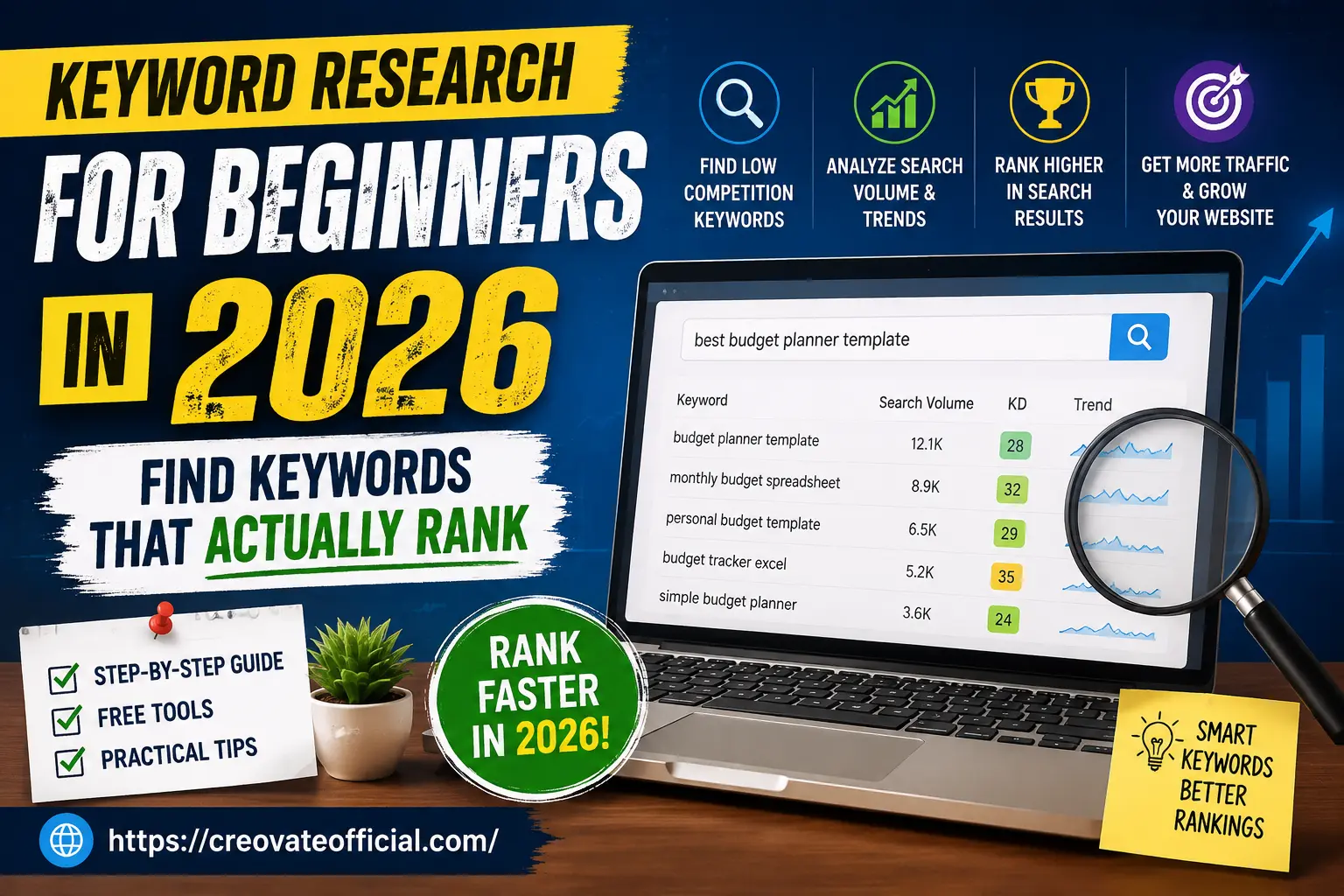
Quick Answer
Keyword research for beginners means finding the exact phrases your future readers type into Google, then picking the ones with real search demand but weak competition. In 2026, that still starts with a seed keyword, gets expanded with a free tool like Google Keyword Planner or Ubersuggest, and gets filtered by checking who currently ranks — if the top 10 results are thin, outdated, or from low-authority sites, you have a realistic shot.
🎁 Free Online Income Starter Kit (2026)
Grab our free keyword worksheet + income starter kit. No spam — just the templates we actually use.
✅ You're in! Your free kit is ready below.
Download the Starter Kit →Why Trust This Guide
This isn't a rehashed listicle. Here's what went into it — and where it's honest about its limits.
Affiliate disclosure: Some links in this article are affiliate links. If you buy through them, Creovate Official may earn a small commission at no extra cost to you. We only recommend tools we've personally used or thoroughly researched, and our opinions are our own.
Get The No-Portfolio Client Playbook and learn how to choose a service, create practice samples, find prospects, write outreach, and take your first steps with confidence.
👉 Get it hereTable of Contents
What Is Keyword Research (And Why It Still Matters in 2026)
Keyword research is simply the practice of figuring out what your ideal reader types into a search bar — then building content around those exact words and the intent behind them. It sounds basic, but it's the single biggest reason two blogs covering the same topic get wildly different traffic.
Some beginners assume keyword research is less important now that Google shows AI Overviews and chatbots answer questions directly. In practice, it's arguably more important. AI search experiences can surface information from pages that provide clear, relevant, well-structured answers, so understanding search intent — not just search volume — remains central to getting found. If anything, precise keyword and intent targeting matters more in 2026, not less, because there's less room for vague, generic content to get noticed at all.
The Types of Keywords You Need to Know
Before you open any tool, it helps to understand the categories of keywords you'll be sorting through.
By search volume
- Head terms — short, broad, high volume, brutally competitive (e.g., "keyword research")
- Long-tail keywords — 4+ words, lower volume individually, but easier to rank for and often higher-converting (e.g., "how to do keyword research for a new blog")
By search intent
- Informational — the reader wants to learn something ("what is keyword research")
- Commercial — the reader is comparing options ("best keyword research tools for beginners")
- Transactional — the reader is ready to act ("Ubersuggest free trial")
- Navigational — the reader wants a specific site or brand ("Google Keyword Planner login")
Matching your content format to intent is often more important than the keyword itself. A commercial-intent keyword deserves a comparison table and honest pros and cons — not a 3,000-word history lesson.
The 7-Step Keyword Research Process
Start with a seed keyword
A seed keyword is the broad topic you already know you want to cover — like "keyword research" or "budget planning." Everything else branches from here.Expand it with a free tool
Plug your seed into Google Keyword Planner, Ubersuggest, or AnswerThePublic to get dozens of related phrases, questions, and long-tail variations you'd never think of alone.Check search volume — but don't worship it
A keyword with 200 monthly searches that converts well can beat one with 5,000 searches and zero buying intent.Study keyword difficulty (KD)
Most free tools show a difficulty score out of 100. As a beginner, favor anything under roughly 30-35 until your site builds authority.Google the keyword yourself
Look at who's actually ranking. Are they huge sites like Forbes and Wikipedia, or smaller blogs with content you could realistically outdo?Map intent to content format
Decide if the winning format is a blog post, a comparison table, a short video, or a tool/calculator — then build that, not just "an article."Group keywords into clusters
Instead of one article per keyword, group 5-15 related keywords into a single, comprehensive page. This is what modern SEO calls topical authority.
How to Find Low-Competition Keywords
This is the part most beginners skip — and it's the difference between a blog that ranks in month three and one that's still invisible after a year.
Signals that a keyword is genuinely winnable
- The top 10 results include forums, small blogs, or outdated pages (last updated 2+ years ago)
- The keyword difficulty score sits in the "easy" or "low" range in your tool of choice
- Nobody in the top results has directly answered the exact question in the title or first paragraph
- The keyword is a long-tail, specific phrase rather than a one- or two-word head term
A simple beginner formula
Target keywords where search volume is real (even if modest) and difficulty is low relative to your site's current authority. As your domain grows, you can graduate to more competitive terms.
Free & Paid Keyword Research Tools Compared
| Tool | Best for | Free tier? | Starting price | Ideal user |
|---|---|---|---|---|
| Google Keyword Planner | Volume & seed ideas | Yes | Free | Absolute beginners |
| Google Search Console | Keywords you already rank for | Yes | Free | Sites with existing traffic |
| AnswerThePublic | Question-based long-tail terms | Limited | Free / paid tiers | Content brainstorming |
| Ubersuggest | Difficulty score + content ideas | Limited | Paid plans available | Budget-conscious bloggers |
| Ahrefs Webmaster Tools | Backlink & on-page audit | Yes (site owners) | Free for verified sites | Technical SEO checks |
Prices and free-tier limits change often — always confirm current details on the provider's site before subscribing.
Recommended Keyword Research Tools
These four are the actual tools referenced throughout this guide. We've used each one directly on Creovate Official content, so the notes below reflect real experience rather than a generic feature list.
Google Keyword Planner
Best starting pointGoogle's own free tool for expanding a seed keyword into related terms with estimated search volume. It's built for ad targeting, but the volume data is useful for organic keyword research too.
Advantages
- Completely free with a Google Ads account
- Volume data straight from Google
- Simple enough for absolute beginners
Drawbacks
- Volume shown as broad ranges rather than exact numbers on free accounts
- No built-in difficulty score
Best for: Anyone starting keyword research from scratch with a zero budget.
Google Search Console
Best for existing sitesOnce your site has any traffic at all, Search Console shows the exact queries you're already appearing for — including ones ranking on page two that are often the fastest wins available.
Advantages
- Free and directly tied to your own site's real performance
- Surfaces near-miss keywords worth improving first
Drawbacks
- Only useful once your site has some indexed pages and impressions
- No competitor or new-keyword discovery
Best for: Sites with at least a handful of published, indexed articles.
Ubersuggest
Best for difficulty scoringUbersuggest adds a keyword difficulty score, content ideas, and basic competitor data on top of volume estimates, with a limited free tier before its paid plans kick in.
Advantages
- Clear difficulty score for beginners to filter by
- Content and related-keyword suggestions in one place
Drawbacks
- Free searches per day are limited
- Difficulty scores can differ from other tools — verify manually
Best for: Beginners who want a difficulty score without paying for enterprise SEO software.
Ahrefs Webmaster Tools
Best for technical checksFree for verified site owners, this pares down Ahrefs' full platform into backlink and on-page audit data — useful once you're checking why a keyword-targeted page isn't ranking as expected.
Advantages
- Genuinely free for your own verified site
- Reliable backlink and site-health data
Drawbacks
- Limited to sites you can verify ownership of
- Full keyword explorer sits behind the paid Ahrefs product
Best for: Diagnosing why an existing, keyword-targeted page underperforms.
Beyond Keyword Research: Tools for What Comes Next
Keyword research only gets you the target. Turning that target into a published page, a video, or an email subscriber involves a different set of tools. We use the ones below for those later stages — full reviews live on their dedicated guides linked here.
| Tool | Used for | Learn more |
|---|---|---|
| Rytr | Drafting content around a finished keyword outline | Rytr → |
| FastPixel | Managed WordPress hosting for site speed | FastPixel → |
| CapCut | Repurposing articles into short-form video | CapCut → |
| GetResponse | Converting keyword traffic into email subscribers | GetResponse → |
| Systeme.io | Landing pages and funnels for commercial-intent keywords | Systeme.io → |
| Synthesia | AI presenter-style video for explainer content | Synthesia → |
| CustomGPT | An AI assistant trained on your own published content | CustomGPT → |
| Fiverr | Outsourcing SEO audits, design, or proofreading | Fiverr → |
This article focuses on keyword research. For hands-on reviews of the tools above, see our dedicated guides linked in Related Resources below.
Pros & Cons Summary
What works well
- Free tools alone are enough to start ranking as a beginner
- Long-tail, low-competition keywords deliver faster wins
- Grouping keywords into clusters builds topical authority quickly
What to watch out for
- Difficulty scores from different tools rarely agree — trust your own SERP check too
- Chasing high volume alone often means chasing impossible competition
- Skipping intent-matching wastes good keyword research
Which Tools Should You Actually Buy?
What to look for
- A free tier generous enough to actually use, not just a demo
- Clear difficulty and volume metrics you can cross-check manually
- Tools that fit your content format (text, video, email) — not just SEO software
Budget considerations
If your site earns nothing yet, stay on free tools (Google Keyword Planner, Search Console, AnswerThePublic) for at least your first 10-20 articles. Reinvest your first affiliate or ad income into one paid tool at a time — hosting speed and email marketing typically pay for themselves fastest.
Who should buy premium SEO software now
If you're publishing consistently, have some traffic in Search Console, and need to prioritize which keywords to target next, a paid keyword tool starts to save real time. If you're pre-launch, hold off.
Expert tip
Common Keyword Research Mistakes Beginners Make
- Targeting only high-volume head terms with no realistic path to rank
- Writing one article per keyword instead of grouping related terms into clusters
- Ignoring search intent, so the content format doesn't match what Google is actually rewarding
- Never checking the current top 10 results before committing to a keyword
- Keyword stuffing — repeating the exact phrase unnaturally instead of using it naturally alongside related terms
Frequently Asked Questions
What is keyword research for beginners?
It's the process of finding the words and phrases real people type into Google, then choosing the ones your website has a realistic chance of ranking for based on search volume, competition, and intent.
How do I find low-competition keywords in 2026?
Look for long-tail phrases (four or more words), check the keyword difficulty score in a free tool, study the top 10 results for weak or outdated content, and target terms with clear intent but weaker competing domains.
What are the best free keyword research tools for beginners?
Google Keyword Planner, Google Search Console, Google Trends, AnswerThePublic, and the free tiers of Ubersuggest and Ahrefs Webmaster Tools are strong places to start before paying for software.
How many keywords should a beginner target per article?
One primary keyword plus roughly 5-15 closely related secondary or semantic keywords per article is a healthy range. Targeting dozens of unrelated terms on one page usually backfires.
Does keyword research still matter with AI Overviews and AI search?
Yes. AI Overviews and chatbots still pull from pages that rank well and answer intent clearly, so keyword and intent research remains foundational to getting cited and clicked in 2026.
What's the difference between keyword volume and keyword difficulty?
Volume estimates how many people search a term per month. Difficulty estimates how hard it is to rank on page one for it. Beginners should weigh both — high volume with high difficulty is rarely winnable early on.
Can I do keyword research without paying for a tool?
Yes. Google's own free tools (Keyword Planner, Search Console, Trends) plus manually checking search results can take a beginner very far before any paid software is necessary.
How often should I update my keyword strategy?
Review it quarterly at minimum. Search trends, competition, and even Google's result formats (like AI Overviews) shift often enough that a keyword plan from a year ago may need real adjustments.
Final Verdict: Start Small, Stay Consistent
You don't need every tool on this page to start ranking. Pick one free keyword tool, find five realistic long-tail keywords this week, and write one genuinely useful article around each. Keyword research rewards consistency far more than perfection.
Grab the Free Keyword Starter Kit- Key takeaway: Long-tail, intent-matched keywords beat high-volume head terms for beginners
- Best starting tools: Google Keyword Planner + Search Console (both free)
- Next step: Turn your keyword list into content, then use tools like GetResponse or Systeme.io to convert that traffic into an email list
Related Resources
📊 Plan Your Content Budget Like a Pro
Our Monthly Budget Planner helps you track tool subscriptions, freelancer costs, and content ROI in one simple sheet.