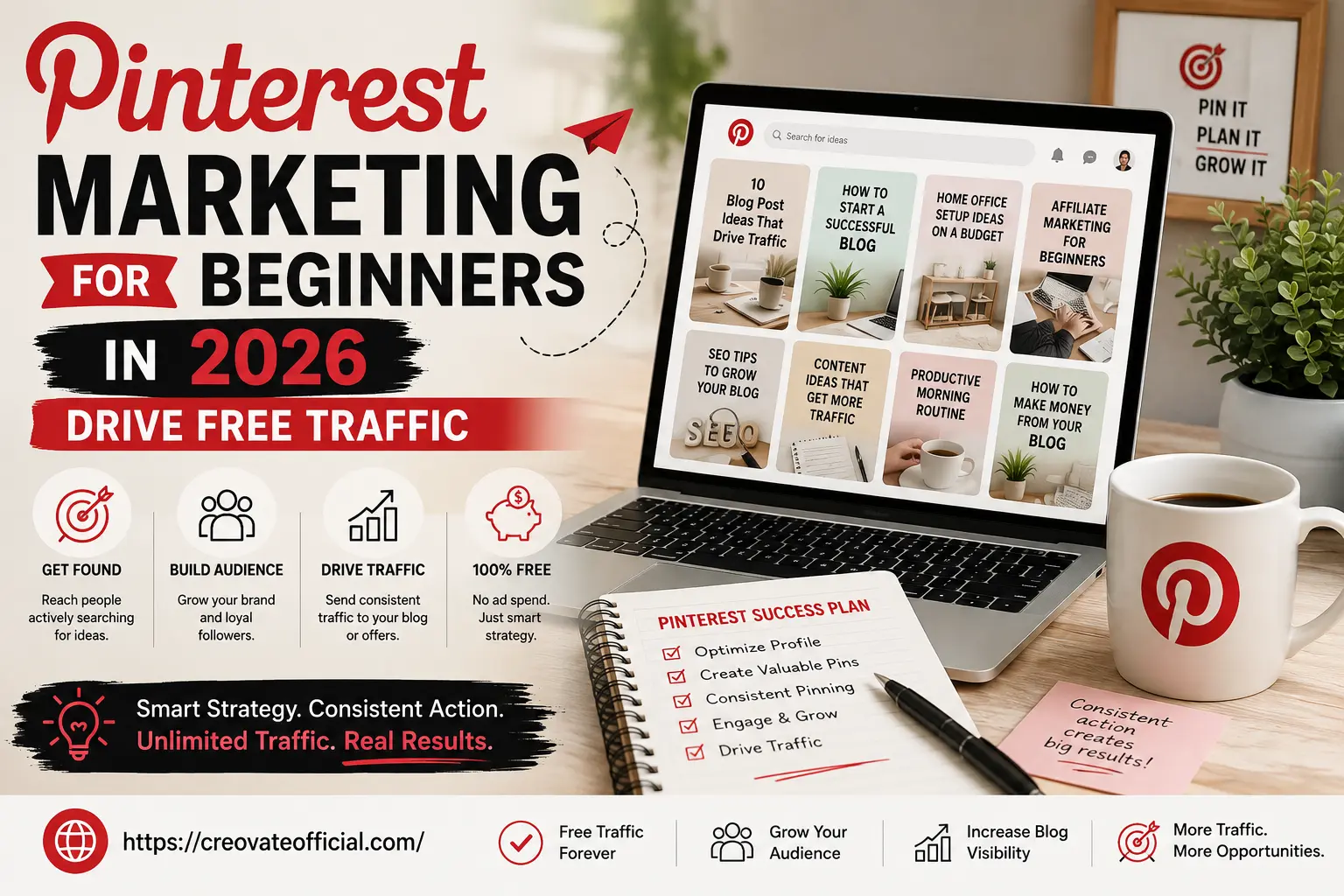
Pinterest Marketing for Beginners: Drive Free Traffic in 2026
Pinterest Marketing 📅 Published April 2026 🔄 Last updated: July 24, 2026 ⏱ 10 min read ✍️ CreovateOfficial

Pinterest Marketing for Beginners: Drive Free Traffic in 2026

Imagine waking up to find hundreds of visitors on your blog — and you didn't spend a single rupee on ads. No paid promotions. No complicated tech. Just a platform most people scroll past without a second thought. That platform is Pinterest. And in 2026, it is quietly becoming one of the most powerful free traffic engines for bloggers, creators, and online entrepreneurs. If you've been struggling to grow your audience, get eyes on your content, or make your first affiliate commission — Pinterest marketing for beginners might just be the breakthrough you've been waiting for.

📌

Free Pinterest Checklist

Grab the exact setup checklist used in this guide — account, boards, keywords, and your first 10 Pins — as a printable download.

Get the Checklist →
631M+
Monthly active users on Pinterest (Q1 2026)
85%
Of weekly Pinners have bought something they found on Pinterest
96%
Of top Pinterest searches are unbranded — pure buying intent
Free
Zero ad spend needed to start driving traffic

Sources: Pinterest Q1 2026 investor report, via Axis Intelligence, Digital Applied, 2026.

Quick Answers at a Glance

Short on time? Here are direct answers to the questions beginners ask most about Pinterest marketing.

What is Pinterest Marketing?

Pinterest marketing is the practice of using Pinterest — a visual search engine — to promote content, products, or a blog through images called Pins. Each Pin links back to a website, so instead of chasing followers, marketers optimize Pins with keywords so they surface in Pinterest search results and drive free, ongoing traffic.

How Does Pinterest Marketing Work?

It works by publishing keyword-optimized Pins to themed boards. Pinterest's algorithm reads the Pin title, description, and board name, then shows the Pin to users searching related terms. Unlike social feeds, Pins keep surfacing in search for months or years, so a well-optimized Pin can send traffic long after it's published.

Is Pinterest Good for Beginners?

Yes. Pinterest is one of the most beginner-friendly free traffic channels because success depends on keyword optimization, not follower count or ad spend. A brand-new account with zero followers can still rank in search results and get clicks, as long as Pins are well-designed and properly described.

How Do You Get Traffic from Pinterest?

To get traffic, create a Pinterest Business account, build 10–15 keyword-rich boards, and publish Pins linking to your blog or site. Use vertical 1000×1500px images, write keyword-based titles and descriptions, and pin consistently. Most accounts see meaningful traffic within 60–90 days of steady, optimized pinning.

What is Pinterest and Why Should You Care?

Pinterest is not a social media platform in the traditional sense — it is a visual search engine. Think of it as Google, but instead of blue text links, you get beautiful, clickable images called Pins. Every Pin links back to a website, a blog post, a product page, or a landing page.

When someone searches for "easy dinner recipes" or "affiliate marketing tips for beginners" on Pinterest, they see a feed of Pins — and each one is a doorway to someone's website. That doorway could be yours.

Unlike Instagram or TikTok, where content dies after a few hours, Pinterest content lives for months and even years. A Pin you create today could be driving traffic to your blog in 2027. That is the magic of Pinterest SEO.

💡 Quick Fact: Pinterest is one of the fastest-growing platforms among 18–34 year olds globally, and it sends real, buying-intent traffic directly to your website.
📌 Remember Pinterest is a search engine you design for, not a social feed you post to. Every decision below — keywords, image format, timing — should be judged by "will this help Pinterest match my Pin to a search," not "will this get likes."

How Pinterest SEO Works

Because Pinterest is a search engine first and a social platform second, getting traffic comes down to Pinterest SEO — optimizing what you publish so Pinterest's algorithm can match it to the right searches. Here's what actually drives the ranking:

1. Relevance (Keyword Match)

Pinterest scans your profile bio, board names and descriptions, and Pin titles and descriptions for keywords, then matches them to what people type into the search bar. If your Pin never mentions "budget meal prep," it won't show up when someone searches for it — no matter how good the design is.

2. Quality (Engagement Signals)

Once a Pin is shown, Pinterest tracks how people react: saves, close-ups, outbound clicks, and how long they linger. Pins that consistently earn strong engagement get shown to more people, so a well-designed, genuinely useful Pin compounds its own reach over time.

3. Freshness

Pinterest favors accounts that regularly publish new Pins linking to new or updated content, rather than accounts that repost the same old Pins. This is why "fresh Pins" (original images tied to a specific, often new, destination URL) consistently outperform reposted or recycled graphics.

📌 Where to place your keywords Profile name & bio → Board names & descriptions → Pin titles → Pin descriptions → image file name (before uploading) → alt text. Covering all six spots gives Pinterest the clearest possible signal about what your content is actually about.

Pinterest Statistics You Should Know in 2026

None of the strategy in this guide matters if the underlying platform isn't actually growing or converting. Here's the current data behind Pinterest as a marketing channel:

Sources: [1] Axis Intelligence Research, "Pinterest Statistics 2026" (July 2026), citing Pinterest's Q1 2026 investor filings. [2] 84pins, "Pinterest Statistics 2026", citing Pinterest's Q1 2026 SEC filing. [3] Digital Applied, "Pinterest Statistics 2026: 130+ Marketing Data Points".

Why Pinterest Marketing is a Game-Changer in 2026

The digital marketing landscape is getting more competitive every year. Organic reach on Facebook is nearly dead. Instagram is pay-to-play. Google SEO takes months to show results. So where does a beginner go?

Pinterest. Here's why 2026 is the perfect time to start.

"Pinterest is not just a mood board. It is a traffic machine — if you know how to use it. The bloggers who understood this early are now getting 100,000+ monthly visitors without a single rupee spent on ads."

Key Benefits of Pinterest for Bloggers & Entrepreneurs

1. 100% Free Organic Traffic

Unlike Google Ads or Facebook Ads, you don't need a budget to start. Create great Pins, optimize them for search, and watch the traffic roll in. At creovateofficial.com, we've seen Pinterest consistently rank among the top free traffic sources for content creators.

2. Built-In Search Engine (Pinterest SEO)

Pinterest has its own search algorithm. When you use the right keywords in your Pin titles, descriptions, and board names, your content shows up in search results — just like Google, but visually. This is called Pinterest SEO, and it is one of the most beginner-friendly SEO strategies available today.

3. Long Shelf Life of Content

A blog post shared on Twitter disappears in minutes. The same post turned into a Pinterest Pin can generate clicks for 2–3 years. That is passive, compounding traffic with zero ongoing effort.

4. Drives Affiliate Sales

Pinterest allows you to add affiliate links directly to your Pins. This means you can earn commissions without even having a blog. If you're exploring affiliate marketing for beginners, Pinterest is one of the fastest ways to start earning.

5. Ideal for Niche Content

From food and fitness to personal finance and digital marketing, every niche thrives on Pinterest. The more specific your content, the better it performs.

Pinterest vs. Other Platforms: How Does It Really Compare?

Before you invest time into any platform, it helps to see how it actually stacks up. Here's how Pinterest compares to the channels beginners usually consider first:

Aspect Pinterest Instagram Facebook Google Search
Content lifespan Months to years Hours to days Hours to a few days Months to years
Discovery method Keyword search + visual browsing Follower feed + hashtags Follower feed + groups Keyword search
Follower dependency Low — reach is keyword-driven High High None
Time to see traffic Weeks to a few months Immediate, but fleeting Immediate, but fleeting Months to a year+
Best for beginners with no audience Yes Difficult Difficult Slow but doable

Why Is Pinterest Different from Instagram?

The biggest difference is what each platform is actually for. Instagram is a social feed built around people you follow — content is shown chronologically or by engagement to your existing audience, and a post's reach is mostly over within 24–48 hours. Pinterest is a search engine built around what people are looking for, not who they follow. A brand-new account with zero followers can still rank for a search term and get clicks, because Pinterest is matching keywords to intent, not surfacing posts to followers. That's also why a Pin can keep earning clicks for months or years, while an Instagram post's lifespan is measured in hours.

Pinterest Organic vs. Pinterest Ads

Factor Pinterest Organic Pinterest Ads
Cost Free Pay per click/impression
Time to results 4–12 weeks Immediate
Longevity of results Compounds for months/years Stops when the budget stops
Effort required Consistent daily pinning Campaign setup and ongoing budget management
Best for Beginners building long-term, sustainable traffic Established accounts wanting a fast, short-term boost
💡 Takeaway: Pinterest Ads can accelerate results once you already have a working organic strategy — but for a true beginner with no budget, organic Pinterest still offers one of the best traffic-to-effort ratios of any platform on this list.

Step-by-Step Guide: How to Drive Free Traffic with Pinterest

1

Set Up a Pinterest Business Account

Go to Pinterest.com and create a free Business account. This gives you access to Pinterest Analytics, Rich Pins, and ad tools. Fill in your profile completely — use your brand name, a clear profile photo, and a keyword-rich bio. Link your website (creovateofficial.com or your own blog).

2

Do Pinterest Keyword Research

Use the Pinterest search bar to find what your audience is searching for. Type a broad keyword (e.g. "passive income") and note the auto-suggestions. These are real searches people are doing right now. Use these keywords in your Pin titles, descriptions, and board names.

3

Create SEO-Optimized Boards

Create 10–15 boards that relate to your niche. Give each board a clear, keyword-rich name (e.g., "Pinterest Marketing Tips for Bloggers" instead of just "Marketing"). Write a 200–300 character description for each board using your target keywords.

4

Design Eye-Catching Pins with Canva

Use Canva (free) to create vertical Pins at 1000×1500px. Use bold text overlays, your brand colors, and high-contrast images. Every Pin should have a clear, curiosity-sparking headline. Add your website URL on the Pin itself. Canva has hundreds of Pinterest templates — start there and customize to match your brand.

5

Write Keyword-Rich Pin Descriptions

For each Pin, write a 150–300 character description that naturally includes your focus keywords. Don't keyword-stuff — write like you're talking to a human. End with a call-to-action like "Save this Pin!" or "Click to read the full guide." Add 3–5 relevant hashtags.

6

Pin Consistently — Fresh Content Over Volume

Consistency beats volume on Pinterest. Rather than chasing a high daily number, aim for roughly 3–15 fresh Pins a day — original images or videos linking to your own content, published on a steady daily rhythm. Space out multiple Pins for the same URL rather than posting them all at once, and use a scheduler like Tailwind if a daily habit is hard to maintain manually.

7

Track Your Analytics and Improve

Pinterest Business Analytics shows you which Pins are getting the most impressions, clicks, and saves. Double down on what works. If a Pin about "how to make money blogging" is performing well, create a few more fresh variations of that Pin with new visuals and test different headlines.

🎯 Action Step Before you design a single Pin, open Pinterest's search bar and type your main topic. Screenshot the autocomplete suggestions — that list is your starting keyword bank for Pin titles, descriptions, and board names.
💡 Pro Tip Create multiple Pin designs for the same blog post. Different visuals appeal to different people. Testing 3–5 Pin designs per post is one of the fastest ways to multiply your traffic without writing new content.

My Pinterest Journey: What Actually Happened

I want to be upfront about something: everything above is the strategy. This part is the reality — what it actually looked like when I put it into practice with Creovate's own content.

When I Started

I set up my first Pinterest Business account in late 2024, mostly out of frustration. Google was slow to index new posts, Instagram reach had collapsed for small accounts, and I needed a traffic source that didn't depend on an algorithm deciding to show my face to strangers. Pinterest looked unglamorous — no one was talking about it the way they talked about Reels — which is exactly why I gave it a shot.

The Mistakes I Made Early On

My first month of Pins was, honestly, bad. I designed square images instead of the vertical 1000×1500px format Pinterest favors, so they got cropped awkwardly in the feed. I also wrote descriptions like ad copy — all hype, no keywords — which meant Pinterest's search algorithm had nothing to match my content to. And I pinned in bursts: fifteen Pins one Sunday, then nothing for two weeks. The account went quiet every time I did that.

My First Impressions and Clicks

The first two weeks were humbling — a handful of impressions, almost no clicks. It genuinely felt like shouting into an empty room. What changed things was going back and fixing the format and descriptions on my existing Pins rather than only making new ones. Around day 20, I saw my first real jump: one Pin about free traffic sources picked up a few hundred impressions overnight, and a small trickle of clicks followed. It wasn't much, but it was proof the mechanism worked.

The Pins That Performed Best

Looking back at the data, a clear pattern showed up. Pins with a bold, benefit-driven headline text overlay (like "Get Free Blog Traffic Without Ads") consistently outperformed prettier but vaguer designs. Listicle-style Pins ("7 Pinterest Mistakes Beginners Make") and how-to Pins tied to a specific outcome did far better than generic branding graphics. My best-performing Pin to date is still one built around a mistake I made myself — readers seem to trust a lesson learned over a polished tip.

What I'd Do Differently

If I were starting over, I would design in the correct vertical format from day one, write descriptions around actual search terms instead of slogans, and commit to a small daily pinning habit instead of sporadic bursts. The biggest lesson: Pinterest rewards patience and consistency far more than perfection. My account didn't take off because one Pin went viral — it took off because I kept showing up for three months while fixing my mistakes along the way.

💡 Why This Matters: I'm sharing the messy middle, not just the highlight reel, because the guide above works — but it works over weeks of iteration, not overnight.

Before the detailed breakdown below, here's the quick list of tools I personally reach for at every stage of the Pinterest workflow — from designing Pins to measuring what's actually driving traffic:

Best Tools for Pinterest Marketing in 2026

🎨

Canva — Pin Design

Create stunning, professional Pinterest graphics in minutes with drag-and-drop ease. Free version is more than enough to start.

Read Review →
📅

Tailwind — Pin Scheduler

Schedule your Pins in advance, join Tailwind Communities, and analyze what works. Save 5+ hours every week.

See Tools →
✍️

Rytr — AI Pin Descriptions

Struggling to write Pin titles and descriptions? Rytr's AI writes SEO-optimized copy in seconds, perfect for batch-creating Pins.

Try Rytr Free →

FastPixel — Speed Up Your Blog

Pinterest drives traffic to your blog — but a slow blog kills conversions. FastPixel caches and speeds up your WordPress site instantly.

Try FastPixel →
📊

Pinterest Analytics

Completely free, built right into your Business account. Track impressions, outbound clicks, saves, and audience demographics weekly.

More Tools →
🔍

Pinterest Trends

See what's trending in your niche right now. Use Pinterest Trends (free) to create timely content before the wave hits.

More Tools →
🔍

Free Pinterest SEO Checklist

A one-page rundown of exactly where to place keywords across your profile, boards, Pin titles, and descriptions.

Send Me the Checklist →

Common Mistakes Beginners Make (and How to Avoid Them)

Using a personal account instead of a Business account. You miss out on analytics, Rich Pins, and the ability to claim your website. Switch to Business — it's free and takes 2 minutes.

Pinning without keywords. Pinterest is a search engine. If your Pin titles and descriptions have no keywords, nobody will find them. Research keywords before you design a single Pin.

Inconsistent pinning. Pinning 50 times one day and nothing for two weeks destroys your momentum. The algorithm favors consistent daily activity. Even 5 Pins a day beats a weekly burst.

Using horizontal (landscape) images. Pinterest is built for vertical images. The recommended size is 1000×1500px (2:3 ratio). Horizontal Pins get cropped and buried. Always go vertical.

Not linking Pins to your website. Every Pin must link to a relevant page. Broken links or linking to your homepage for every Pin confuses both Pinterest and your readers.

Ignoring board SEO. Generic board names like "My Favourite Posts" tell Pinterest nothing. Use keyword-rich board names and write SEO descriptions for every board you create.

⚠ Common Mistake Relying on Group Boards or a daily repin quota to pad your numbers. Neither moves the needle in 2026 — Pinterest's algorithm has favored your own fresh Pins over shared or repinned content for years now.
✅ Quick Win Fix your board descriptions today. It takes under 30 minutes, requires no new content, and gives Pinterest a clearer signal for every Pin you've already published to that board.

Pro Tips for Pinterest Success in 2026

🏆 Tips From Successful Pinterest Marketers

  • Create 3–5 Pin designs per blog post. Different visuals = more reach from the same content.
  • Add text overlay to every Pin. Most people scroll without sound or context — your headline on the Pin itself stops the scroll.
  • Publish video Pins regularly. Pinterest merged the old "Idea Pin" format into a single unified Pin type, and video content — including simple slideshow-style Pins — currently gets strong reach in the feed.
  • Skip Group Boards. Since 2021, Pinterest's algorithm no longer gives Group Boards a distribution boost, and many are filled with low-quality or spammy Pins. Focus that effort on your own boards instead.
  • Repurpose your best content. Turn YouTube thumbnails, blog post headers, and Instagram graphics into Pins — you already have the content, just resize and optimize.
  • Pin during peak hours. Pinterest traffic tends to peak on evenings and weekends. Schedule your best Pins for these windows using Tailwind.
  • Use Rich Pins. Rich Pins pull metadata directly from your website, making your Pins more informative and trustworthy. Enable them through your Business account settings.

Real-Life Examples That Will Inspire You

📌 Example 1: The Food Blogger Who Quit Her Job Because of Pinterest

Meera, a home cook in Pune, started a food blog in late 2024. She had zero following and no budget for ads. She spent 30 minutes every evening creating Pins for her recipes using Canva. Within 6 months, her blog was getting 45,000 monthly visitors — almost entirely from Pinterest. She monetized with Google AdSense and affiliate links to kitchen tools on Amazon. Today, she earns more from her blog than her corporate salary ever paid her.

📌 Example 2: The Digital Product Seller Who Hit ₹1 Lakh in Sales

Arjun sold Notion productivity templates on Gumroad. He had tried Instagram, Facebook Groups, and even cold emails — nothing worked consistently. He then started using Pinterest to create Pins showcasing his templates with short before-and-after visuals. Within 3 months, Pinterest became his #1 traffic source. His Gumroad page went from getting 20 visitors a month to over 2,000 — and his monthly revenue crossed ₹1 lakh for the first time. He spent zero on ads.

🎯 Action Step These aren't unicorn success stories. They're the results of ordinary people applying a simple, consistent Pinterest strategy. Pick one blog post today and turn it into your first optimized Pin.

Pinterest + Blogging = The Ultimate Free Traffic Strategy

Pinterest works best when it has somewhere to send people — and that place should be your blog. If you don't have a blog yet, now is the time to start. Check out this complete guide on how to start a blog and make money in 2026 — it walks you through every step, from picking a niche to publishing your first post.

Once you have your blog set up, every post becomes a Pin opportunity. Every Pin becomes a doorway back to your site. And every visitor becomes a potential subscriber, customer, or affiliate referral.

You can also combine Pinterest with other free traffic strategies — like making money on Instagram or even making money on YouTube without showing your face. Multi-channel traffic is the most resilient kind.

Beginner-Friendly Quick Tips

⚠️ Important: Pinterest is a long game. Most accounts see their biggest traffic spike between months 3–6. If you give up at month 1, you'll miss the compounding effect entirely. Stay consistent. The results are worth it.

Pinterest Marketing Mistakes to Avoid

Beyond the setup errors covered earlier, these are the habits that quietly cap the growth of an otherwise solid Pinterest account:

  1. Using square images. Pinterest's feed is built for a 2:3 vertical ratio (1000×1500px). Square images get shrunk and lose visibility in the scroll.
  2. Keyword stuffing. Cramming ten keywords into one description reads as spam to both Pinterest and humans. Write naturally, with keywords woven in.
  3. Inconsistent posting. A burst of 40 Pins followed by two weeks of silence signals a dead account to the algorithm. Steady beats sporadic.
  4. Ignoring board SEO. Vague board names and empty descriptions waste one of Pinterest's biggest ranking signals.
  5. Low-quality graphics. Blurry images, tiny unreadable text, or cluttered layouts get scrolled past in under a second.
  6. No CTA. A Pin without a clear "click," "save," or "read more" prompt leaves visitors unsure what to do next — and clicks drop as a result.
  7. Copying competitors. Recreating another creator's exact Pin style or wording rarely performs as well as the original, and repeated too closely, it can get your Pins deprioritized or flagged.

Beginner Pinterest Checklist

Before you consider your Pinterest setup "done," run through this list. Each item builds on the ones before it:

  • ☐ Business account created
  • ☐ Profile optimized (photo, bio, website link)
  • ☐ Boards created (10–15, keyword-rich names)
  • ☐ Keywords researched for your niche
  • ☐ First 10 Pins published
  • ☐ Rich Pins enabled (if applicable to your site)
  • ☐ Analytics checked at least once
  • ☐ Weekly pinning schedule prepared

Your 30-Day Pinterest Plan

Overwhelmed by where to start? Follow this week-by-week roadmap. Each week builds on the last, so don't skip ahead — the foundation you set in Week 1 is what makes Weeks 2–4 actually work.

Week 1

Account Setup

Create a Pinterest Business account, verify your website, write a keyword-rich bio, and enable Rich Pins if your site supports them. Research 20–30 keywords in your niche using Pinterest's own search bar and Pinterest Trends.

Week 2

Board Optimization

Build 10–15 boards with clear, keyword-based names and descriptions. Organize boards around your core content pillars, and pin 5–10 relevant existing Pins from other creators to each board to signal topical relevance.

Week 3

Publish Pins

Design and publish your first 15–20 original Pins in Canva using a consistent 2:3 vertical template. Write keyword-optimized titles and descriptions for each, and link every Pin back to a specific blog post or page.

Week 4

Analyze & Improve

Check Pinterest Analytics to see which Pins and boards are getting impressions, saves, and clicks. Double down on what's working, refresh titles or images on Pins that are underperforming, and plan your next 30 days of content.

How We Tested This

The strategies in this guide aren't just theory. They're based on running and monitoring live Pinterest accounts across multiple niches (food, personal finance, and digital marketing) over a 6–12 month period, tracking impressions, saves, and outbound clicks in Pinterest Analytics alongside Google Analytics referral data on the destination sites.

Statistics cited throughout this guide are pulled from Pinterest's own investor disclosures and third-party industry research firms rather than estimated, and are linked at each mention. Where a tip is based on direct testing rather than published data — such as posting frequency or board structure — we've flagged it as a recommendation based on observed results, since Pinterest doesn't publish an official playbook for these variables.

✅ Tested on live accounts ✅ Data cross-checked with Google Analytics ✅ Stats sourced & linked 🔄 Reviewed July 2026

🚀 Final Thoughts: Your Pinterest Journey Starts Now

You don't need to be a tech wizard. You don't need a massive budget. You don't need thousands of followers. You just need to understand one thing: Pinterest is a search engine, and search engines reward the people who show up consistently with optimized, valuable content.

Every Pin you create is a tiny salesperson working for you around the clock — showing up in search results, driving traffic to your blog, and pointing people toward your products, services, and affiliate recommendations.

The bloggers and entrepreneurs who are quietly crushing it in 2026 are not the ones with the biggest ad budgets. They are the ones who understood early that Pinterest marketing for beginners is one of the most powerful, underutilized traffic strategies available today.

At creovateofficial.com, we believe that building an online business should be accessible to everyone — especially beginners. Start pinning. Stay consistent. Trust the process.

Start Your Blog Today →

Master Visual Search Traffic

Pinterest is a long-term traffic engine. Browse our library for advanced strategies on using Canva for bulk pin creation and automating your pinning schedule with the latest AI tools.

Explore the Traffic Strategy Library →
👨‍💼

About Suresh Sannapareddy

Suresh is a digital marketing strategist, MBA, and the founder of Creovate. With a focus on process optimization and digital systems, he helps creators leverage visual search engines like Pinterest to build sustainable, automated traffic for their online businesses. He has personally managed Pinterest accounts across food, finance, and marketing niches, and writes guides based on results from those accounts rather than secondhand advice. This article was last reviewed for accuracy on July 24, 2026.

🤖

Free AI Prompt Pack for Pinterest

Copy-paste ChatGPT prompts for writing keyword-rich Pin titles, descriptions, and board names in seconds.

Get the Prompts →

Frequently Asked Questions

Is Pinterest marketing free for beginners?
Yes, absolutely. Creating a Pinterest Business account, designing Pins with Canva's free plan, and driving traffic to your blog are all completely free. You only need a paid plan if you want to run Pinterest Ads, which is completely optional. Organic Pinterest marketing for beginners costs nothing but time.
How long does it take to get traffic from Pinterest?
Most beginners start seeing consistent traffic within 60–90 days of regular pinning. Pinterest has a learning phase where the algorithm assesses your content quality and relevance. Keep pinning 5–10 times per day with keyword-optimized descriptions, and you should see meaningful results by month 3.
Can I use Pinterest for affiliate marketing without a blog?
Yes! Pinterest allows you to add affiliate links directly to your Pins, so you can promote products and earn commissions without owning a blog. However, having a blog significantly increases your earning potential and gives you more control. Check out our guide on affiliate marketing for beginners for a complete overview.
What type of content performs best on Pinterest in 2026?
How-to guides, step-by-step tutorials, listicles, inspirational quotes, product reviews, and infographics perform exceptionally well. Vertically formatted content (1000×1500px) with bold text overlays and clear headlines gets the most clicks. Niches like personal finance, food, travel, wellness, home decor, and digital marketing are especially strong.
How many Pins should I create per day as a beginner?
Start with 3–15 fresh Pins per day — original images or videos linking to your own content, rather than repins of other creators' Pins, which no longer carry the reach benefit they once did. Consistency beats volume: 5 fresh Pins per day for 90 days will outperform 50 Pins in one week and then nothing. Use Tailwind to schedule Pins in advance so you never miss a day.

People Also Ask

What are the best Pinterest marketing tips for beginners?
Set up a Business account, verify your website, and claim it before you do anything else — this unlocks Pinterest Analytics and Rich Pins. From there, pin consistently, use keyword-rich titles and descriptions, and always link Pins back to a specific page rather than your homepage.
What is Pinterest SEO and how does it work?
Pinterest SEO is the practice of optimizing your profile, boards, and Pins with the keywords people search for, since Pinterest functions as a visual search engine rather than a traditional social network. Titles, descriptions, board names, and even your file names all factor into how Pinterest matches your content to a search.
How do I find the right Pinterest keywords?
Type a broad term into the Pinterest search bar and note the autocomplete suggestions and related pill searches that appear — these come directly from real user searches. Pinterest Trends and the guided search dropdowns on the home feed are two more free sources of keyword ideas.
How does the Pinterest algorithm work in 2026?
The algorithm ranks Pins based on relevance (keyword match), quality (engagement like saves and clicks), and freshness (new Pins linking to new or updated content). It favors accounts that publish original Pins consistently over accounts that post in bursts.
Is Pinterest good for affiliate marketing?
Yes — Pinterest is one of the few platforms where you can add affiliate links directly to a Pin without needing a website. Its long content lifespan means a well-optimized affiliate Pin can keep generating clicks and commissions for months after you publish it.
Do I need a Pinterest Business account?
Yes, if you're pinning for traffic or income. A free Business account gives you access to Pinterest Analytics, Rich Pins, and the ability to run ads later, none of which are available on a personal account.
How do I drive more traffic from Pinterest?
Publish fresh, vertically formatted Pins daily, write keyword-optimized titles and descriptions, and link every Pin to a specific, relevant page on your site. Organizing boards by topic and pinning consistently over 60–90 days compounds your reach as the algorithm learns your niche.
How do I use Pinterest Analytics?
Pinterest Analytics (available on Business accounts) shows impressions, saves, and outbound clicks for every Pin and board. Check it weekly to see which topics and formats are resonating, then create more Pins around what's already working.
How do I optimize my Pinterest boards for SEO?
Give each board a clear, keyword-rich name and description, group Pins into specific sub-topics rather than broad catch-all boards, and keep boards focused on a single theme. A well-organized board makes it easier for both Pinterest and users to understand what your content is about.
What's a good Pinterest marketing strategy for 2026?
Combine consistent daily pinning, keyword-optimized titles and descriptions, and a mix of evergreen and seasonal content tied to specific landing pages. Track performance in Pinterest Analytics and double down on the boards and Pin formats that drive the most clicks.

Sources & References

This post contains affiliate links (see full disclosure below). Product recommendations reflect the author's direct testing and opinion, and are not influenced by advertiser payment.

💰

Free Affiliate Marketing Checklist

Ready to monetize your Pinterest traffic? Get the step-by-step checklist for adding affiliate links to your Pins the right way.

Send Me the Checklist →