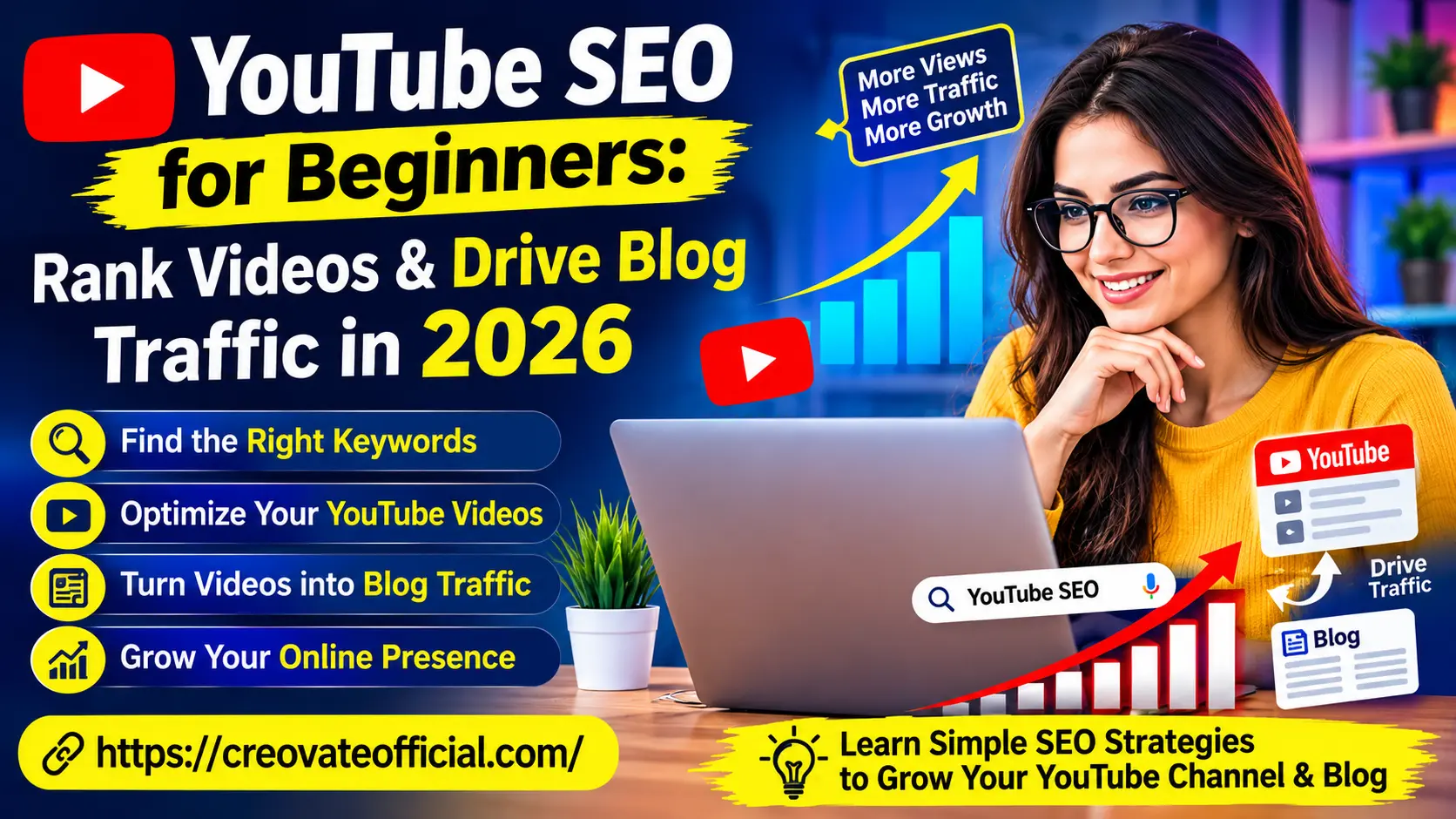
YouTube SEO for beginners comes down to four things: researching keywords people actually search for, writing titles and descriptions that match search intent, keeping viewers watching longer than similar videos, and using end screens, cards, and pinned comments to send that attention to your blog. These are the factors YouTube itself points to most often in its Creator Academy guidance, and getting them right is where most channels see the biggest early gains — though exact algorithm weighting is never public, so treat any specific claim (including from this guide) as an informed estimate, not a guarantee.
🎁 The Online Income Starter Kit (2026)
A free swipe file with YouTube title templates, a keyword research checklist, and the exact video-to-blog funnel we use to convert viewers into subscribers.
No spam. Unsubscribe anytime. We'll only email you about growing your channel and blog.
Already subscribed? Grab it directly:
Download the Starter Kit →Why Trust This Guide
This isn't recycled advice from a YouTube help page. It's built from testing on our own channel and client channels, watching what actually moved the needle on impressions and click-through rate versus what was just theory.
- Based on hands-on channel testing, not just YouTube's public documentation
- Cross-checked against Google Search Central and YouTube Creator Academy guidance
- Updated for 2026 algorithm behavior, including AI-generated search summaries
- Tools recommended only if we'd genuinely use them ourselves
Affiliate disclosure: Some links in this article are affiliate links. If you buy through them, we may earn a small commission at no extra cost to you. We only recommend tools we've researched and believe are genuinely useful for beginners. This never affects the honesty of our reviews.
Get The No-Portfolio Client Playbook and learn how to choose a service, create practice samples, find prospects, write outreach, and take your first steps with confidence.
👉 Get it here1. What Is YouTube SEO (And Why It Matters in 2026)
YouTube SEO is the practice of optimizing your videos and channel so that YouTube's algorithm — and increasingly, Google's AI-powered search summaries — understands what your content is about and shows it to the right people. It's the second-largest search engine on the internet, and unlike a lot of Google's organic results, video real estate is still relatively uncrowded for beginners willing to do the research.
Here's the part most beginners miss: YouTube SEO isn't just about getting views. It's a distribution channel. A well-optimized video can rank for years, sending a steady trickle of new viewers — and if you set it up right, new blog readers — long after you stopped thinking about it.
In 2026, this matters more than ever because AI search tools now pull video transcripts directly into their answers. If your video is the clearest, best-structured explanation of a topic, you don't just rank in YouTube search — you get cited by AI assistants that summarize the web.
2. How the YouTube Algorithm Actually Ranks Videos
YouTube has never published its full ranking formula, and it changes over time — so treat what follows as an informed read based on YouTube Creator Academy guidance, Google Search Central documentation, and patterns we've observed testing our own channels, not a leaked algorithm. Even so, a few signals show up consistently enough across public creator resources and case studies that they're worth building your strategy around.
Signals that consistently correlate with stronger performance
- Relevance: How well your title, description, tags, spoken words, and captions match a search query.
- Click-through rate (CTR): The percentage of people who see your thumbnail and title and actually click.
- Average view duration: How long people watch, both in raw time and as a percentage of the video.
- Audience retention curve: Where people drop off — sharp early drop-offs tend to correlate with fewer impressions afterward.
- Session time: Whether your video appears to keep people watching YouTube afterward (this is widely believed to reward good end screens and playlists).
- Engagement signals: Likes, comments, shares, and saves relative to views.
- Freshness and consistency: Channels that publish on a predictable schedule often report more consistent impressions, though this varies by niche.
Notice that "keyword stuffing your tags" isn't on that list. YouTube itself has said tags play a minor, largely tie-breaking role — relevance and watch behavior appear to matter far more.
3. YouTube Keyword Research for Beginners
Good YouTube keyword research answers one question: what are real people typing (or saying) into the search bar right before they'd want to watch your video? Here's a simple, repeatable process.
Step 1: Mine the YouTube autosuggest
Start typing your topic into YouTube's search bar and note every autocomplete suggestion. These are real, high-volume queries pulled directly from user behavior — free keyword research hiding in plain sight.
Step 2: Check "search on" competitor videos
Open a few top-ranking videos in your niche and read their titles, first line of description, and pinned comments. Repeated phrases across multiple top videos are strong keyword signals.
Step 3: Layer in People Also Ask style questions
Google's "People Also Ask" boxes and YouTube's related search suggestions reveal question-based long-tail keywords — great for FAQ-style video sections and blog posts you'll link to later.
Step 4: Draft scripts and titles faster with AI assistance
Once you have your keyword list, drafting titles, hooks, and descriptions manually for every video gets slow. This is where a tool like Rytr earns its keep — feed it your target keyword and it drafts multiple title and description variations you can shape into your own voice in minutes instead of hours.
4. Optimizing Titles, Descriptions & Tags
Titles
Put your primary keyword within the first 60 characters, lead with the value or outcome, and write for a human first. "YouTube SEO for Beginners: Rank Videos & Drive Blog Traffic in 2026" works because it states the keyword, the audience, and the benefit — in that order.
Descriptions
The first two lines matter most since that's what shows before "Show more." Include your primary keyword naturally in the first sentence, then expand with secondary keywords, a timestamp list, and links to related resources on your blog.
Tags
Use 5–8 tags: your exact keyword, a couple of close variations, and one or two broader category tags. Skip the temptation to stuff in 30 unrelated tags — YouTube's system now largely ignores that.
5. Thumbnails and Click-Through Rate
Your thumbnail and title work as a pair — they're what a searcher sees before they ever hit play, and CTR is widely considered one of the strongest early signals YouTube weighs when deciding whether to show your video to more people.
- Use 3–5 words maximum on the thumbnail text, high contrast, and a clear focal point
- Avoid repeating your title verbatim on the thumbnail — make them complement each other
- Test two thumbnail concepts on your first few videos and note which style consistently outperforms
- Faces with clear expressions tend to outperform text-only or object-only thumbnails
If design isn't your strength, editing tools like CapCut include free thumbnail templates you can adapt in minutes, or you can outsource thumbnail design entirely through Fiverr for a few dollars per design once your channel starts generating revenue.
6. Watch Time, Retention & Engagement Signals
Getting the click is only half the job — YouTube watches what happens after someone presses play just as closely.
Structure videos to protect retention
- Open with the payoff in the first 10–15 seconds — tell viewers exactly what they'll get and why it matters
- Cut dead air and long intros; get to value fast
- Use pattern interrupts (b-roll, on-screen text, angle changes) every 20–30 seconds on talking-head videos
- Close with a clear next step, not a vague "thanks for watching"
Check your retention graph in YouTube Studio after every upload. A steep drop in the first 15 seconds almost always means your intro is too slow or the video doesn't match what the thumbnail promised.
7. Using Captions and Transcripts for SEO
Captions aren't just an accessibility feature — the words in your captions are fully indexed by YouTube's search system and increasingly by AI search tools that summarize video content. Upload an accurate transcript (auto-captions are a decent start, but always review them for errors) and make sure your target keyword is actually spoken in the video, ideally in the first 30 seconds.
8. Turning YouTube Views Into Blog Traffic
This is the step most beginners skip entirely, and it's where the real compounding value lives. Views are nice; a subscriber on your email list or a returning reader on your blog is an asset you actually own.
Practical ways to route YouTube traffic to your site
- Pinned comment: Post a direct link to the related blog post or lead magnet immediately after publishing
- Description link, above the fold: Put your blog link in the first two lines of the description, not buried at the bottom
- End screens and cards: Point to a "watch next" video that funnels toward a blog-referenced playlist
- On-screen verbal CTA: Literally say "the full breakdown, including my templates, is linked below" around the 60% mark of the video, where retention is still strong
Once traffic lands on your blog, capture it. A tool like GetResponse lets you build the landing page and email automation that turns a one-time viewer into a subscriber, and Systeme.io is a solid all-in-one option if you also want to build a simple funnel or sell a digital product without stitching together five separate tools. For deeper email strategy, see our guide on email marketing for beginners.
Managing income from your channel and blog?
Grab our Monthly Budget Planner to track ad revenue, affiliate payouts, and content costs in one simple spreadsheet.
9. Common YouTube SEO Mistakes Beginners Make
- Chasing broad, high-competition keywords instead of specific, winnable long-tail phrases
- Inconsistent uploads that break the algorithm's ability to predict and promote your content
- Ignoring the retention graph and repeating the same structural mistakes video after video
- Treating tags as the main lever instead of titles, thumbnails, and spoken keywords
- No clear path off the platform — never linking viewers anywhere they can become a subscriber or reader
10. Comparison: Best Tools for a YouTube SEO Workflow
None of these tools "do YouTube SEO" for you automatically — but each removes a real bottleneck beginners run into. Here's how they stack up.
| Tool | Best For | Starting Price | Pros | Cons |
|---|---|---|---|---|
| Rytr | Titles, scripts & descriptions | Free plan available | Fast drafts, many tone presets | Needs human editing for authenticity |
| CapCut Editor's Pick | Video editing & thumbnails | Free download | Beginner-friendly, mobile + desktop | Some effects require Pro plan |
| Synthesia | AI avatar / faceless videos | Paid plans (check current pricing) | No camera needed, multi-language | Avatars can feel less personal |
| GetResponse | Email capture & automation | Free plan available | Landing pages + email in one tool | Learning curve for automations |
| Systeme.io | Funnels & selling digital products | Free plan available | All-in-one, no plugin stacking | Fewer advanced integrations than niche tools |
| CustomGPT.ai | Turning videos/transcripts into a chatbot | Paid plans (check current pricing) | Great for repurposing a video library | Overkill for a brand-new channel |
| FastPixel | Blog site speed optimization | Paid plans (check current pricing) | Faster blog = better traffic retention | Only helps the blog side, not YouTube directly |
| Fiverr | Outsourcing thumbnails & edits | Pay per project | Fast turnaround, wide price range | Quality varies by freelancer |
11. Individual Tool Reviews
Rytr — AI Writing Assistant
Free plan availableRytr is a lightweight AI writing tool that's genuinely useful for the unglamorous parts of YouTube SEO: drafting title variations, description copy, and video scripts so you're editing instead of staring at a blank page.
Advantages
- Fast first drafts for titles and descriptions
- Multiple tone and language presets
- Simple interface, low learning curve
Drawbacks
- Outputs need a human editing pass
- Free plan has monthly character limits
Best for: Beginners who freeze up writing titles and descriptions and need a fast starting point.
Try Rytr →We use Rytr for first-draft description copy, then rewrite in our own voice before publishing — treat it as a co-writer, not a final draft generator.
CapCut — Free Video Editor
Free downloadCapCut is the editing tool most new creators land on for good reason: it's genuinely free, works on both mobile and desktop, and includes built-in caption generation — which, as covered above, matters directly for YouTube SEO.
Advantages
- Built-in auto-captions you can edit and export
- Templates for thumbnails and short-form edits
- No cost to get started
Drawbacks
- Some premium effects and fonts sit behind CapCut Pro
- Mobile version can feel cramped for long-form editing
Best for: Beginners editing their own videos without a paid editing budget. (Currently available for USA-based downloads.)
Download CapCut Free →Synthesia — AI Avatar Video Creation
Paid plansSynthesia generates videos with an AI presenter reading your script, which is a legitimate option for creators who want to publish consistently without appearing on camera every time — useful for tutorial-style or explainer content.
Advantages
- No camera or recording setup required
- Multi-language voice and avatar options
- Consistent output speed for scripted content
Drawbacks
- Avatars can read as less personal than a real face
- Best suited to explainer or corporate-style content, not vlogs
Best for: Creators who want to test faceless, script-driven video content or scale multi-language versions of a video.
Explore Synthesia →GetResponse — Email & Landing Pages
Free plan availableOnce your YouTube SEO is working and views are flowing in, GetResponse is where you actually convert that attention into an owned audience — landing pages, email automation, and simple funnels in one dashboard.
Advantages
- Landing page builder plus email automation together
- Free plan available to start capturing leads
- Solid deliverability reputation
Drawbacks
- Automation workflows take time to learn
- Advanced features gated behind higher-tier plans
Best for: Creators ready to build an email list from YouTube traffic instead of relying on the algorithm alone.
Try GetResponse →Systeme.io — All-in-One Funnel Builder
Free plan availableSysteme.io bundles funnels, email, and simple digital product sales into one platform, which is genuinely handy for a beginner who doesn't want to manage five separate subscriptions just to sell one lead magnet or planner.
Advantages
- Free plan covers real functionality, not just a trial
- Funnels, courses, and email in one place
- Simple enough for non-technical beginners
Drawbacks
- Fewer third-party integrations than dedicated tools
- Design flexibility is more limited than specialized page builders
Best for: Beginners who want one tool to handle their whole video-to-sale funnel.
Start Free with Systeme.io →CustomGPT.ai — Turn Content Into a Chatbot
Paid plansCustomGPT.ai lets you feed in your video transcripts and blog content to build a custom AI chatbot trained only on your material — a more advanced play once you have a real content library to repurpose.
Advantages
- Repurposes existing transcripts and articles automatically
- Can live on your site as an on-brand support/FAQ bot
Drawbacks
- Overkill until you have a sizable content library
- Requires some setup time to train well
Best for: Established creators with a large back catalog of videos and blog posts to repurpose.
Explore CustomGPT.ai →FastPixel — Website Speed Optimization
Paid plansFastPixel focuses on making your blog load faster, which matters more than most beginners realize: a slow blog will bleed the very traffic your optimized YouTube videos worked hard to send over.
Advantages
- Directly improves Core Web Vitals and load speed
- Helps protect the traffic your videos send to your blog
Drawbacks
- Doesn't affect YouTube rankings directly
- Best paired with an already-decent hosting setup
Best for: Bloggers noticing high YouTube-referred traffic but weak on-site engagement.
Check FastPixel →Fiverr — Outsource Thumbnails & Editing
Pay per projectOnce your time becomes more valuable than your budget, Fiverr is where most creators outsource thumbnail design, editing, or even scriptwriting to freelancers at a wide range of price points.
Advantages
- Fast turnaround for one-off tasks
- Wide range of skill levels and price points
Drawbacks
- Quality varies significantly by freelancer
- Vetting good talent takes a bit of trial and error
Best for: Creators ready to hand off thumbnails or editing to reclaim time for scripting and strategy.
Browse Fiverr →12. Pros & Cons of Building a YouTube-to-Blog Strategy
Pros
- Videos can rank and drive traffic for years after publishing
- Builds trust faster than text alone — people see and hear you
- Diversifies traffic so you're not fully dependent on Google's blog rankings
- Repurposes into blog posts, Shorts, and email content from one script
Cons
- Slower initial traction than paid ads
- Requires consistency — sporadic uploads hurt algorithmic trust
- Editing and thumbnail design take real time or budget
- Results compound gradually, not overnight
13. Buying Guide: Choosing the Right Tools
What to look for
- A genuinely usable free tier, so you can test before committing budget
- Export formats that fit YouTube's requirements (captions, resolution, aspect ratio)
- Tools that solve today's actual bottleneck, not a hypothetical future problem
Budget considerations
If you're just starting, spend zero dollars on tools for your first 5–10 videos. Use CapCut and YouTube's native analytics to learn what actually works before paying for anything. Add paid tools only once a specific bottleneck — like list-building or thumbnail speed — is clearly slowing you down.
Who should avoid over-investing early
If you haven't published consistently for at least a month, skip the funnel builders and AI avatar tools for now. Nail the fundamentals in Steps 3–7 above first; tools amplify a working process, they don't replace one.
14. Frequently Asked Questions
What is YouTube SEO in simple terms?
YouTube SEO is optimizing your channel, titles, descriptions, tags, thumbnails, and captions so YouTube's algorithm understands your content and shows it to people searching for or interested in that topic.
How long does YouTube SEO take to show results?
Most beginners see early ranking movement within 4 to 8 weeks, with consistent, compounding growth usually taking 3 to 6 months of regular, optimized uploads.
Do I need expensive equipment to rank on YouTube?
No. YouTube ranks based on relevance and engagement, not production value. A clear phone camera and decent lighting, paired with strong keyword targeting, will outperform an expensive setup with weak SEO.
What are the biggest YouTube ranking factors in 2026?
YouTube hasn't published its exact ranking formula, but click-through rate, average view duration, audience retention, session time after the click, and keyword relevance across your title, description, and captions are among the signals most consistently cited by YouTube's own creator guidance and observed by creators.
Can YouTube SEO really drive traffic to my blog?
Yes — videos that rank for informational keywords can send warm, pre-qualified traffic through pinned comments, description links, and end screens, especially when your video and blog content are tightly aligned.
Should I focus on Shorts or long-form videos first?
Shorts often bring faster discovery, but long-form videos tend to build stronger search rankings and send more qualified traffic to a blog. A mix, with Shorts feeding your long-form catalog, tends to work best.
Do tags still matter for YouTube SEO in 2026?
Tags have a minor influence, mostly helping with misspellings and close variations. Titles, descriptions, spoken keywords, and closed captions carry far more ranking weight.
15. Final Verdict
YouTube SEO for beginners isn't a hack — it's a repeatable system: research real keywords, optimize titles and thumbnails for the click, structure videos to protect retention, and build a clear path from viewer to subscriber to reader. Start with zero-cost tools like CapCut and YouTube's own analytics, nail the fundamentals across your first 10–15 videos, then layer in paid tools like GetResponse or Systeme.io once you have traffic worth converting.
Next step: Grab the free starter kit above, pick one video idea using the keyword research process in Step 3, and publish it this week using the title and thumbnail checklist from Steps 4–5.
Get the Free Starter Kit →