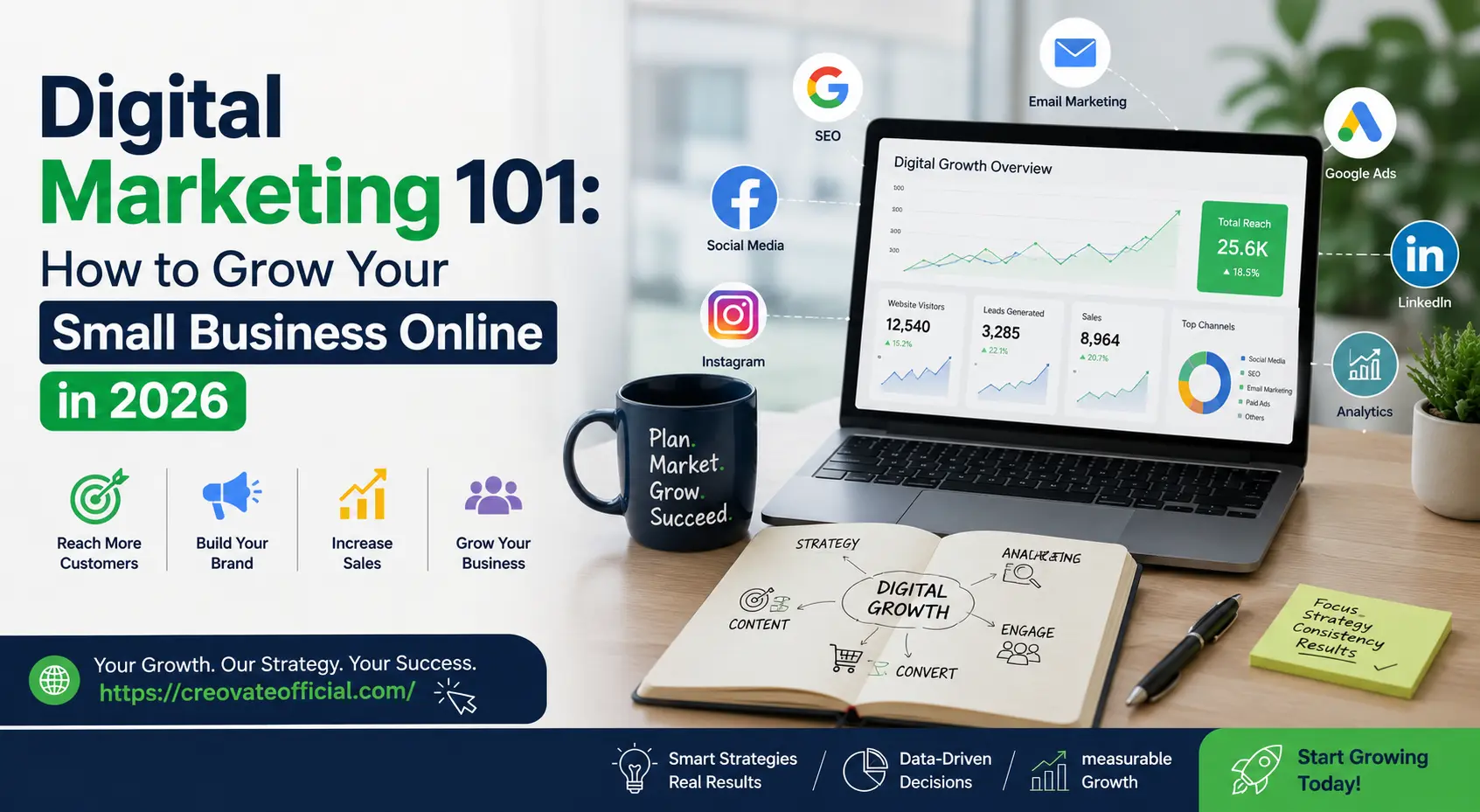
Digital marketing for a small business means using a website, search engines, social media, email, and (eventually) paid ads to get found by the right people and turn them into customers. You don't need every channel on day one — start with a fast website, basic local SEO, and one consistent content channel, then add email marketing and paid ads once you know what's converting. AI tools now handle a lot of the heavy lifting, so a solo owner can realistically run all of this in a few hours a week.
Free: Monthly Marketing Budget Planner
A simple spreadsheet to plan and track your marketing spend across SEO, ads, content, and tools — built for small business budgets, not agency ones.
Why Trust This Guide
This isn't a rewritten listicle. It's built from what actually moves the needle for small businesses running lean budgets and even leaner time — the same fundamentals we use to grow Creovate Official and the businesses we've advised.
Get The No-Portfolio Client Playbook and learn how to choose a service, create practice samples, find prospects, write outreach, and take your first steps with confidence.
👉 Get it hereWhat Digital Marketing Actually Means for a Small Business
"Digital marketing" gets thrown around like it's one thing. It isn't. For a small business, it's really five separate skills working together: a website that explains what you do, search visibility so people can find that website, content that builds trust before someone buys, social media that keeps you top of mind, and email that turns one-time buyers into repeat ones.
You don't need to master all five at once. Most small businesses that succeed online pick one or two channels, get genuinely good at them, and layer in the rest over 6 to 12 months. Trying to do everything at 20% effort usually beats doing nothing, but it rarely beats doing one thing at 100%.
Step 1: Build a Website That Converts
Your website is the one digital asset you fully own — unlike a social profile, no platform can shut it down or change the rules overnight. Before spending a dollar on ads or hours on content, make sure this foundation is solid.
What a small business website needs, at minimum
- A clear headline that says what you do and who it's for, visible without scrolling
- A good Core Web Vitals experience — aim for an LCP (Largest Contentful Paint) of 2.5 seconds or less on mobile, since most visitors will be on a phone
- One obvious next step per page: call, book, buy, or subscribe — not five competing buttons
- Contact information and trust signals — real address, phone number, reviews, and photos of your actual work or team
Page speed is one of the most overlooked levers here. A slow site can hurt user experience, conversions, and performance in search — visitors bounce before the page even finishes loading. This is exactly the kind of problem an image and site speed optimizer is built to fix without touching a line of code, which we cover in the tool reviews below.
Step 2: SEO for Small Business
SEO (search engine optimization) is how your business shows up when someone searches for what you offer. For many local businesses, SEO can be one of the highest-value channels because people searching for a service often already have strong purchase intent.
Local SEO fundamentals
- Claim and complete your Google Business Profile — hours, category, photos, and service area, updated monthly
- Encourage genuine customer reviews and respond to them professionally — reviews can contribute to your local search visibility and prominence
- Match your business name, address, and phone number exactly across every directory you're listed on
- Use your city and service in page titles naturally — "Plumber in Austin, TX," not keyword-stuffed variations
On-page SEO basics that still work in 2026
- One clear H1 per page that matches what the searcher is actually looking for
- Descriptive, unique meta descriptions that give someone a reason to click
- Internal links between related pages so search engines (and AI crawlers) understand your site structure
- Content that fully answers the question — pages that provide little original value are unlikely to perform well, regardless of word count
Writing that much content by hand, page after page, is where most small business owners burn out. This is where an AI writing assistant like Rytr earns its keep — not to publish AI text untouched, but to get past the blank page and cut first-draft time by more than half.
Want the deeper walkthrough? See our full SEO for beginners guide and SEO for affiliate and content sites.
Step 3: Content Marketing for Small Business
Content marketing means publishing genuinely useful material — blog posts, videos, guides, comparisons — that answers questions your customers already have. It's slower than ads, but a useful post can continue attracting organic traffic long after it's published.
How to pick your first content topics
- Write down the 10 questions customers ask you most before they buy
- Turn each one into a page or post that answers it thoroughly and honestly
- Add real examples, photos, or numbers from your own business — this is what AI-generated content can't replicate
Short-form video is one of the highest-leverage content formats for small businesses right now, and you don't need a studio to make it. A simple editor like CapCut (free to download) handles captions, trimming, and formatting for Reels, TikTok, and YouTube Shorts from your phone.
Step 4: Social Media Marketing for Small Business
Social media works best for small businesses as a trust-building and discovery channel — not a direct sales channel. People rarely buy from a cold post, but they do remember a business that showed up consistently and looked credible when they finally searched for it.
Choosing the right platform
| Business Type | Best Platform to Start | Why |
|---|---|---|
| Local service business | Facebook + Google Business Profile | Where local customers already search and ask for referrals |
| Visual product or craft business | Instagram / Pinterest | Discovery is driven by imagery and search-style browsing |
| B2B or professional services | Decision-makers and referral networks are concentrated here | |
| Younger consumer audience | TikTok / Instagram Reels | Short-form video can be an effective discovery format for many consumer-facing businesses |
If creating on-camera video isn't realistic for you, AI avatar tools like Synthesia let you turn a script into a presenter-style video without filming anything — useful for product explainers, onboarding videos, or ads.
Step 5: Email Marketing for Small Business
Email is the most underrated channel for small businesses, mostly because it isn't flashy. But it's the one list you fully own, and it can be a highly effective channel for retention and repeat purchases.
A simple email system that works
- Offer something useful in exchange for an email — a discount, checklist, or free resource
- Send a short welcome sequence (3–5 emails) that introduces your business and best offer
- Send a regular newsletter — weekly or biweekly beats sporadic "when I remember" emails
- Segment buyers from non-buyers so your offers stay relevant
A dedicated platform like GetResponse handles the automation, segmentation, and landing pages this requires, so you're not manually sending every email from your inbox. For a step-by-step setup, see our email marketing for beginners guide and newsletter startup guide.
Step 6: Paid Ads and Budget Allocation
Paid ads (Google, Meta, or local platforms) can accelerate results, but only once your website converts and your offer is clear — ads amplify what's already working, they don't fix a broken funnel.
Example starting allocation — not a universal rule
- 50% — the channel with the clearest, fastest ROI for your business (often local search ads or retargeting)
- 30% — content and SEO investment (tools, freelancers, or your own time)
- 20% — testing new channels or formats you haven't tried yet
Use our free marketing budget planner above to map this out against your actual monthly numbers instead of guessing.
Common Mistakes Small Businesses Make
Tools Compared: Which Ones Are Worth It
Here's how the main tools referenced in this guide stack up against each other. None of these are required to start — but each one removes a specific bottleneck small business owners hit.
| Tool | Best For | Pricing Model | Pros | Cons |
|---|---|---|---|---|
| Rytr | Fast first-draft content & SEO copy | Free plan; paid tiers scale with usage | Cheap, quick, dozens of use-case templates | Needs human editing for brand voice |
| FastPixel | Website speed & image optimization | Usage-based plans | Improves Core Web Vitals with no code | Mainly for image-heavy or CMS-based sites |
| CapCut | Short-form video editing | Free, with optional Pro upgrade | Mobile-friendly, built-in captions and templates | Pro features gated behind subscription |
| GetResponse | Email marketing & automation | Tiered monthly plans by list size | Automation, landing pages, and email in one tool | Can feel like overkill under 500 subscribers |
| Systeme.io | All-in-one funnels, courses & email | Generous free plan; paid tiers for scale | Replaces 4–5 separate tools; genuinely free tier | Less polished design flexibility than dedicated builders |
| Synthesia | AI avatar & explainer videos | Per-minute/monthly credits | No filming or editing needed; 100+ languages | Avatars still read as "AI-made" to some viewers |
| CustomGPT | AI chatbot trained on your own content | Monthly plans by page/document volume | Answers customer questions using your real data | Setup takes longer than generic chatbot tools |
| Fiverr | Outsourcing design, video, or writing tasks | Pay-per-project, no subscription | Huge talent pool, fast turnaround, fixed pricing | Quality varies — vetting sellers takes effort |
Individual Tool Reviews
A closer look at each tool — what it's actually good at, where it falls short, and who should (and shouldn't) buy it.
Rytr — AI Writing Assistant
Best for Fast DraftsRytr generates first drafts for blog intros, product descriptions, and social captions from a short prompt, cutting first-draft time significantly. It won't replace a skilled writer — expect a generic tone until you edit for your brand voice — but it removes the blank-page problem that stalls most content plans.
FastPixel — Website Speed Optimization
Best for Core Web VitalsFastPixel compresses images and optimizes site delivery with no-code setup, giving a noticeable load-time improvement on most image-heavy sites. It's less impactful if your site is already lightweight and text-only.
CapCut — Video Editor (Free Download)
Best for Short-Form VideoCapCut turns phone footage into a polished Reel, TikTok, or Short in minutes, with auto-captions and trending templates built in. The free core version covers most small business needs, though advanced effects sit behind Pro.
GetResponse — Email Marketing Platform
Best for AutomationGetResponse combines email campaigns, automated sequences, and landing pages in one dashboard with a visual automation builder. It's a strong fit once you're past manually sending emails, though pricing scales with list size.
Systeme.io — All-in-One Marketing Platform
Best Free PlanSysteme.io bundles email marketing, sales funnels, course hosting, and a website builder into one platform, replacing several separate subscriptions. Its free tier has real functionality, though design templates are more functional than polished.
Synthesia — AI Video Generator
Best for Explainer VideosSynthesia turns a written script into a video with an AI presenter in 100+ languages, no camera or filming required. It's useful for onboarding and explainer videos, though it carries a higher price point than most tools on this list.
CustomGPT — Custom AI Chatbot
Best for Customer SupportCustomGPT builds a chatbot trained on your own website, documents, and FAQs, so it answers using your actual policies instead of generic AI responses. Best results require organized source content upfront.
Fiverr — Freelance Marketplace
Best for OutsourcingWhen a task falls outside your skill set — logo design, a promo video, a landing page — Fiverr connects you with freelancers at fixed, upfront pricing. Quality varies, so check reviews and portfolios carefully before hiring.
Pros and Cons: DIY vs. Tool-Assisted Marketing
✅ Doing It Yourself (No Tools)
- Zero software cost
- Forces you to understand your own message deeply
- Works fine at very low volume
⚠️ Downsides of Doing It Yourself
- Slow — content and campaigns take far longer to produce
- Hard to stay consistent without automation
- Easy to burn out juggling five channels manually
✅ Using the Right Tools
- Cuts content and setup time significantly
- Makes consistency realistic for a solo owner
- Most tools have free or low-cost starting tiers
⚠️ Downsides of Using Tools
- Subscription costs add up if you collect tools you don't use
- Still requires your judgment and editing — tools assist, they don't replace strategy
Buying Guide: How to Choose Marketing Tools
What to look for
- A real free tier or trial — you should be able to test before committing a monthly budget
- Time saved, not just features — a tool with 50 features you'll never touch isn't worth more than one that solves your actual bottleneck
- Exportable data — make sure you can leave with your email list, content, and contacts if you switch tools later
Budget considerations
A reasonable starting marketing tool budget for a small business is $50–150/month total, spread across one or two tools that solve your biggest bottleneck — not a subscription to everything at once. Use the free budget planner above to model this against your actual revenue.
Who should buy vs. who should wait
- Buy now if manually doing a task (writing, editing, emailing) is costing you hours every week that could go toward sales or service
- Wait if you haven't yet validated that the channel works for your business — test manually first, automate once it's proven
Frequently Asked Questions
What is digital marketing for a small business?
It's the set of online channels — website, SEO, social media, content, email, and paid ads — that a small business uses to get found by potential customers and turn them into buyers. Most small businesses start with a website and one or two channels rather than all of them at once.
How much should a small business spend on digital marketing?
A common starting range is 5–10% of revenue, though very early-stage businesses often start lower and increase spend once a channel proves it converts. Tool subscriptions typically run $50–150/month before any ad spend is added.
What's the best digital marketing strategy for beginners in 2026?
Start with a fast, clear website and basic local SEO, then add one consistent content channel (blog or short-form video). Add email marketing once you have steady traffic, and layer in paid ads only after your website reliably converts visitors.
Do small businesses really need SEO?
If any potential customers search online before buying — which is true for almost every business — SEO matters. Local SEO in particular (Google Business Profile, reviews, consistent listings) tends to deliver strong returns for service-based businesses.
Can I do digital marketing without hiring an agency?
Yes. Most of the fundamentals covered in this guide — website basics, local SEO, content, email — are manageable for an owner or small team using the right tools, especially in the first one to two years before volume justifies outside help.
How long does digital marketing take to show results?
Paid ads can show results within days. SEO and content marketing typically take 3–6 months to gain meaningful traction, since they rely on search engines building trust in your site over time. Email marketing results depend on list size and typically improve steadily as your list grows.
What digital marketing tools should a small business start with?
Start with whatever removes your single biggest bottleneck — usually a website speed tool if your site is slow, an AI writing assistant if content creation is the holdup, or an email platform if you're not yet capturing leads. Avoid buying tools for channels you haven't started using yet.
What is the best digital marketing strategy for a small business with a low budget?
Focus on the channels that cost time rather than money first: a clear website, local SEO (Google Business Profile, reviews, listings), and one consistent content channel. Free or low-cost tools can help with the heaviest lifting, and paid ads can wait until your organic channels are proving out what converts.
Can AI tools help small businesses with digital marketing?
Yes. AI tools can speed up first drafts of content, generate short-form video and avatar-based videos without filming, and power chatbots trained on your own business content. They work best as a way to remove bottlenecks and save time — not as a replacement for your own judgment, brand voice, and strategy.
Final Verdict
Digital marketing for a small business doesn't have to mean doing everything. It means picking a website that actually converts, one search or content channel you can stay consistent with, and an email system that keeps customers coming back — then using tools to make that realistic on a small business schedule.
- Start with your website and local SEO — the foundation everything else depends on
- Add one content channel and stay consistent for at least 90 days before judging results
- Bring in tools only where they solve a real bottleneck, one at a time
- Track what's working with the free budget planner so decisions are based on numbers, not guesses
Related Resources
Want more done-for-you tools? Check out our Monthly Budget Planner digital product — a more detailed, purchasable version built for tracking marketing and business expenses side by side.