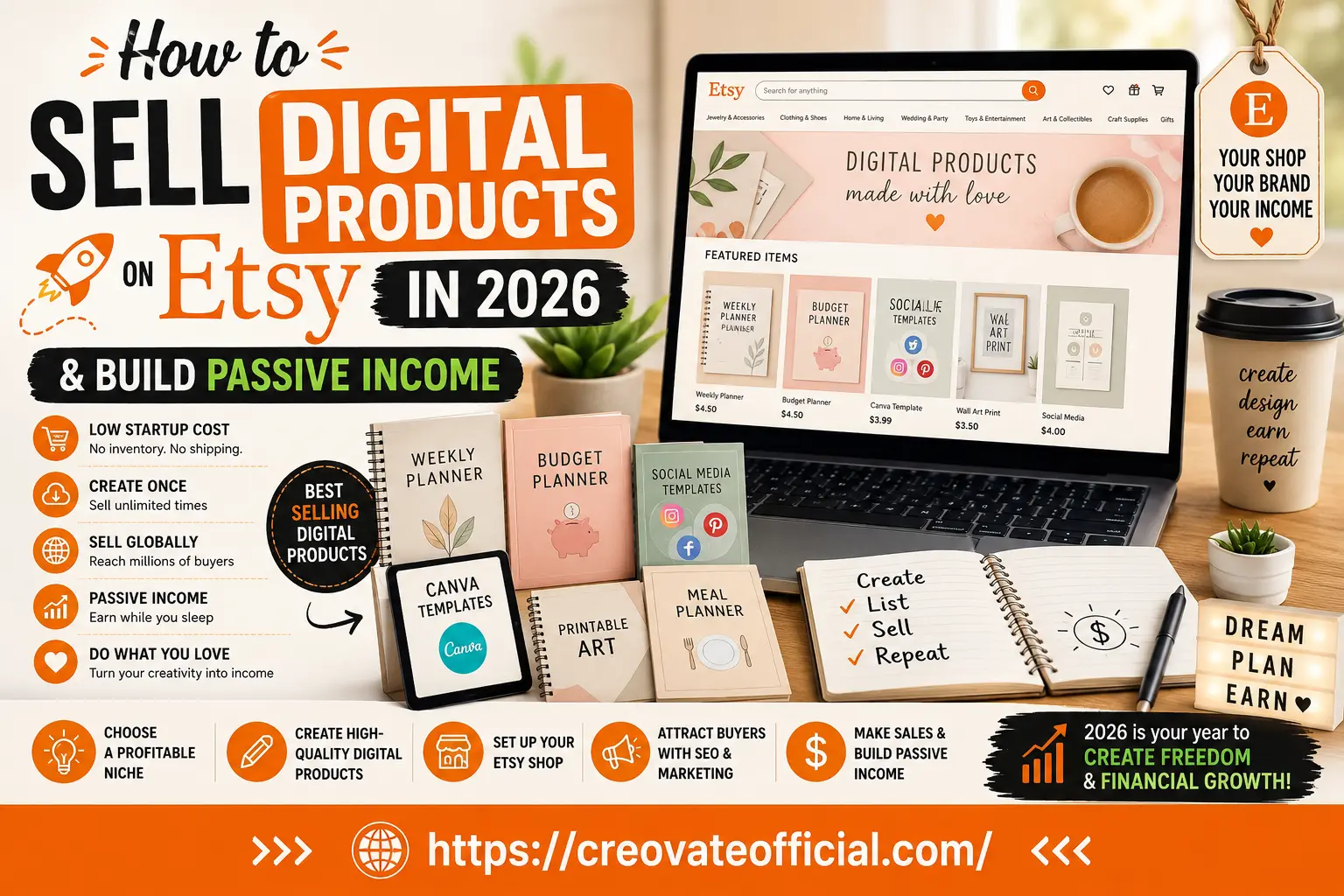
To sell digital products on Etsy in 2026, open a shop, pick one specific niche (not "printables" in general), design 5–10 products with Canva or similar tools, write keyword-focused titles and tags, and price based on the value delivered rather than the file size. In our experience, it's more realistic to budget for a few weeks of consistent listing, SEO refinement, and customer service before sales become predictable, rather than expecting results overnight — treat 20–30 listings as a reasonable early milestone to work toward, not a guarantee.
🎁 Free Online Income Starter Kit (2026)
A short checklist and planning worksheet to help you map out your first Etsy digital shop before you list anything.
Prefer to skip the form? Download the starter kit directly here.
Where this advice actually comes from
This guide is based on publicly available Etsy seller policies and fee structures, common patterns reported by working Etsy sellers, and hands-on testing of the design and marketing tools recommended below. It's updated periodically to reflect Etsy's current fee structure and search behavior — details like fees and specific features can change, so always confirm current numbers on Etsy's own Seller Handbook before you commit.
- Independent research, no sponsored placements from Etsy
- Tools tested by our team before recommending
- Affiliate links disclosed clearly below
- Reviewed and refreshed for 2026 policy changes
Affiliate disclosure: Some links in this article are affiliate links. If you make a purchase through them, we may earn a small commission at no extra cost to you. We only recommend tools we've actually evaluated, and our opinions are our own.
Official sources: Wherever this guide references Etsy's own rules or fees, we point you to Etsy's primary documentation rather than asking you to take our word for it — see the Etsy Seller Handbook, the Fees & Payments Policy, the Getting Found search guidance, and the digital item requirements.
Why digital products on Etsy still work in 2026
Etsy's digital products category has gotten more competitive since its early "print this planner" boom, but that's not the same as saturated. The listings that still sell are the ones built around a specific problem for a specific person — a budget planner for freelancers with irregular income, not "a budget planner." The listings that struggle are the generic ones dumped into the marketplace with a stock template and no thought about who's actually searching for it.
The core appeal hasn't changed: you design a product once, and Etsy lets buyers download it instantly. No printing, no shipping, no inventory risk. That's what makes digital goods one of the more approachable ways to build side income around a full-time job.
Step 1 — Choose a niche you can actually defend
Etsy's search results already have thousands of generic planners and templates. The way to compete isn't to out-design everyone — it's to be more specific than everyone. A niche isn't just a topic; it's a topic plus an audience plus a use case.
- Too broad: "Printable planners"
- Better: "Weekly meal planners for families with picky eaters"
- Too broad: "Social media templates"
- Better: "Instagram carousel templates for real estate agents"
Use Etsy's own search bar as free research: type a broad term and see what autocomplete suggests. Those suggestions come from real buyer searches, which makes them a decent proxy for demand and phrasing.
Best digital products to sell on Etsy right now
These categories have stayed consistently popular because they solve everyday problems and are quick to personalize:
- Printable planners and trackers — budget planners, meal planners, habit trackers, fitness logs
- Canva templates — social media kits, resumes, invitations, presentation decks
- Digital wall art and printable decor — nursery prints, quote art, seasonal decor
- Journal and notebook inserts for digital planning apps
- Editable templates — wedding invites, business cards, worksheets for teachers
- SVG and clipart bundles for Cricut and other cutting-machine hobbyists
Our own monthly budget planner is a good example of the format: a focused, single-purpose product built around one clear job, rather than a generic "planner bundle."
Step 2 — Make your first products
- Sketch the structure first. Before opening any design tool, list what pages or sections the product needs and in what order.
- Design in a tool you'll actually stick with. Canva is the most common starting point because of its free templates and drag-and-drop editor; more advanced sellers move to Adobe tools once they have a repeatable process.
- Export cleanly. PDFs for print-and-use products, PNG or editable Canva links for templates. Test every file yourself before listing it — broken files are the fastest way to earn a refund request.
- Build mockups, not just flat previews. Buyers decide in seconds; show the product in a realistic setting (a planner on a desk, a template on a phone screen).
Step 3 — Set up your Etsy shop correctly
Shop setup is where a lot of first-time sellers rush and lose trust points they never get back. Take the extra hour. It's also worth a quick read of Etsy's own digital item requirements before you list, so your products are compliant from day one.
- Pick a shop name that's easy to say out loud and doesn't box you into one product type
- Write a shop announcement and About section in plain language — explain who you are and what problem you solve
- Set clear shop policies (instant download, no refunds on digital files unless defective, etc.)
- Add a banner and logo that look intentional, even if simple — this is a trust signal, not decoration
Step 4 — Etsy SEO for digital products
Etsy's search algorithm rewards listings that match what a buyer typed and that buyers actually click and buy once they see them. That means SEO and conversion work together — you can't rank your way around a weak listing forever. Etsy's own Getting Found handbook section is worth bookmarking, since it's updated directly by Etsy as its search behavior evolves.
Titles
Front-load your primary keyword, then add descriptive modifiers a real buyer would search: "Budget Planner Printable, Monthly Finance Tracker for Freelancers, Instant Download PDF."
Tags
Use all 13 tags. Avoid repeating the exact title phrase in every tag — instead, cover synonyms, use cases, and long-tail variations buyers might type.
Photos
Your first image is effectively your ad. Show the product in use, not just a flat file preview, and keep text overlays short and legible on mobile.
Step 5 — Pricing without guessing
New sellers tend to price based on how long a file took to make. Buyers don't see your hours — they see the value the product delivers. A one-page tracker that solves an annoying weekly problem can reasonably be priced close to a multi-page bundle that solves nothing specific.
- Check what similar, well-reviewed shops in your niche charge before setting your own price
- Start slightly lower while you're building your first reviews, then raise prices as social proof builds
- Bundle related products once you have 3–5 winners, rather than bundling from day one
Comparison — tools that speed this up
| Tool | Best for | Pricing model | Learning curve | Recommended for |
|---|---|---|---|---|
| Canva | Designing planners, templates, and printables | Free tier + paid Pro plan | Low | Everyone starting out |
| Rytr | Writing listing titles, descriptions, and product copy faster | Free tier + paid plans | Low | Sellers who dread writing copy |
| FastPixel | Compressing and speeding up image/site assets | Usage-based plans | Low–medium | Sellers who also run their own storefront site |
| CapCut | Short-form video for TikTok/Reels product promos | Free download | Low | Sellers doing social promotion |
| GetResponse | Building an email list outside of Etsy | Free tier + paid plans | Medium | Sellers ready to own their audience |
Tool spotlights
Rytr — AI writing assistant for listing copy
Writing 20–30 product titles and descriptions from scratch is one of the more tedious parts of launching an Etsy shop. Rytr generates first-draft copy you can then edit into your own voice, which is genuinely useful for getting past a blank page faster.
Advantages
- Speeds up writing multiple listing variations
- Useful for social captions promoting your shop
- Free tier lets you try it before paying
Drawbacks
- Output still needs human editing for accuracy and tone
- Not a substitute for real keyword research
Best for: Sellers listing in volume who need a starting draft, not a finished product.
FastPixel — image and site speed optimization
This one's a stretch goal, not a day-one tool: if you eventually build your own storefront site to sell repeat customers directly, FastPixel compresses and optimizes assets so pages load faster. Skip it entirely if you're only selling on Etsy.
Best for: Sellers who've outgrown Etsy-only sales and run their own site.
CapCut — short-form video editing
Short "process" videos — a planner page flipping, a template being customized — are a low-cost way many sellers use to drive outside traffic to an Etsy shop, though results vary a lot by niche and effort. CapCut's free version covers most of what a beginner needs: trimming, captions, and trending audio.
Advantages
- Free download, works on mobile
- Built-in templates for quick edits
Drawbacks
- Video promotion is optional, not required, to sell digital products on Etsy
Best for: Sellers willing to post consistently on TikTok/Reels to drive extra traffic.
GetResponse — building an owned audience
Etsy owns the customer relationship by default — you don't get buyers' email addresses automatically. GetResponse lets sellers build a simple email list (often via a lead magnet like a free template) so repeat buyers can be reached directly, without relying on Etsy search every time.
Advantages
- Free tier is enough for a small early list
- Automation tools for welcome sequences
Drawbacks
- Adds a learning curve on top of running the Etsy shop itself
- Only pays off once you have consistent traffic to capture
Best for: Sellers past their first 20–30 sales, ready to reduce reliance on Etsy's algorithm.
Common mistakes new sellers make
- Listing too few products before evaluating results — 3–5 listings generally isn't enough data to judge whether a niche works; give it more volume before you decide.
- Copying competitor titles word-for-word — it doesn't help you rank and can trigger IP complaints if taken too far.
- Ignoring mockup quality — a flat, low-resolution preview loses to a styled mockup almost every time.
- Setting prices, then never revisiting them as reviews and demand data come in.
- Treating Etsy as the only channel instead of also building even a small owned audience.
The sellers who actually stick with this long enough to see results treat the first few months as market research, not a launch.
Buying guide — which tools do you actually need
What to look for
Prioritize tools with a real free tier so you can test fit before paying. Avoid subscribing to five tools before your shop has a single sale — add tools as specific bottlenecks show up (writing, video, email), not all at once.
Budget considerations
You can realistically launch an Etsy digital shop for the cost of a Canva Pro subscription (optional) and Etsy's own listing fees. Everything else on this page is an upgrade, not a requirement.
Who should start now
- You have 3–5 hours a week to design and list consistently
- You can identify one specific audience you understand well
- You're comfortable learning by testing, not by having a guarantee upfront
Who should wait
- You're looking for guaranteed income within days
- You don't have any time to research what similar shops already do well
- You want to skip listing quality and rely only on paid ads
Frequently Asked Questions
Is selling digital products on Etsy still profitable in 2026?
Yes, though the market is more crowded than a few years ago. Sellers who pick a specific niche, design genuinely useful products, and invest in Etsy SEO still see steady sales. Generic, low-effort listings struggle to compete.
Do I need design skills to sell digital products on Etsy?
No. Tools like Canva let you build planners, templates, and printables with drag-and-drop editing and free layout templates. Basic design sense helps, but you can learn it as you go.
How much does it cost to start an Etsy digital product shop?
Etsy charges a handful of mandatory fees — a small per-listing fee, a transaction fee on each sale, and a payment processing fee — plus optional costs like advertising. Exact rates and terms change from time to time, so check Etsy's current Fees & Payments Policy for the up-to-date numbers before you price your products. Beyond Etsy's own fees, most sellers start with free or low-cost design tools, so total startup cost is often modest.
What are the best digital products to sell on Etsy right now?
Printable planners, budget trackers, Canva templates, social media template packs, wall art, journal inserts, and editable resume templates continue to perform well, especially when tailored to a specific audience rather than sold as generic templates.
How do I get my Etsy digital product listings to rank higher?
Focus on keyword-rich, natural-sounding titles and tags, high-quality mockup images, competitive pricing, and gathering genuine reviews early. Etsy's search algorithm weighs relevance, listing quality, and customer experience together.
Can I sell the same digital product on Etsy and my own website?
Yes. Many sellers use Etsy for discovery and traffic, then direct repeat buyers to their own store or email list, where there are no marketplace fees and they own the customer relationship.
How long does it take to make money selling digital products on Etsy?
It varies widely. Some sellers get their first sale within days; others take a few months of listing, refining SEO, and building reviews before sales become consistent. Treat the first 90 days as a testing and learning period rather than a guaranteed payday.
Final verdict
- Pick a specific niche and audience before designing anything
- Give a niche real volume — aim for roughly 20–30 listings — before deciding whether it works
- Treat SEO and listing quality as the same job, not two separate ones
- Add tools (writing, video, email) only when they solve a real bottleneck you're hitting
- Start building an owned audience once you have consistent Etsy sales
If you're ready to start, your fastest path is: pick one niche this week, design five products with Canva, and list them with buyer-focused, natural-language titles. Refine from there based on what actually gets clicks.